HiAPI
OverviewModels MarketAPI KeysUsage StatisticsCall LogsBillingReferralPlaygroundStorageChangelogContact UsSettings
Display unit
N
Powered by hiapi
Settings

Welcome

Contact Us

Edit and compose images with FLUX.2 Image to Image using up to eight references, auto ratio, 1K/2K output, a matched watercolor example, and API quickstart code.

Provider: Black Forest Labs

Category: image generation

Endpoint: /v1/tasks

Status: Available

Cost: See live page pricing

Back to Models

FLUX.2 Image to Image

New
by Black Forest LabsImage

Edit and compose images with FLUX.2 Image to Image using up to eight references, auto ratio, 1K/2K output, a matched watercolor example, and API quickstart code.

Pricing

Standard Usage

70 Credits/ image

Input

0 / 5000
Estimated cost70 Credits / image1K

Output

Ready for generation

Configure your parameters and click "Run" to see the output here.

--GPU-T4

From references to edited results

Each case separates references, the edit instruction, and the complete result, with image zoom and prompt copy.

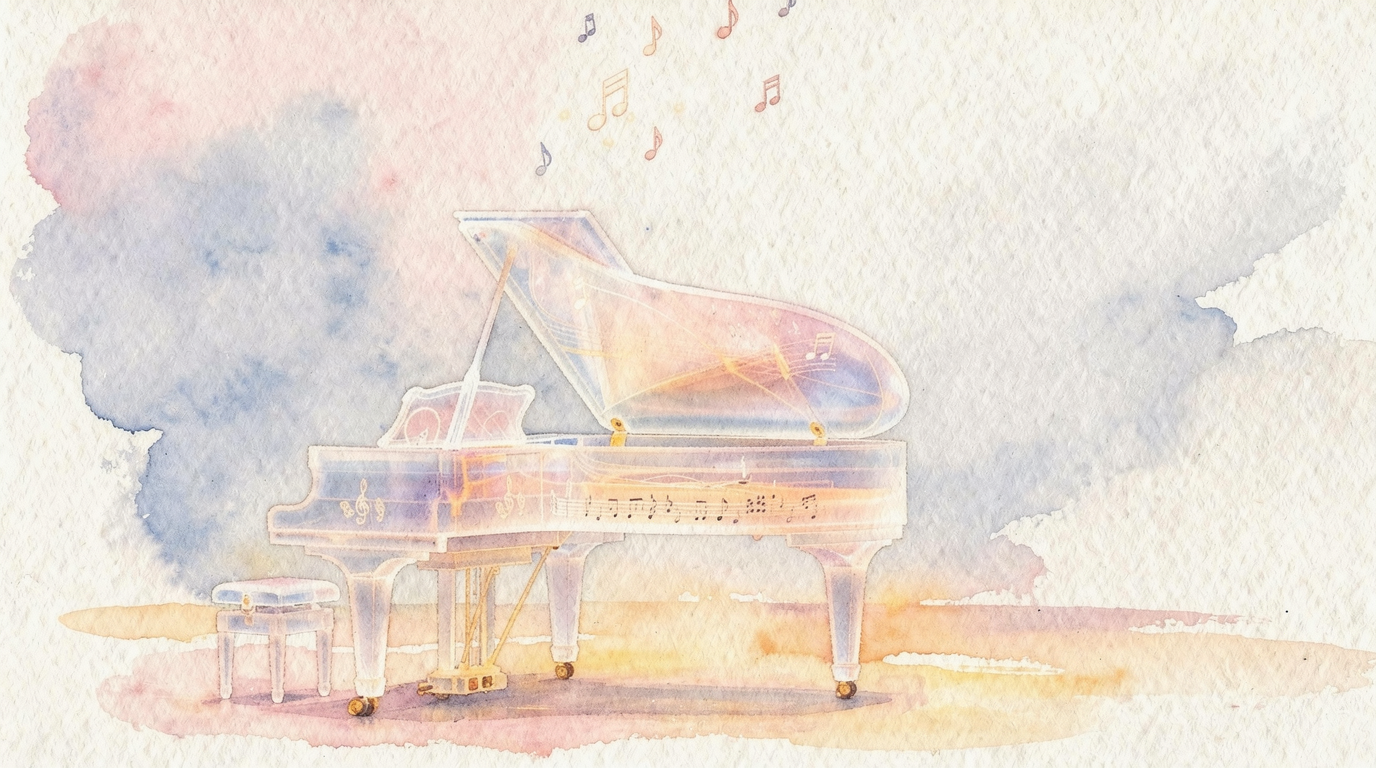
Repaint a scene while preserving composition · After
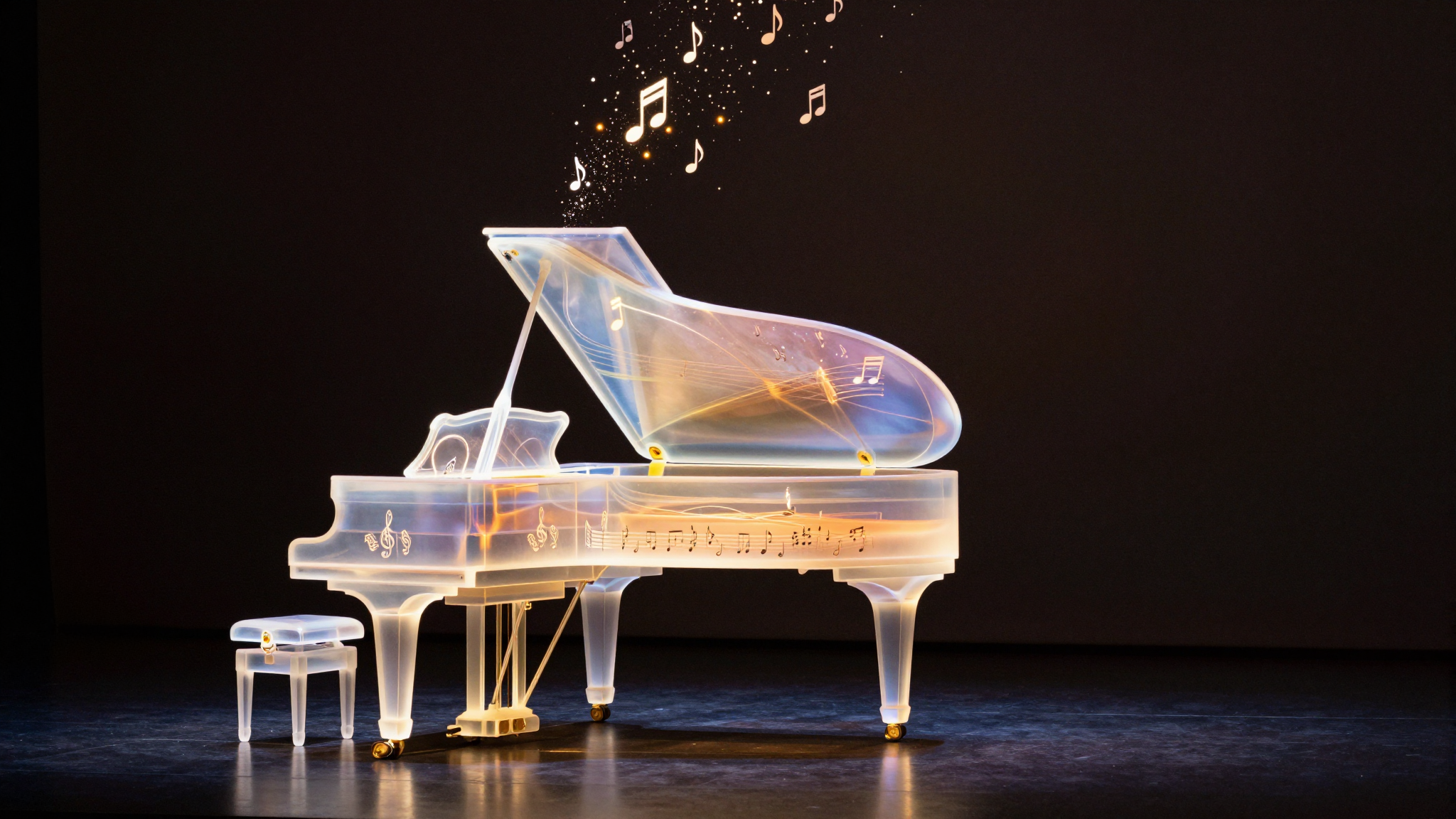
Repaint a scene while preserving composition · Before
BeforeAfter

1 reference image(s) / API result

Repaint a scene while preserving composition

The original scene structure remains recognizable while color, texture, and edge treatment move to a soft paper-based watercolor style.

Prompt · English

Turn this scene into a delicate watercolor illustration with soft pastel tones and visible paper texture, keep the original composition
Related image models

Choose an adjacent model by task, output tier, and reference-image needs.

Fast single-reference editing

FLUX.2 [klein] 9B

Use the lighter FLUX route for cleanup, text replacement, and fast commercial iterations.

Campaign-grade multi-reference editing

Seedream 5.0 Pro

Choose it for demanding preservation work and up to ten reference images.

Quality-tier reference editing

Grok Imagine Quality

Compare wide ratio coverage and a quality-focused 1k/2k route.

Compare AI image APIs

About FLUX.2 Image to Image

Edit and compose images with FLUX.2 Image to Image using up to eight references, auto ratio, 1K/2K output, a matched watercolor example, and API quickstart code.

The Playground and API use the same model ID: flux-2/image-to-image. Reference images provide subject, product, scene, or style facts, while the prompt assigns each role and limits the edit.

Provider
Black Forest Labs
Task
Image-to-Image / Editing
References
1-8
Pricing
70 Credits / image

Model specifications

These specifications reflect the current FLUX.2 Image to Image request contract.

Reference images
1-8
Output resolution
1K2K
Aspect ratios
1:14:33:416:99:163:22:3auto
Prompt length
3-5000 characters
Pricing
1K: 70 Credits / image2K: 100 Credits / image

Final cost depends on the output tier and input add-ons. Check the live page price and task record for the final charge.

How to use FLUX.2 Image to Image

References provide visual facts; the prompt assigns their roles and limits the edit.

Subject
Scene

API Quickstart

Copy a minimal request below. See Docs for parameters, callbacks, task retrieval, and errors.

Endpoint
POST /v1/tasks
Model ID
flux-2/image-to-image
cURL
curl -X POST https://api.hiapi.ai/v1/tasks \
  -H "Authorization: Bearer YOUR_API_KEY" \
  -H "Content-Type: application/json" \
  -d '{
  "model": "flux-2/image-to-image",
  "input": {
    "prompt": "Change the product color and preserve its structure",
    "image_urls": [
      "https://example.com/reference.jpg"
    ],
    "aspect_ratio": "auto",
    "resolution": "1K"
  }
}'

The create request immediately returns a taskId; image generation continues asynchronously.

Read the full API documentation

Frequently asked questions

How many references does FLUX.2 Image to Image accept?

It accepts 1 to 8 JPEG, PNG, or WebP references under 10MB each. Assign each image a clear role in multi-image prompts.

What does the auto ratio do?

auto follows the first reference image. Choose an explicit ratio for a fixed landscape, portrait, or square output.

How are 1K and 2K billed?

1K and 2K use separate per-image tiers, while reference count adds no separate fee. See the live page price for current amounts.

How do I reduce subject or logo drift?

Assign each reference a role and state the subject, text, material, position, and lighting that must remain unchanged.

Which API fields are required?

Submit model plus input.prompt, input.image_urls, input.aspect_ratio, and input.resolution.

Style
Up to 8
01

Upload references

Choose 1 to 8 publicly accessible images without redundant or conflicting roles.

What to change
What to preserve
02

Define changes and constraints

Describe the requested edit and the subject, text, composition, lighting, and positions that must remain.

Playground
POST /v1/tasks
03

Validate before integration

Check the reference relationship in Playground, then create asynchronous tasks with the same model ID.