Wiring an image-generation model into a Next.js 14 App Router app is a small project that catches almost everyone on the same four sharp edges:
- The API takes 60–120 seconds — too long for a single client request, too long for most edge runtimes.
- The API key cannot ship to the browser, which means a route handler proxy.
- The result URL is short-lived, so you need durable storage before the user reloads.
- The image arrives with unknown dimensions, which trashes Cumulative Layout Shift if you render it naïvely.
This tutorial walks through a production-shaped integration of the hiapi image API — task creation, polling, durable upload, and CLS-safe rendering — in about 150 lines of TypeScript. All code is meant to drop into a real app/ directory.
The Async Task Contract
hiapi exposes one unified endpoint for every image and video model: POST https://api.hiapi.ai/v1/tasks. It is fully asynchronous — you submit a task, poll until terminal, then download the output. No long-lived HTTP connections, no 100-second proxy timeouts, no Edge-runtime gotchas.
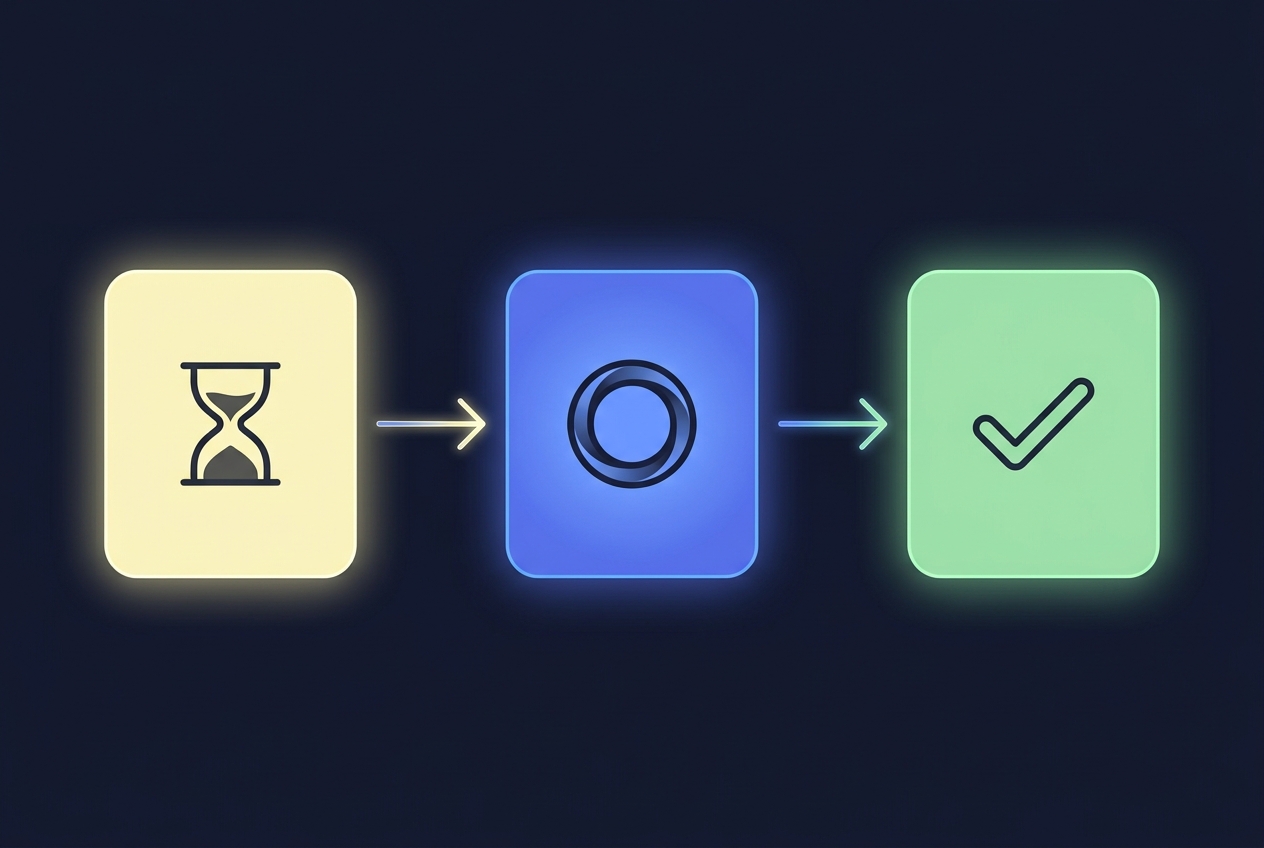
A task has four possible states:
pending— accepted but not yet picked uprunning— generation in progresssuccess—output[0].urlis ready (signed, time-limited)fail—error.codeanderror.messageare populated
A single 1K image typically settles in 30–120 seconds. Most of that is the model run; the API itself adds no measurable overhead.
Step 1: Project Setup
You need a Next.js 14+ App Router project and one environment variable:
# .env.local
HIAPI_API_KEY=sk-...   # never expose to the browser
Add the key to your deployment platform (Vercel, Cloudflare Pages, Railway) as a server-side secret. Do not prefix it with NEXT_PUBLIC_.
If you want durable storage (recommended — covered in Step 5), also add:
R2_ACCOUNT_ID=...
R2_ACCESS_KEY_ID=...
R2_SECRET_ACCESS_KEY=...
R2_BUCKET=...
R2_PUBLIC_BASE=https://cdn.your-domain.com   # custom domain on the bucket
Step 2: The Route Handler — Why It Exists
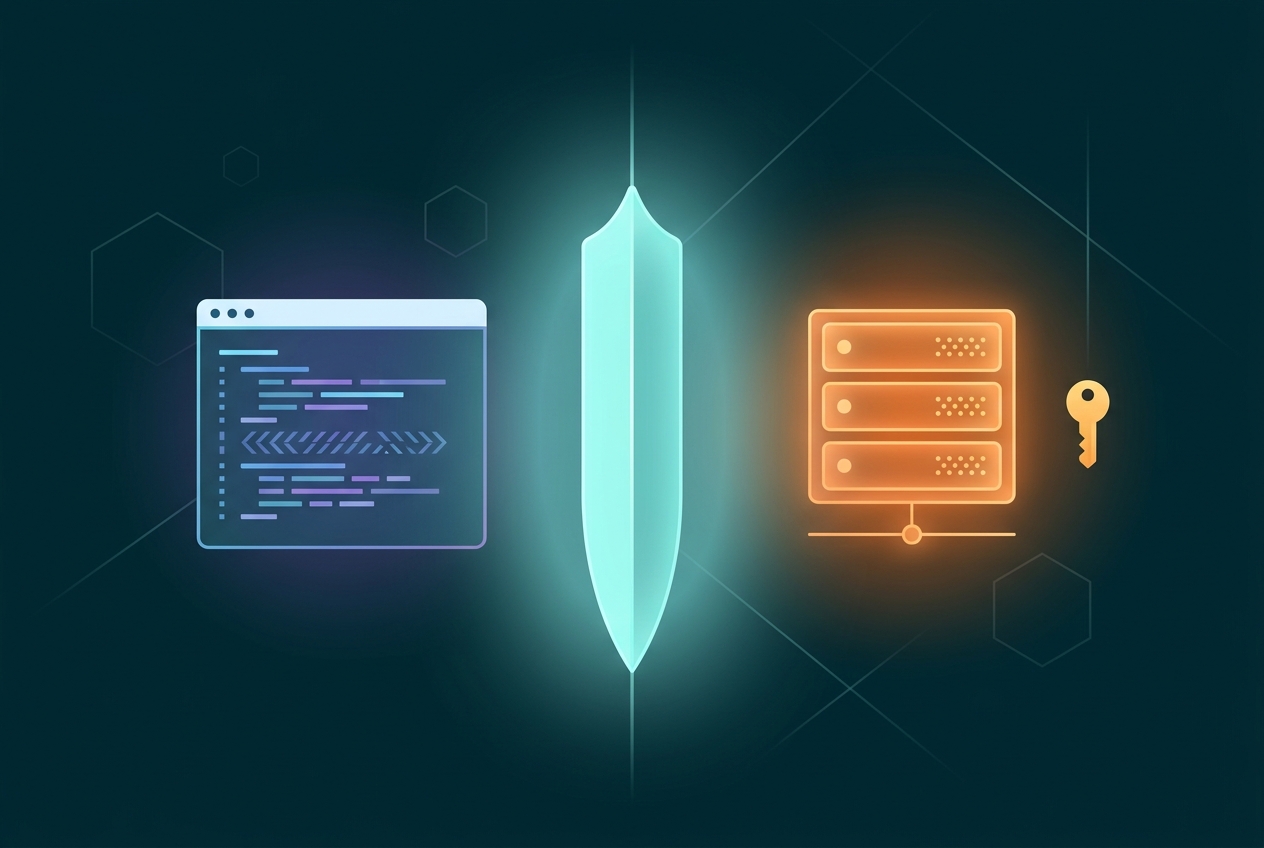
The route handler exists for one reason: keeping the API key on the server. Anything fetched from a React component runs in the user's browser, and any string compiled into client code is one DevTools tab away from theft.
The route handler also gives you a single, auditable place to enforce rate limits, log usage, and validate prompts before they hit a paid endpoint.
Create app/api/images/route.ts:
// app/api/images/route.ts
import { NextResponse } from "next/server";

export const runtime = "nodejs";          // long-lived fetch needs Node, not Edge
export const maxDuration = 180;           // Vercel: extend serverless timeout

const HIAPI = "https://api.hiapi.ai/v1/tasks";

type CreateBody = {
  prompt: string;
  model?: string;
  aspectRatio?: string;   // e.g. "16:9", "3:2", "1:1"
  resolution?: "1K" | "2K" | "4K";
};

export async function POST(req: Request) {
  const body = (await req.json()) as CreateBody;
  if (!body?.prompt || body.prompt.length > 2000) {
    return NextResponse.json({ error: "invalid prompt" }, { status: 400 });
  }

  const res = await fetch(HIAPI, {
    method: "POST",
    headers: {
      "Authorization": `Bearer ${process.env.HIAPI_API_KEY}`,
      "Content-Type": "application/json",
    },
    body: JSON.stringify({
      model: body.model ?? "Nano-Banana-2",
      input: {
        prompt: body.prompt,
        aspect_ratio: body.aspectRatio ?? "16:9",
        resolution: body.resolution ?? "1K",
      },
    }),
  });

  if (!res.ok) {
    const text = await res.text();
    return NextResponse.json({ error: text }, { status: res.status });
  }

  const { data } = await res.json();
  // data.taskId is the handle the client polls with
  return NextResponse.json({ taskId: data.taskId });
}
Two settings matter and are easy to forget:
runtime = "nodejs"— the Edge runtime caps individual fetches at ~25 seconds in many environments and is not suitable for polling loops.maxDuration = 180— Vercel serverless functions default to 10 seconds on the Hobby plan and 60 on Pro; you must raise this manually or your route will get killed mid-poll if you choose to wait server-side.
Step 3: A Polling Endpoint (Or: Why Not To Wait Server-Side)
You have two options for surfacing progress to the client:
| Approach | Pros | Cons |
|---|---|---|
| Server waits and returns once | One client request | Holds a serverless invocation for 60–120s, easy to hit timeout, no progress feedback |
Server returns taskId, client polls | Cheap server, live progress | One more endpoint to build |
The second option is strictly better in production. Add app/api/images/[id]/route.ts:
// app/api/images/[id]/route.ts
import { NextResponse } from "next/server";

export const runtime = "nodejs";

const HIAPI = "https://api.hiapi.ai/v1/tasks";

export async function GET(
  _req: Request,
  { params }: { params: { id: string } },
) {
  const res = await fetch(`${HIAPI}/${params.id}`, {
    headers: { "Authorization": `Bearer ${process.env.HIAPI_API_KEY}` },
    cache: "no-store",
  });

  if (!res.ok) {
    return NextResponse.json({ error: await res.text() }, { status: res.status });
  }

  const { data } = await res.json();
  // status ∈ { pending, running, success, fail }
  return NextResponse.json({
    status: data.status,
    url: data.output?.[0]?.url ?? null,
    error: data.error ?? null,
  });
}
This endpoint is what the client polls every 3 seconds. Each call is fast (under 200ms) and stateless.
Step 4: The Client Component
A simple form, a loading state with a spinner, and a result canvas. The polling is debounced with setInterval and torn down on terminal status or unmount.
// app/generate/page.tsx
"use client";

import { useEffect, useRef, useState } from "react";

type Status = "idle" | "queued" | "running" | "done" | "error";

export default function GeneratePage() {
  const [prompt, setPrompt] = useState("");
  const [status, setStatus] = useState<Status>("idle");
  const [url, setUrl] = useState<string | null>(null);
  const [taskId, setTaskId] = useState<string | null>(null);
  const pollRef = useRef<ReturnType<typeof setInterval> | null>(null);

  useEffect(() => () => {
    if (pollRef.current) clearInterval(pollRef.current);
  }, []);

  async function start() {
    setStatus("queued");
    setUrl(null);
    const r = await fetch("/api/images", {
      method: "POST",
      headers: { "Content-Type": "application/json" },
      body: JSON.stringify({ prompt, aspectRatio: "16:9" }),
    });
    if (!r.ok) return setStatus("error");
    const { taskId } = await r.json();
    setTaskId(taskId);
    setStatus("running");

    pollRef.current = setInterval(async () => {
      const p = await fetch(`/api/images/${taskId}`).then(x => x.json());
      if (p.status === "success") {
        setUrl(p.url);
        setStatus("done");
        clearInterval(pollRef.current!);
      } else if (p.status === "fail") {
        setStatus("error");
        clearInterval(pollRef.current!);
      }
    }, 3000);
  }

  return (
    <main className="mx-auto max-w-2xl p-8 space-y-6">
      <textarea
        value={prompt}
        onChange={e => setPrompt(e.target.value)}
        rows={3}
        className="w-full border rounded p-2"
        placeholder="A sunset over a misty pine forest, cinematic, 16:9"
      />
      <button
        onClick={start}
        disabled={!prompt || status === "queued" || status === "running"}
        className="px-4 py-2 rounded bg-black text-white disabled:opacity-50"
      >
        {status === "running" ? "Generating…" : "Generate"}
      </button>

      {/* Reserved canvas — see Step 6 for why this exact aspect-ratio div matters */}
      <div className="relative w-full" style={{ aspectRatio: "16/9" }}>
        {status === "running" && (
          <div className="absolute inset-0 grid place-items-center bg-neutral-100 rounded">
            <span className="text-neutral-500">Waiting on task {taskId?.slice(0, 8)}…</span>
          </div>
        )}
        {url && (
          // eslint-disable-next-line @next/next/no-img-element
          <img
            src={url}
            alt={prompt}
            className="absolute inset-0 w-full h-full object-cover rounded"
          />
        )}
      </div>
    </main>
  );
}
A few production refinements worth noting now and bolting on later:
- Exponential backoff (3s → 5s → 8s) reduces request count on slow generations.
- An idle timeout (e.g. give up after 240s) prevents zombie polling on a dead task.
- Show partial progress text —
"running"vs"pending"— to reassure the user something is happening.
Step 5: Persist the Result — Output URLs Expire
The single most common mistake with any modern image API is to store the output[0].url in your database and call it done. Those URLs are signed, short-lived (commonly minutes to a few hours), and will 404 the moment the user refreshes.
The fix is to pipe the bytes through your own server into durable storage. The same app/api/images/[id]/route.ts handler is the right place to do it — only on the first success response, before returning the URL to the client.
// Adds to app/api/images/[id]/route.ts after the `data.status === "success"` check
import { S3Client, PutObjectCommand } from "@aws-sdk/client-s3";

const s3 = new S3Client({
  region: "auto",
  endpoint: `https://${process.env.R2_ACCOUNT_ID}.r2.cloudflarestorage.com`,
  credentials: {
    accessKeyId: process.env.R2_ACCESS_KEY_ID!,
    secretAccessKey: process.env.R2_SECRET_ACCESS_KEY!,
  },
});

async function persist(taskId: string, sourceUrl: string): Promise<string> {
  const bytes = new Uint8Array(await (await fetch(sourceUrl)).arrayBuffer());
  const key = `generations/${taskId}.jpg`;
  await s3.send(new PutObjectCommand({
    Bucket: process.env.R2_BUCKET!,
    Key: key,
    Body: bytes,
    ContentType: "image/jpeg",
    CacheControl: "public, max-age=31536000, immutable",
  }));
  return `${process.env.R2_PUBLIC_BASE}/${key}`;
}
Use persist() inside the status route once status becomes success, then return the durable URL to the client instead of the upstream signed one. The client never sees the expiring URL, and a refresh tomorrow still works.
If you persist to your own database (Postgres, Supabase, etc.), store the durable URL — not the signed one.
Step 6: Killing CLS
Cumulative Layout Shift is the silent killer of Core Web Vitals on AI-image apps. The image arrives 60+ seconds after page load. If you render it with <img> inside an unsized container, every result shifts everything below it.
Two reliable techniques:
Reserve the aspect ratio with CSS. That's what the aspectRatio: "16/9" style does in the component above. The container holds its space whether the image has loaded or not.
Match the aspect ratio in the request. Send aspectRatio: "16:9" to hiapi, then declare 16/9 on the container. The two must agree, or you'll get letterboxing or — worse — a different shape than reserved.
For Next.js's <Image> component the same principle applies: pass width and height props that match the requested ratio. Skip fill unless the parent is already a sized box.
import Image from "next/image";

<Image
  src={persistedUrl}
  alt={prompt}
  width={1280}
  height={720}
  className="rounded"
  priority={false}
/>
Step 7: Picking the Model and Estimating Cost
Image models on hiapi share the same endpoint shape — only the model field changes. Common picks, with per-image prices at the default resolution:
| Model | Price / 1K image | Strengths |
|---|---|---|
qwen-image-2.0 | $0.025 | Cheapest; default 2K; strong CJK text rendering |
gpt-image-2 | $0.03 | Reliable aspect ratios; strong typography |
Nano-Banana | $0.05 | Very fast (1–2s); good character consistency |
flux-1.1-pro | $0.05 | Photorealism leaning artistic |
Nano-Banana-2 | $0.085 (1K) / $0.076 (2K) / $0.114 (4K) | Premium quality, native 4K |
The honest defaults are model-by-task. For UI mockups and headlines, gpt-image-2 is the safest. For photorealism with native 4K, Nano-Banana-2. For volume work where each image is cheap to throw away, qwen-image-2.0 or Nano-Banana.
For a 100,000-user app generating one image per session per day:
qwen-image-2.0: $2,500/dayNano-Banana-21K: $8,500/day
The architecture above doesn't change. Only the model field in Step 2 does.
Step 8: Production Checklist
Before shipping:
- Rate-limit the route handler — one IP can otherwise burn through your monthly budget in an afternoon. Upstash, Cloudflare Rate Limiting, or a simple Redis counter all work.
- Validate prompt length and content server-side before forwarding. The hiapi platform refuses some content; you don't want to pay round-trip latency on a 400.
- Set a per-user daily quota — store generations per
userIdperYYYY-MM-DDand reject the 11th of the day with a friendly toast. - Persist before responding — never let a result URL reach the client without going through your durable store first.
- Pre-size the result container to match the requested aspect ratio. Skipping this is the difference between a CLS of 0 and 0.4.
- Background the persist step for sub-second client response: return the upstream URL immediately, kick a queue job to mirror to R2 and patch the database row.
The last point is worth one more sentence: most apps don't need it. Persisting inline keeps the code simple, and the extra 1–2 seconds happen after the 60-second wait, where the user is already looking at the spinner.
What's Next
You now have a complete, secure, CLS-safe Next.js integration of the hiapi image API in roughly 150 lines of TypeScript. From here, the same POST /v1/tasks pattern extends to video models (Seedance 2.0 for cinematic footage), to image-to-image flows (just add image_url inside input), and to multi-turn editing — all without changing the polling architecture.
If you want a working starter, the hiapi models page lists every model that responds to this endpoint, with sample input shapes for each. Drop one of them into the model field above and the same component renders the result.









