HiAPI
OverviewModels MarketAPI KeysUsage StatisticsCall LogsBillingReferralPlaygroundStorageChangelogContact UsSettings
Display unit
N
Powered by hiapi
Settings

Welcome

Contact Us

Edit with Grok Imagine Image to Image using up to three references, a matched cabin-to-night example, fourteen ratios, flat 1k/2k pricing, and API code.

Provider: Grok

Category: image generation

Endpoint: /v1/tasks

Status: Available

Cost: See live page pricing

Back to Models

Grok Imagine Image to Image

New
by GrokImage

Edit with Grok Imagine Image to Image using up to three references, a matched cabin-to-night example, fourteen ratios, flat 1k/2k pricing, and API code.

Pricing

Standard Usage

60 Credits/ imageReference image +6 Credits per reference

Input

0 / 8000

More parameters

Generation settings

Choose the output image file format

Estimated cost60 Credits / imageper image

Output

Ready for generation

Configure your parameters and click "Run" to see the output here.

--GPU-T4

From references to edited results

Each case separates references, the edit instruction, and the complete result, with image zoom and prompt copy.

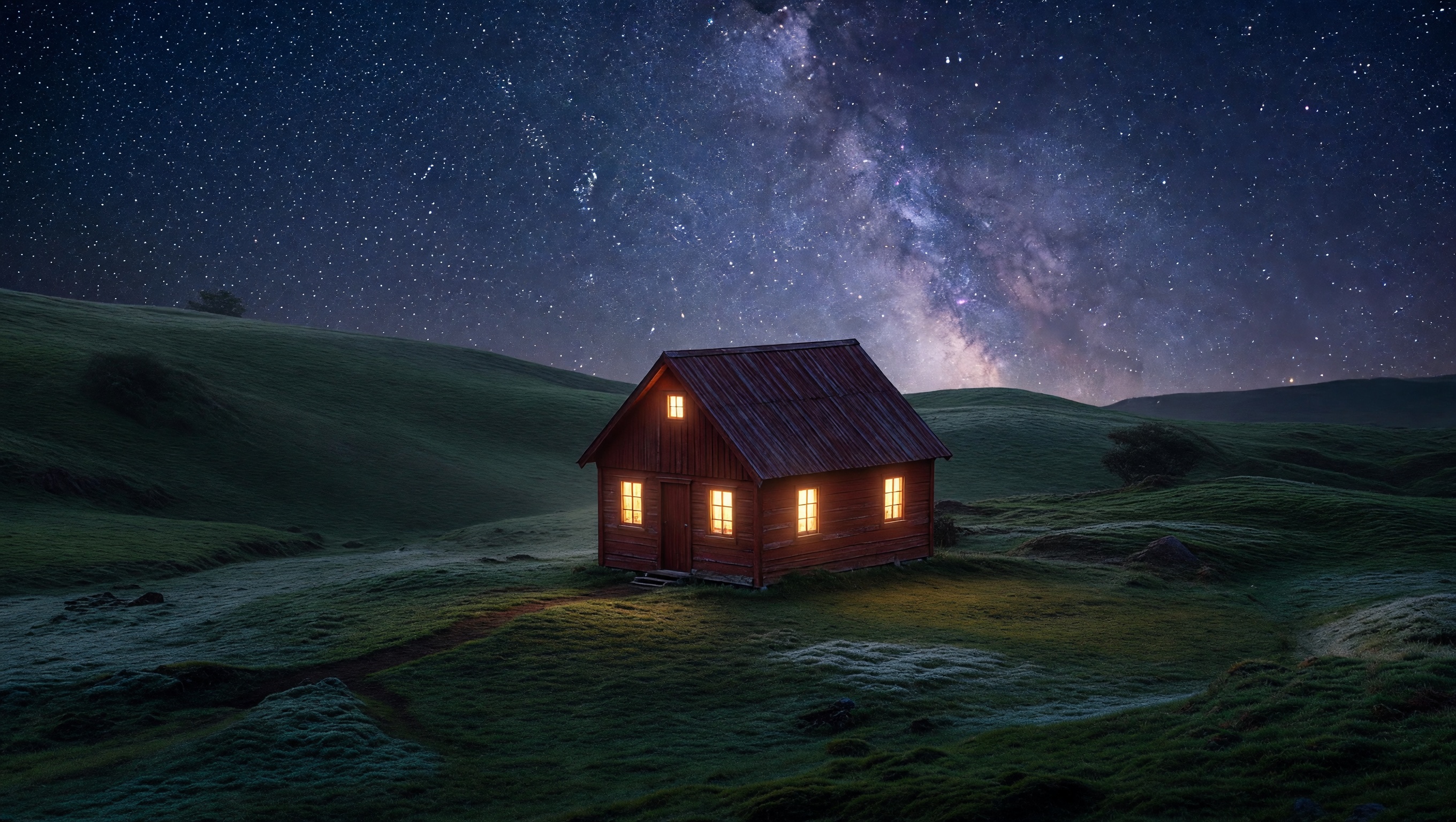
Turn a cabin scene into a Milky Way night · After
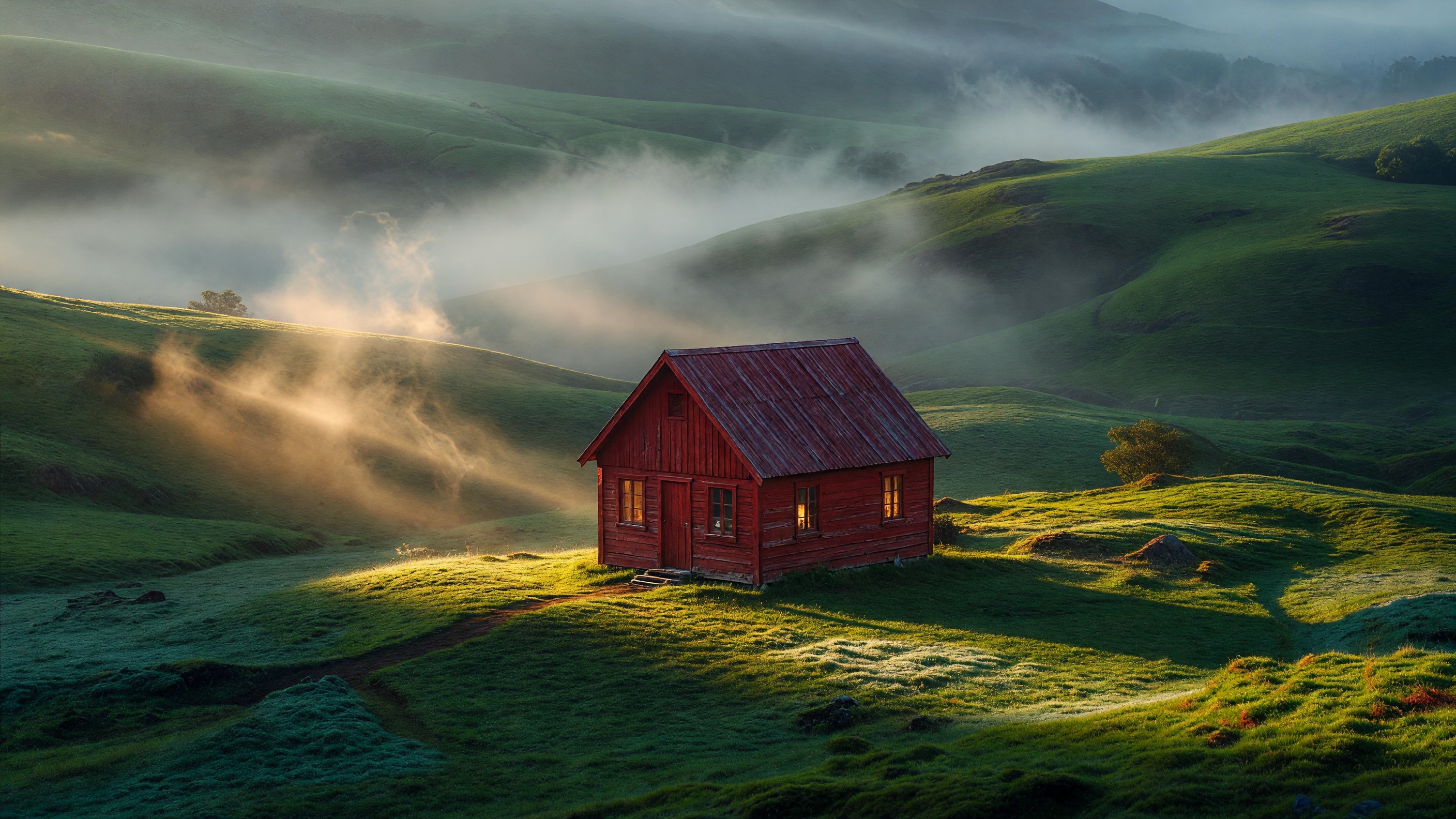
Turn a cabin scene into a Milky Way night · Before
BeforeAfter

1 reference image(s) / API result

Turn a cabin scene into a Milky Way night

The cabin remains the anchor while daylight changes to a star field, Milky Way arch, and warm window glow.

Prompt · English

transform to a starry night with the milky way arching over the cabin, warm window glow, cinematic composition, dramatic directional lighting, rich cohesive color grade, ultra-detailed, premium commercial finish
Related image models

Choose an adjacent model by task, output tier, and reference-image needs.

Higher-fidelity editing

Grok Imagine Quality

Use the Quality route when material, light, and subject consistency matter more.

Up to eight references

FLUX.2 Image to Image

Compare multi-reference composition and explicit 1K/2K pricing.

Campaign-grade editing

Seedream 5.0 Pro

Use a higher-reference route for final campaign preservation work.

Compare AI image APIs

About Grok Imagine Image to Image

Edit with Grok Imagine Image to Image using up to three references, a matched cabin-to-night example, fourteen ratios, flat 1k/2k pricing, and API code.

The Playground and API use the same model ID: grok-imagine/image-to-image. Reference images provide subject, product, scene, or style facts, while the prompt assigns each role and limits the edit.

Provider
Grok
Task
Image-to-Image / Editing
References
1-3
Pricing
60 Credits / image

Model specifications

These specifications reflect the current Grok Imagine Image to Image request contract.

Reference images
1-3
Output resolution
1k2k
Aspect ratios
auto2:120:919.5:916:94:33:21:12:33:49:169:19.59:201:2
Output formats
JPEGPNGWEBP
Input add-ons
Reference image: 6 Credits / reference
Prompt length
1-8000 characters
Pricing
1k or 2k: 60 Credits / image

Final cost depends on the output tier and input add-ons. Check the live page price and task record for the final charge.

How to use Grok Imagine Image to Image

References provide visual facts; the prompt assigns their roles and limits the edit.

Subject
Scene

API Quickstart

Copy a minimal request below. See Docs for parameters, callbacks, task retrieval, and errors.

Endpoint
POST /v1/tasks
Model ID
grok-imagine/image-to-image
cURL
curl -X POST https://api.hiapi.ai/v1/tasks \
  -H "Authorization: Bearer YOUR_API_KEY" \
  -H "Content-Type: application/json" \
  -d '{
  "model": "grok-imagine/image-to-image",
  "input": {
    "prompt": "Change the product color and preserve its structure",
    "image_urls": [
      "https://example.com/reference.jpg"
    ],
    "aspect_ratio": "auto",
    "resolution": "1k",
    "output_format": "jpeg"
  }
}'

The create request immediately returns a taskId; image generation continues asynchronously.

Read the full API documentation

Frequently asked questions

How many references does Grok Imagine Image to Image accept?

The current public schema accepts 1 to 3 references. The page and API follow that contract.

How does standard editing differ from Quality?

Standard emphasizes a low flat price and rapid iteration. Quality prioritizes subject consistency, material, and final detail.

How does auto ratio work?

auto follows the first reference, or you can select one of fourteen landscape, square, and portrait ratios.

Do more references add a fee?

Yes. Each reference adds a fee on top of the standard output tier; see the live page price for current amounts.

What belongs in the minimum API request?

Submit model, input.prompt, and input.image_urls. Ratio, resolution, and output format may use defaults.

Style
Up to 3
01

Upload references

Choose 1 to 3 publicly accessible images without redundant or conflicting roles.

What to change
What to preserve
02

Define changes and constraints

Describe the requested edit and the subject, text, composition, lighting, and positions that must remain.

Playground
POST /v1/tasks
03

Validate before integration

Check the reference relationship in Playground, then create asynchronous tasks with the same model ID.