HiAPI
OverviewModels MarketAPI KeysUsage StatisticsCall LogsBillingReferralPlaygroundStorageChangelogContact UsSettings
Display unit
N
Powered by hiapi
Settings

Welcome

Contact Us

ByteDance Seedream 4.5 image editing: unified generation-editing architecture with up to 14 reference images for edits and composites, consistent subjects, 2K/4K output.

Provider: ByteDance

Category: image generation

Endpoint: /v1/tasks

Status: Available

Cost: See live page pricing

Back to Models

Seedream 4.5 Image to Image

New
by ByteDanceImage

ByteDance Seedream 4.5 image editing: unified generation-editing architecture with up to 14 reference images for edits and composites, consistent subjects, 2K/4K output.

Pricing

Standard Usage

90 Credits/ image

Input

0 / 3000
Estimated cost90 Credits / imageper image

Output

Ready for generation

Configure your parameters and click "Run" to see the output here.

--GPU-T4

Real API editing results

Every case includes before, after, and the prompt

Explore product recoloring, multi-reference composites, relighting, character scene changes, and lifestyle edits. Drag the divider on single-image edits and copy the exact prompt used for each result.

Product recolorMulti-referenceRelightingCharacter consistencyLifestyle scene
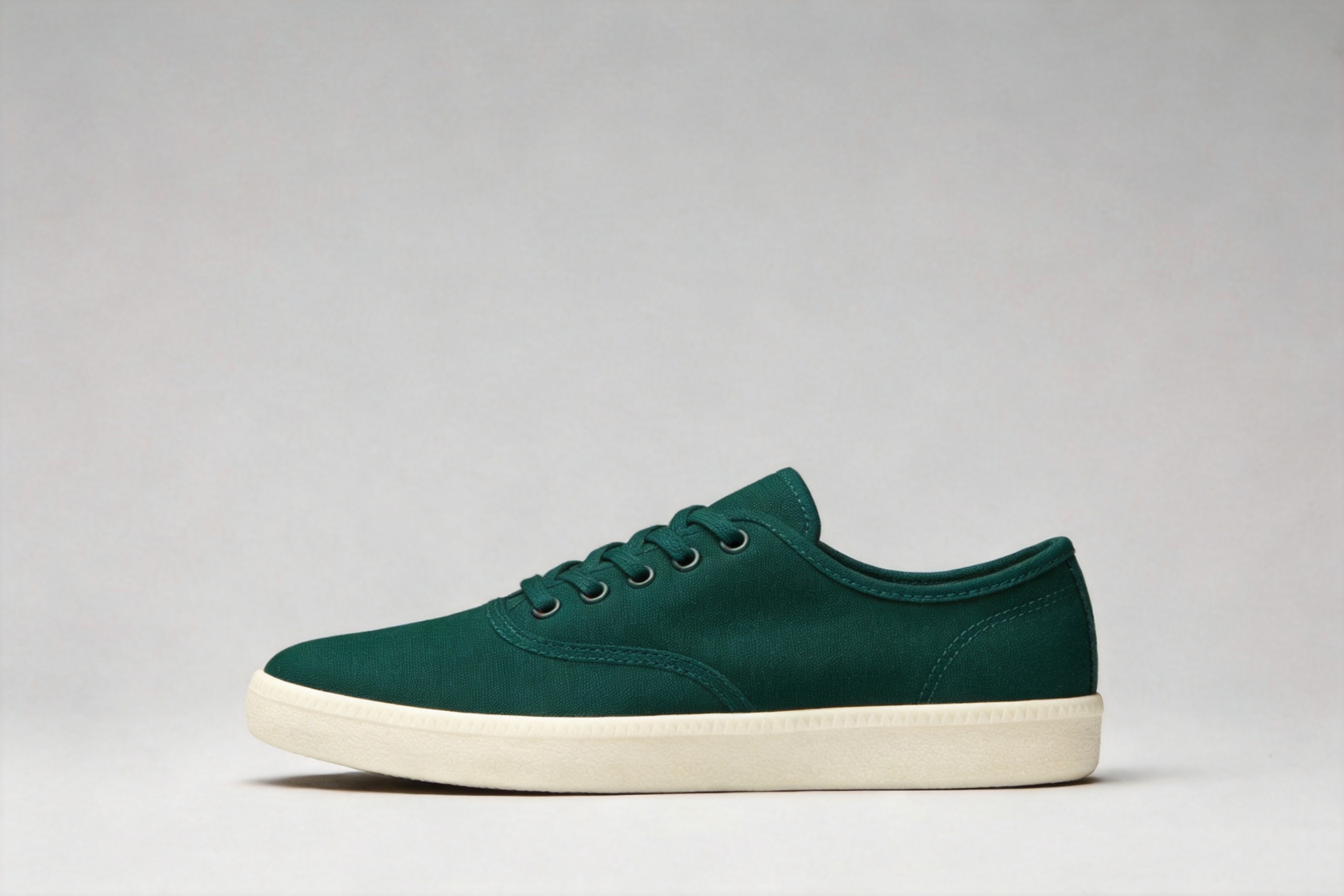
Recolor a sneaker without changing its form · After
Recolor a sneaker without changing its form · Before
BeforeAfter
Product recolor1 reference3:22K

Recolor a sneaker without changing its form

Changes the material colors while preserving the shoe shape, stitching, camera angle, shadow, and background.

Original prompt used

recolor the sneaker to a deep forest green canvas with an off-white sole and matching green laces; keep the exact same shoe shape, stitching, camera angle, lighting, shadow and gray background unchanged
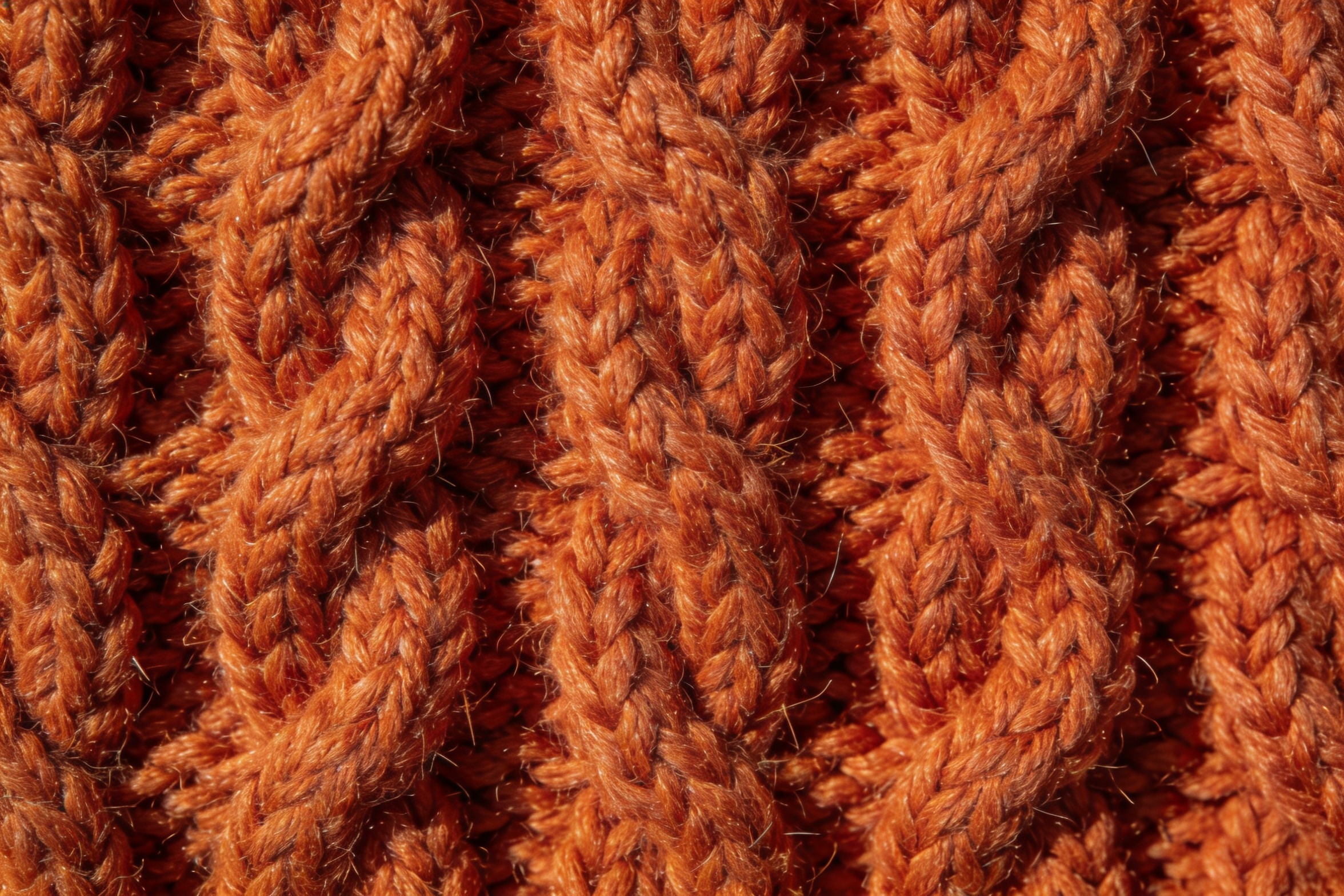
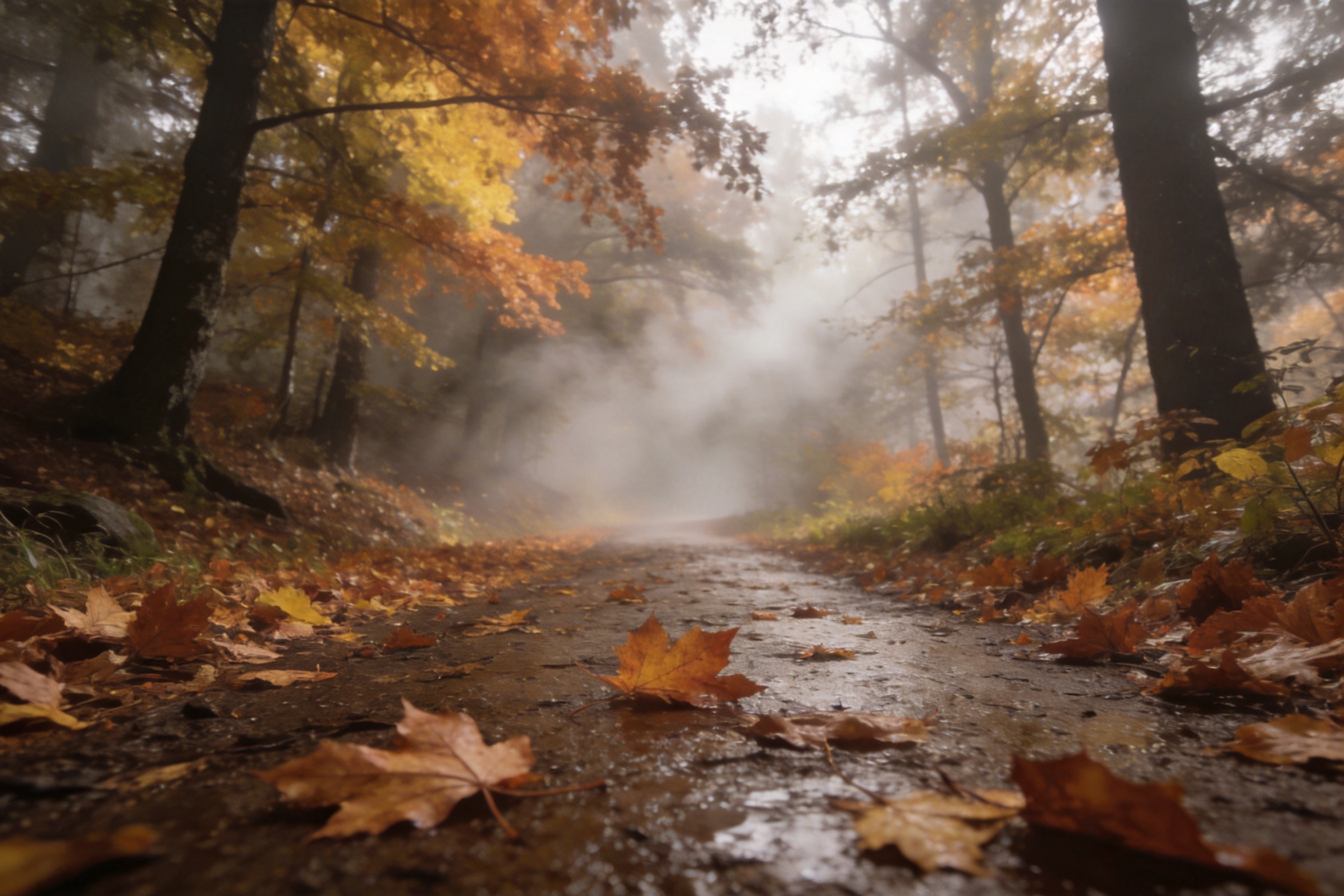
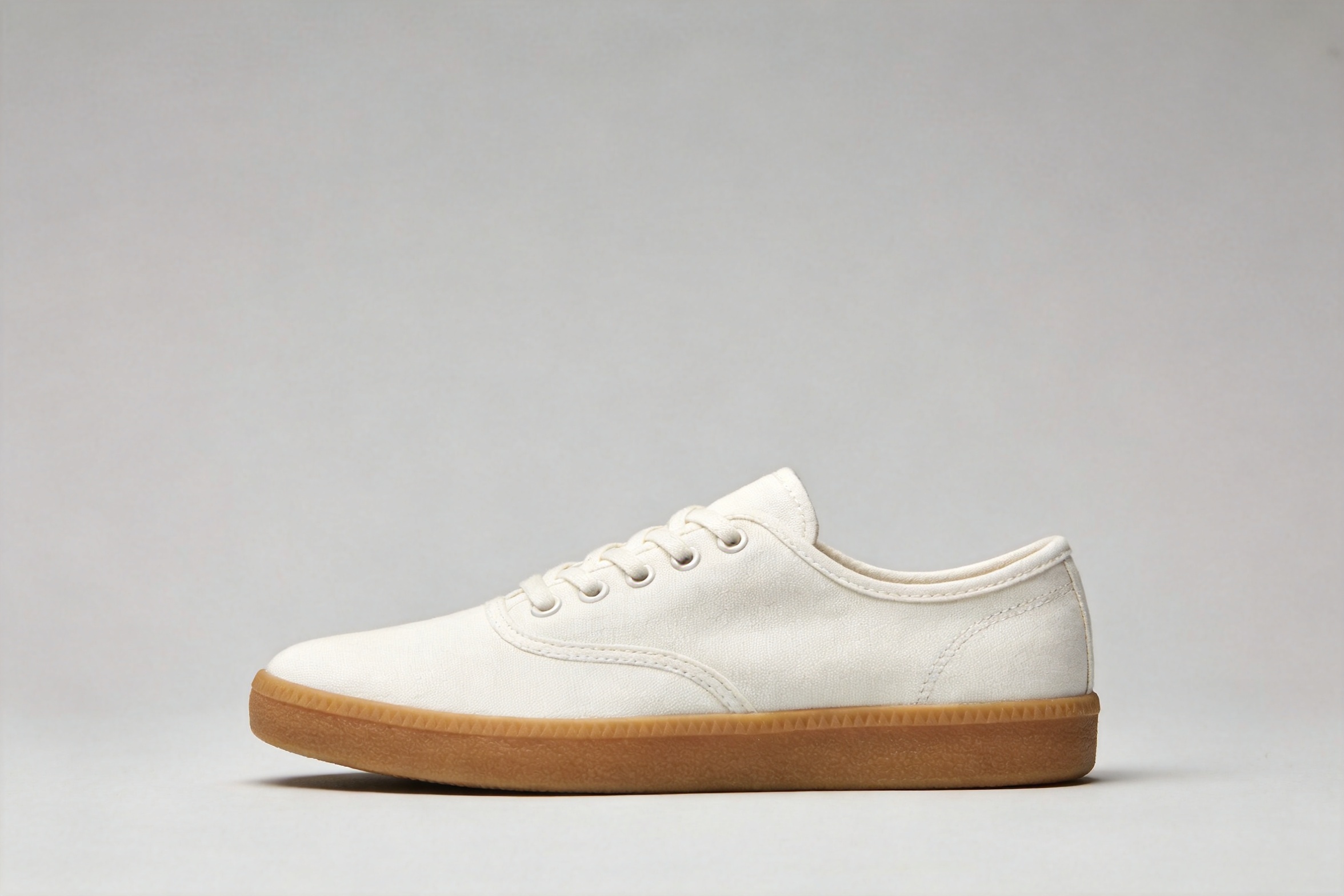
Image 1 · ProductImage 1 · Product
Image 2 · MaterialImage 2 · Material
Image 3 · SceneImage 3 · Scene
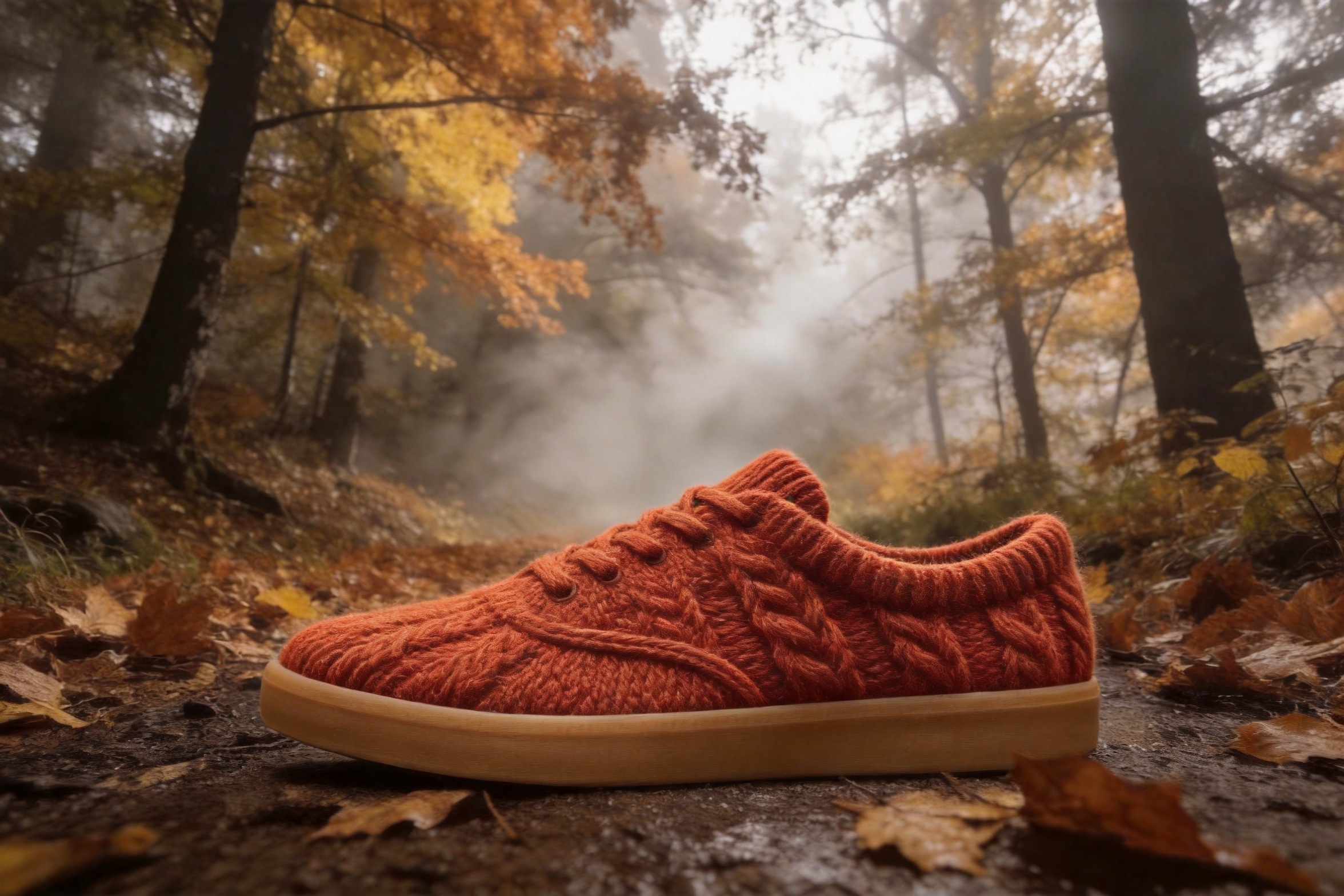
Combine product, material, and scene · Composite resultResult
Multi-reference3 references

Combine product, material, and scene

Uses three ordered references to rebuild the sneaker in cable-knit wool and place it on a foggy forest trail.

Original prompt used

rebuild the sneaker from the first image with its canvas upper made of the burnt-orange cable-knit wool from the second image, then place it as a product hero shot on the wet leaf-covered forest trail from the third image, low camera angle, soft morning fog, keep the shoe's shape and proportions from the first image, photorealistic

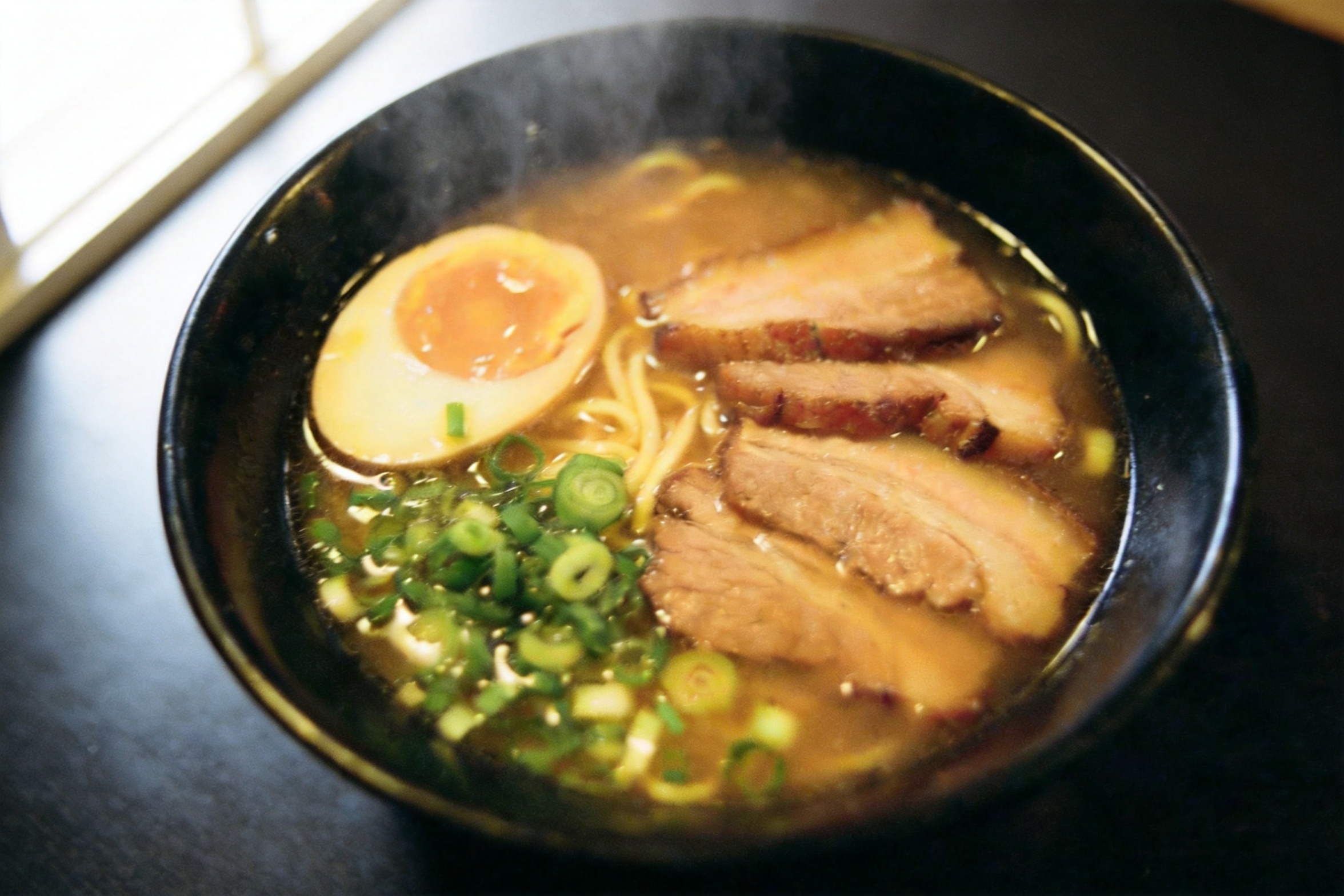
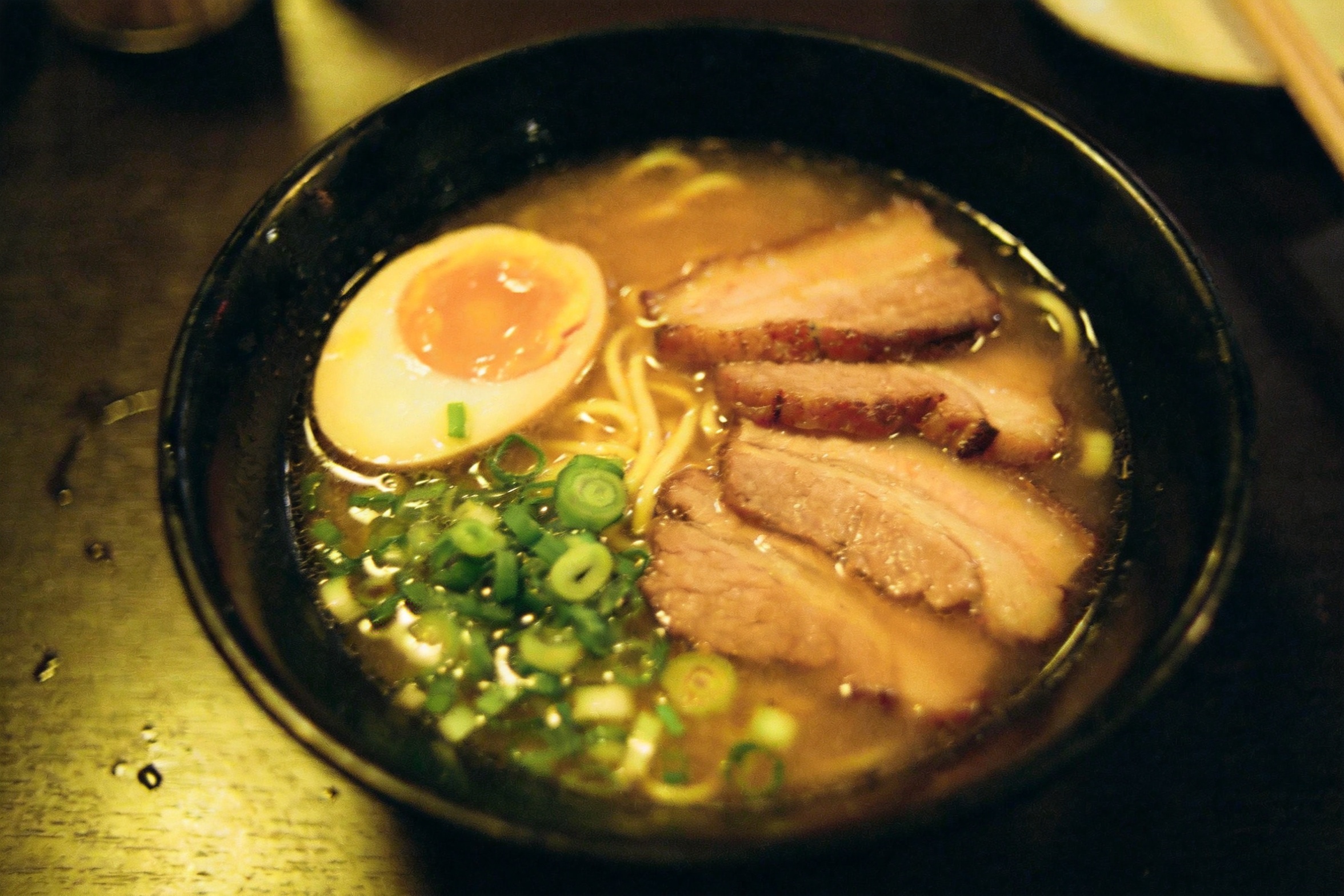
Clean up lighting in a food photo · After
Clean up lighting in a food photo · Before
BeforeAfter
Relighting1 reference

Clean up lighting in a food photo

Rebuilds the directional light while preserving the bowl, toppings, camera angle, and composition.

Original prompt used

relight this exact bowl of ramen as a bright editorial food photograph: soft window key light from the upper left, clean neutral white balance, gentle steam rising, richer broth and egg color, keep the same bowl, ingredients, table and overhead framing

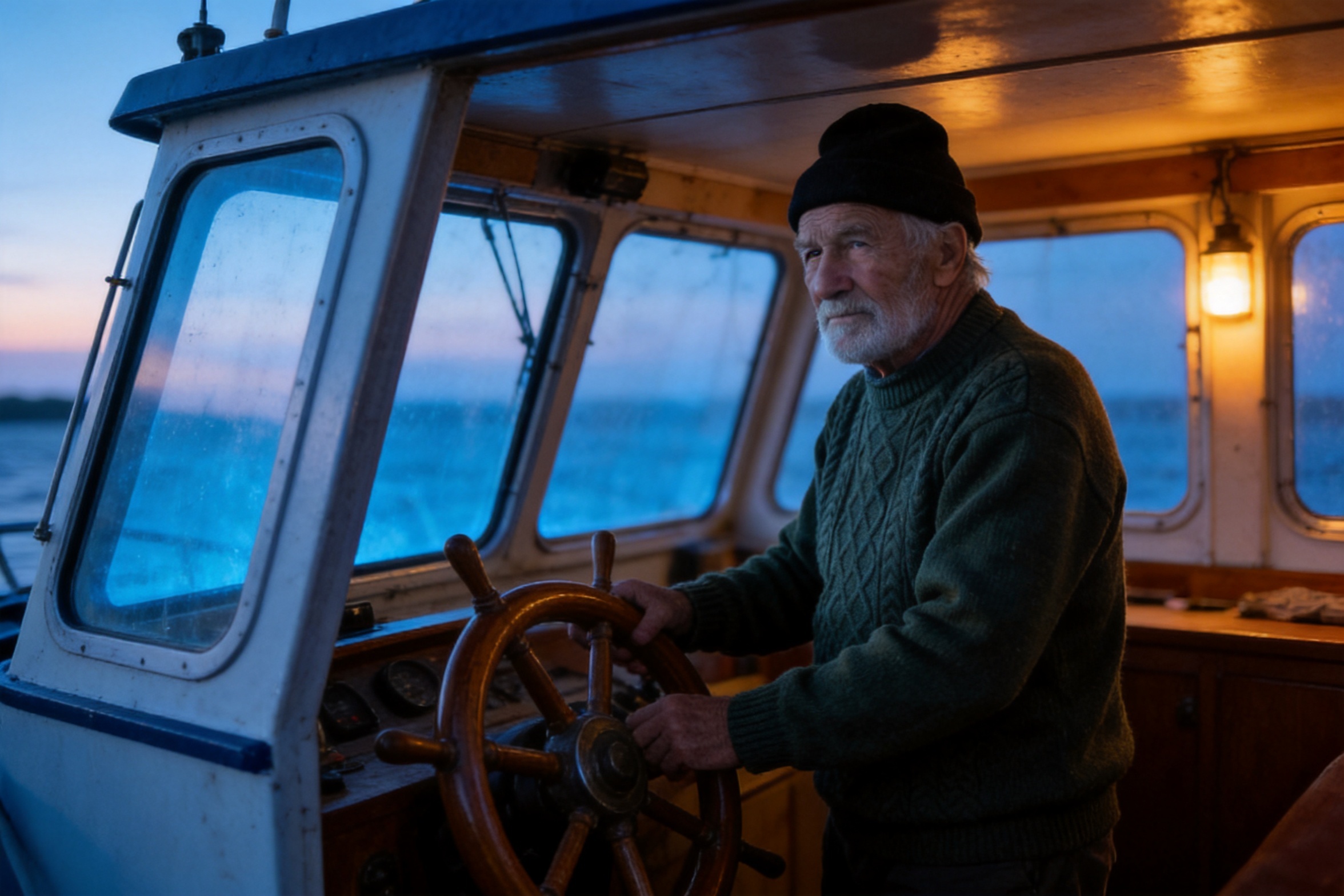
Move the same character into a new scene · After
Move the same character into a new scene · Before
BeforeAfter
Character consistency1 reference

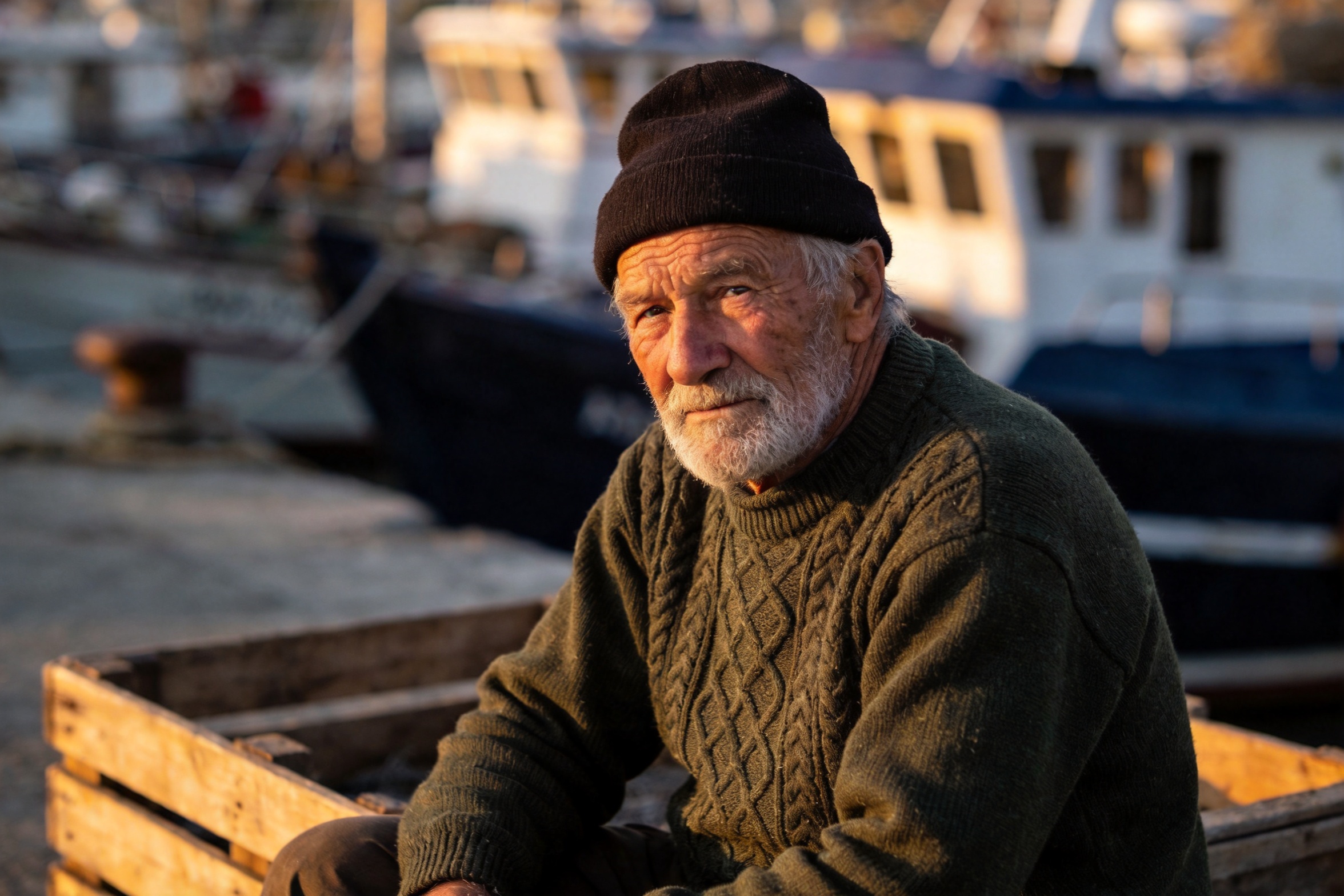
Move the same character into a new scene

Moves the fisherman from the harbor into a boat wheelhouse while retaining his face, beard, beanie, and sweater.

Original prompt used

move this same fisherman, with identical face, beard, beanie and green sweater, into the wheelhouse of a small fishing boat at dawn, standing at the wooden helm, cold blue morning light through the windows mixing with warm cabin light, photorealistic

Turn a product shot into a lifestyle image · After
Turn a product shot into a lifestyle image · Before
BeforeAfter
Lifestyle scene1 reference

Turn a product shot into a lifestyle image

Moves the ceramic coffee dripper into a warm kitchen story with coordinated props and golden-hour light.

Original prompt used

E-commerce lifestyle edit: move this matte ceramic pour-over coffee dripper onto a warm reclaimed-wood kitchen counter with a steaming mug and a burlap coffee bean bag, golden-hour lighting, keep the product shape and matte ceramic finish recognizable, no text

Related image models

Choose an adjacent model by input type, editing preference, and workflow.

Text-to-Image

Seedream 4.5 Text to Image

Use the same quality tier when no reference image is required.

Image Editing

FLUX.2 Image to Image

An alternative editor for photoreal consistency and multi-image composition.

Image Editing

GPT Image 2

Instruction-led editing for product, layout, and iterative creative work.

Compare AI image APIs

About Seedream 4.5 image editing

Seedream 4.5 is ByteDance's unified generation-and-editing image model. This endpoint accepts 1–14 reference images for material swaps, scene changes, seasonal transformations, multi-image composites, and commercial edits that preserve subjects and in-image text.

The Playground and API use the same model ID: seedream-4.5/image-to-image. Upload reference images to validate an edit instruction, then move the approved parameters into an asynchronous task workflow.

Provider
ByteDance
Task
Image-to-Image / Editing
References
1-14
Pricing
90 Credits / image

Model specifications

These specifications reflect the current HiAPI Seedream 4.5 Image-to-Image request contract.

Reference images
1-14
Output resolution
2K4K
Aspect ratios
1:14:33:416:99:162:33:221:9
Input formats
JPEGPNGWebP
Prompt length
Up to 3,000 characters
Billing
90 Credits / image

The current 2K and 4K tiers share one public rate shown by the live page price; the backend exposes no separate resolution surcharge.

How to use Seedream 4.5

This workflow follows the model capability: image editing emphasizes reference order, change-and-preserve constraints, and result review instead of a generic text-to-image sequence.

Product
Scene

Seedream 4.5 API quickstart

This is the minimum request for an asynchronous image-editing task. Use the API docs for callbacks, task retrieval, and full parameter definitions.

Endpoint
POST /v1/tasks
Model ID
seedream-4.5/image-to-image
cURL
curl --request POST 'https://api.hiapi.ai/v1/tasks' \
  --header 'Authorization: Bearer YOUR_API_KEY' \
  --header 'Content-Type: application/json' \
  --data '{
  "model": "seedream-4.5/image-to-image",
  "input": {
    "prompt": "recolor the sneaker to a deep forest green canvas with an off-white sole and matching green laces; keep the exact same shoe shape, stitching, camera angle, lighting, shadow and gray background unchanged",
    "image_urls": [
      "https://static.hiapi.ai/blog/seedream-4-5-image-to-image-prompt-recipes/src-sneaker.jpg"
    ],
    "aspect_ratio": "3:2",
    "resolution": "2K"
  }
}'

The create request immediately returns a taskId; image editing continues asynchronously.

View full API documentationGet API key

Frequently asked questions

What is the difference between Seedream 4.5 image-to-image and text-to-image?

The image-to-image endpoint uses uploaded images as editing references for recoloring, scene changes, relighting, style transfer, and multi-image composition. Text-to-image starts from a written prompt without a source image. Use this image-to-image model when subjects, composition, or in-image text should remain recognizable.

How many reference images does Seedream 4.5 support?

Each request accepts 1–14 JPEG, PNG, or WebP images up to 10 MB each; SVG is not supported. For multi-image jobs, refer to inputs as “image 1” and “image 2” in the prompt, matching their order in the image_urls array.

How is Seedream 4.5 image editing priced, and do more references cost extra?

Billing is per successful output image, not per reference image. The current public rate is the same for 2K and 4K output. See the live model price and task record for the final charge.

How do I preserve a subject, composition, or text during an edit?

State both what should change and what must remain unchanged, such as the subject silhouette, camera angle, contact shadow, storefront layout, or calligraphy. Review the result in the Playground first. Keep human review for brand text or layouts that must be exact.

When should I choose Seedream 4.5 instead of FLUX.2 Image-to-Image?

Seedream 4.5 accepts up to 14 references and is a strong fit for multi-image composition, Chinese scenes, and edits that preserve in-image text. FLUX.2 Image-to-Image accepts up to 8 references and provides an alternative for photoreal consistency and editing style. Test both with the same assets when the choice matters.

How do I call the Seedream 4.5 image-to-image API?

Send a POST request to /v1/tasks, set model to seedream-4.5/image-to-image, and pass reference images in input.image_urls. The create request returns a taskId while generation continues asynchronously. See the API docs for task retrieval, callbacks, errors, and the full parameter contract.

Style
Up to 14
01

Upload and identify references

Add 1–14 JPEG, PNG, or WebP images. For multi-image jobs, keep image 1 and image 2 aligned with upload order.

Change: season, color, scene
Preserve: subject, text, framing
02

Define change and preserve constraints

Describe the edit, then list the subject, text, angle, lighting, or composition that must remain unchanged.

Playground
POST /v1/tasks
03

Validate, then integrate

Inspect details in the Playground, then create async tasks with the same model ID and retrieve results by taskId.