Most fast, cheap text-to-image models make you choose: legible on-image text, or a low price. flux-2-klein-9b/text-to-image is one of the few in the "budget-fast" tier that doesn't force that trade-off. hiapi tags it Text Rendering, High Fidelity — and in practice, that means it can render a brand wordmark, a small label line, and a bold promo headline in the same generation, without a second pass to fix garbled letters.
That matters specifically for e-commerce product images, where the images that actually need text — hero shots with a visible label, flash-sale banners with a price callout — are exactly the ones cheap "fast" models tend to botch.
We ran all three images in this article through flux-2-klein-9b/text-to-image with zero retries: the label text, the sale headline, and the discount line all came out clean on the first generation. That's not a guarantee for every prompt (see the proofreading note below), but it's a good sign for a model in this price range.
Pricing: flux-2-klein-9b vs. flux-2-klein-4b (text-to-image)
Both models live in the same "Klein" family and share the fast, low-cost positioning. The difference is what you're paying for:
| Model | Price per image | Tags |
|---|---|---|
flux-2-klein-9b/text-to-image | $0.00858 flat | Text-to-Image, Text Rendering, High Fidelity |
flux-2-klein-4b/text-to-image | $0.00143 flat | Text-to-Image, Fast, Cost Efficient |
(Pricing as of 2026-08, confirmed against /api/pricing.)
flux-2-klein-4b/text-to-image is roughly 6x cheaper — a good default for background plates, lifestyle shots, or any image where text isn't part of the composition. But it isn't tagged for text rendering, so if a card, label, or banner needs words to actually be legible, klein-9b is the safer pick even at the higher price. At well under a cent a shot, "safer" here still costs less than a single API call to most LLMs.
A Real Request
Here's a working request against the /v1/tasks endpoint for a promo card with rendered text:
curl -s -X POST https://api.hiapi.ai/v1/tasks \
  -H "Authorization: Bearer $HIAPI_API_KEY" \
  -H "Content-Type: application/json" \
  -d '{
    "model": "flux-2-klein-9b/text-to-image",
    "input": {
      "prompt": "Social media promo banner for an e-commerce flash sale: a frosted glass dropper bottle labeled '\''VELURA HYDRA SERUM'\'' centered on a soft gradient background transitioning from blush pink to cream, bold clean sans-serif headline text at the top reading '\''FLASH SALE'\'' in dark charcoal letters, a smaller line beneath it reading '\''30% OFF'\'' in the same font, a thin rounded rectangle badge in the bottom right corner containing the text '\''VELURA'\'', crisp legible typography, balanced negative space, modern minimal marketing design, no other text, no watermark",
      "aspect_ratio": "1:1"
    }
  }'
That returns a taskId. Poll GET /v1/tasks/{taskId} until status is success, then download output[0].url — the signed link expires, so pull the bytes immediately and store them yourself.
Schema Notes: What Actually Works
A few things worth knowing before you build against this model, based on what the API actually accepts (not just the docs):
resolutionis rejected. Unlike some other hiapi image models, sending aresolutionfield returns a 400 (additional properties not allowed). Sendaspect_ratioonly.aspect_ratiois a fixed short list:1:1,4:3,3:4,16:9,9:16. There's no4:5or21:9— if your layout wants a taller portrait crop,3:4is the closest supported ratio (that's what we used for the lifestyle shot below).aspect_ratioitself is optional. Omitting it entirely still produces a valid image with a server-side default — but for e-commerce work you almost always want a deterministic frame (square for feed posts, 16:9 for hero banners), so it's worth setting explicitly rather than relying on the default.- Flat per-image pricing, no resolution tiers. Unlike
flux-2-klein-4b/image-to-image(which has five price tiers by megapixel), klein-9b/text-to-image is a single flat rate regardless of aspect ratio.
Prompt + Output: Hero Shot
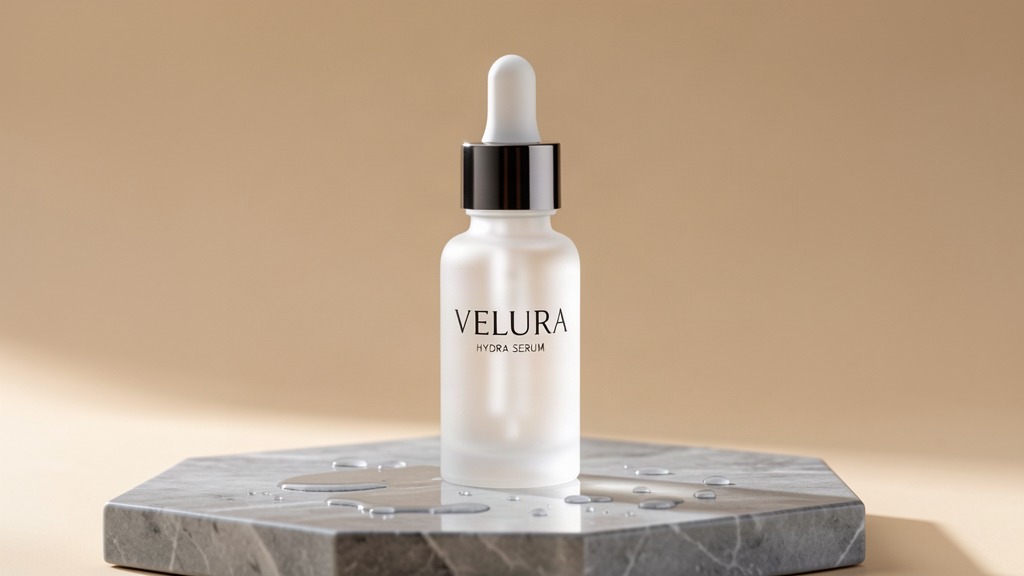
Prompt (16:9, used verbatim, no edits after generation):
E-commerce product hero shot: a frosted glass dropper bottle of premium skincare serum standing on a wet grey marble slab, soft daylight from the left casting a gentle reflection, minimalist beige backdrop, small water droplets on the marble, the label on the bottle clearly reads 'VELURA' in a clean modern serif with the smaller line 'HYDRA SERUM' beneath it, professional studio product photography, sharp focus, subtle rim light, no other text, no hands, no logo watermark
(Pictured at the top of this article.) The brand name and product line both render cleanly at normal reading distance — no double letters, no melted serifs, which is the usual failure mode for budget text-to-image models at this price point.
Prompt + Output: Lifestyle Scene
Prompt (3:4):
Lifestyle e-commerce photo: a frosted glass dropper bottle labeled 'VELURA HYDRA SERUM' placed on a bright bathroom counter next to a folded white towel and a small potted eucalyptus sprig, warm morning sunlight streaming through a window, soft shadows, shallow depth of field, natural candid styling, the bottle label text 'VELURA' and 'HYDRA SERUM' stays sharp and legible, no people, no hands, no extra text overlays
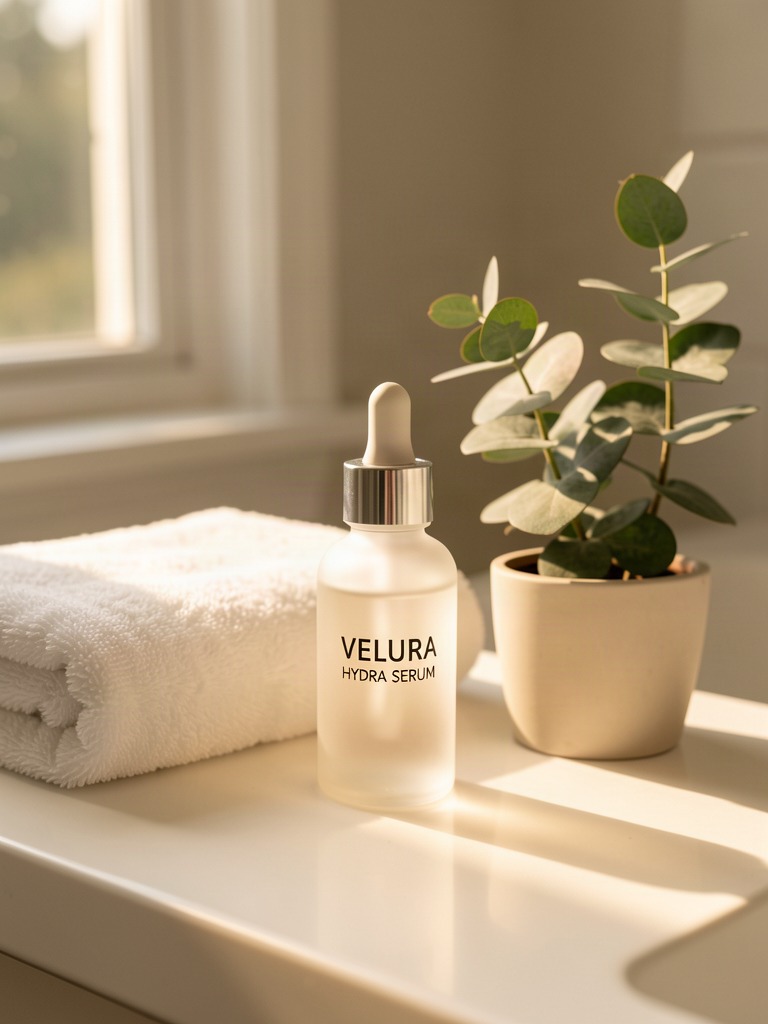
Lifestyle shots like this are the ones that usually don't need on-image text at all — but the label still has to hold up under a softer, more diffuse lighting setup than the studio hero shot, which is a harder test for a model's text fidelity.
Prompt + Output: Flash-Sale Promo Card
Prompt (1:1):
Social media promo banner for an e-commerce flash sale: a frosted glass dropper bottle labeled 'VELURA HYDRA SERUM' centered on a soft gradient background transitioning from blush pink to cream, bold clean sans-serif headline text at the top reading 'FLASH SALE' in dark charcoal letters, a smaller line beneath it reading '30% OFF' in the same font, a thin rounded rectangle badge in the bottom right corner containing the text 'VELURA', crisp legible typography, balanced negative space, modern minimal marketing design, no other text, no watermark
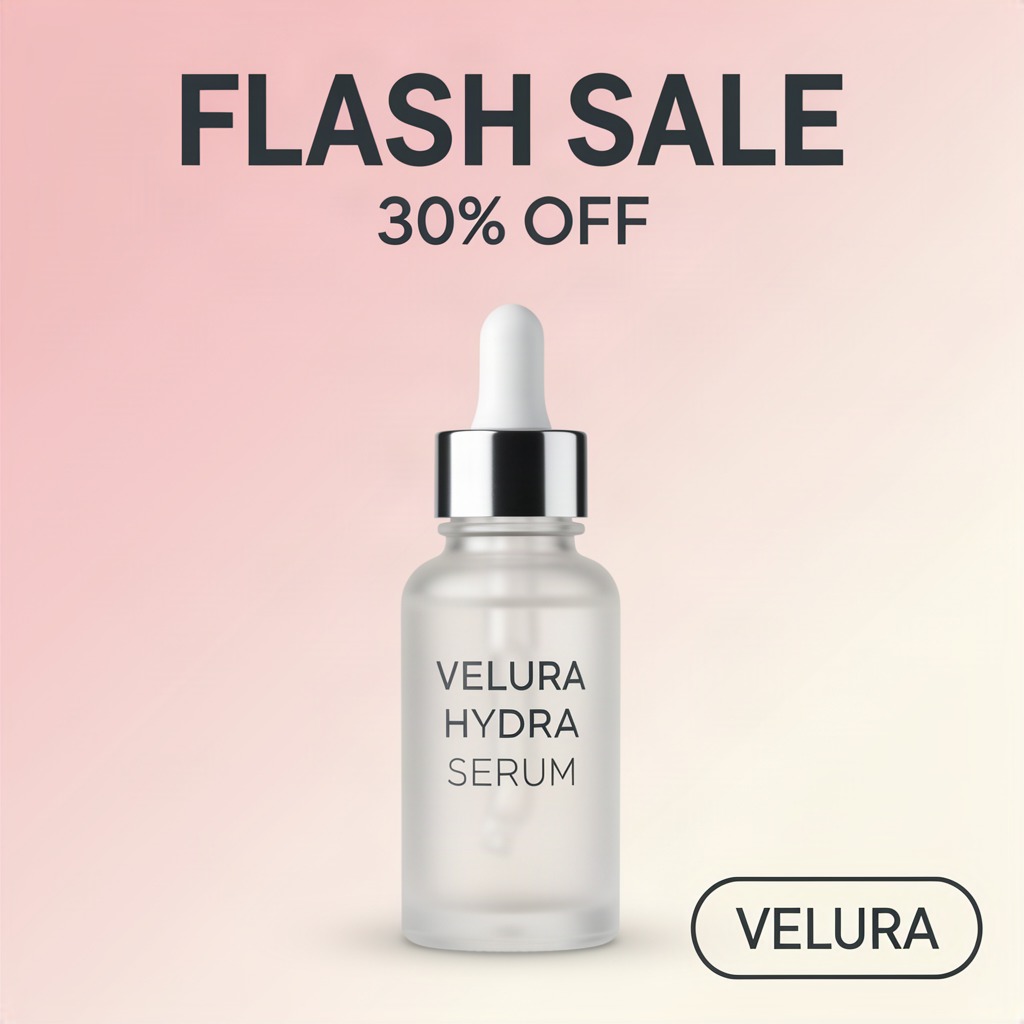
This is the shot that actually exercises the model's "Text Rendering, High Fidelity" tag: two lines of large headline text plus a small badge label, all in one generation. Every word is spelled correctly and the kerning holds up — but that's exactly the kind of image you should still eyeball before publishing (see below).
Don't Skip the Proofread
hiapi's own content guidance is blunt about this: AI text rendering is "99%, not 100%." Even a model tagged for high-fidelity text will occasionally misspell a word, drop a letter, or crowd two words together — especially on small label text versus large headline text (small text is harder). Before you publish a generated promo card or product label:
- Zoom in on every line of rendered text at 100%.
- Check spelling and spacing, not just "does it look like text."
- If anything's off, regenerate — don't hand-edit pixels, since a re-roll is a fraction of a cent.
- For text that changes often (prices, sale dates), consider overlaying it in your own templating step instead of baking it into every generation — cheaper to update, and removes the re-roll risk entirely.
Batch Generation in Python
For a full product catalog, wrap the same request pattern in a loop:
import requests
import time

API_KEY = "your-api-key"
BASE = "https://api.hiapi.ai/v1/tasks"

def generate(prompt, aspect_ratio="1:1"):
    resp = requests.post(
        BASE,
        headers={"Authorization": f"Bearer {API_KEY}"},
        json={
            "model": "flux-2-klein-9b/text-to-image",
            "input": {"prompt": prompt, "aspect_ratio": aspect_ratio},
        },
    )
    task_id = resp.json()["data"]["taskId"]

    while True:
        task = requests.get(
            f"{BASE}/{task_id}",
            headers={"Authorization": f"Bearer {API_KEY}"},
        ).json()["data"]
        if task["status"] == "success":
            return task["output"][0]["url"]
        if task["status"] == "fail":
            raise RuntimeError(task["error"])
        time.sleep(5)

prompts = [
    ("Hero shot for product SKU-001, studio lighting, label reads 'BRAND NAME'", "16:9"),
    ("Lifestyle shot for product SKU-001 on a wooden shelf", "3:4"),
    ("Flash sale card for product SKU-001, headline 'LIMITED TIME'", "1:1"),
]

for prompt, ratio in prompts:
    url = generate(prompt, ratio)
    print(url)  # download immediately — the URL expires
At $0.00858 per image, a 50-SKU catalog with 3 images each (hero, lifestyle, promo) runs about $1.29 total — roughly a rounding error next to a single freelance product-photography session.
flux-2-klein-9b/text-to-image vs. Related Workflows
If you're building out a broader product-image pipeline on hiapi, a few related pieces worth reading next:
- If you need to edit or restyle an existing product photo instead of generating from scratch, see flux-2-klein-4b for image-to-image e-commerce edits — a different task (i2i, not t2i) built for retouching real photos rather than generating new scenes.
- For prompt patterns specific to the 9b tier's image-to-image mode (same text-rendering strength, applied to edits), see flux-2-klein-9b image-to-image prompts.
- Full parameters, live pricing, and a playground to test prompts before you commit to a batch run: the flux-2-klein-9b/text-to-image model page.
FAQ
Does flux-2-klein-9b/text-to-image support image-to-image?
No — this specific endpoint is text-to-image only. hiapi lists a separate flux-2-klein-9b/image-to-image model (priced at $0.03143/image) for editing existing photos.
What aspect ratios are supported?
Five: 1:1, 4:3, 3:4, 16:9, 9:16. There's no native 4:5 — use 3:4 for a similar portrait crop.
Can I set output resolution?
No. Sending a resolution field returns a 400. Pricing and output size are fixed per aspect ratio.
Is it cheaper to use flux-2-klein-4b instead? Yes, about 6x cheaper per image ($0.00143 vs. $0.00858) — but klein-4b isn't tagged for text rendering. Use it for text-free shots (plain lifestyle or background images) and reserve klein-9b for anything with a label, headline, or price callout.
How long does generation take?
All three images in this article completed in well under two minutes each through the /v1/tasks polling flow.
Try It
You can test flux-2-klein-9b/text-to-image directly on the model page with your own prompt before wiring it into a batch job, and check current rates any time on the pricing page. Full request/response schemas and auth setup are in the API docs.