Why First-Last-Frame is the feature worth learning here
Most image-to-video models take one still image and a text prompt, then guess at what should happen next. Seedance 2.5's image-to-video endpoint gives you a second lever: an optional last_frame_url. Submit both a first frame and a last frame, and the model interpolates the motion between the two — you're not describing an entire scene in prose anymore, you're describing the transition.
That matters for anything with a predictable before/after: a product assembling itself, a plant growing, a sky changing from day to night, an expression shifting. Below is one complete recipe, run for real, with the actual images, actual prompt, actual request JSON, and the actual rendered output.
The recipe
Step 1 — generate (or shoot) your first frame
Prompt used for the first frame (image model: gpt-image-2/text-to-image, 16:9):
A small terracotta plant pot sits empty on a sunlit wooden windowsill, morning light streaming in from the left, a pair of gardening gloves and a metal watering can beside it, soft shallow depth of field, photorealistic, warm color grading
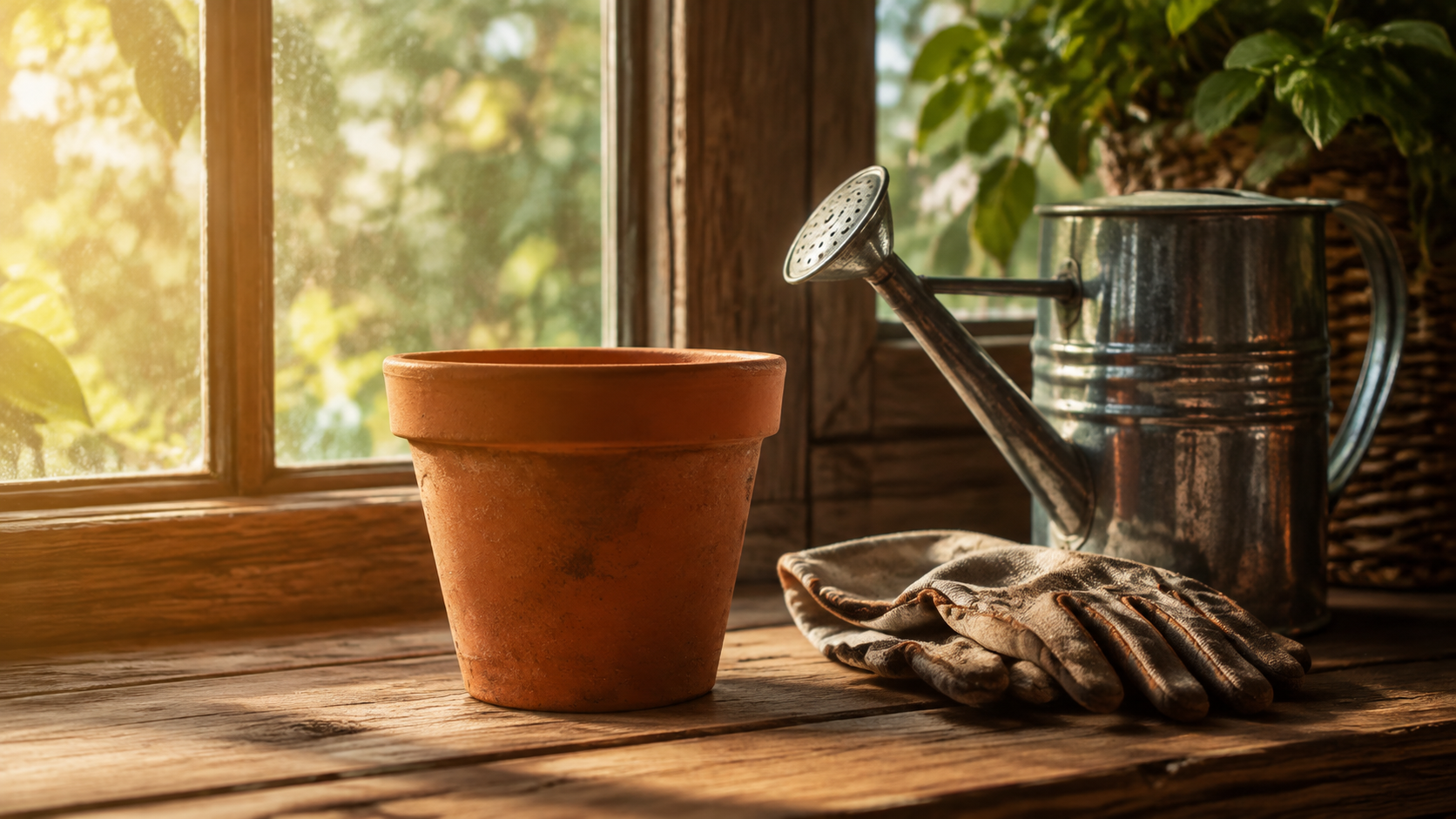
Step 2 — generate your last frame
Keep everything about the shot identical — camera angle, lighting, surrounding objects — and change only what you want the video to show happening. This consistency is what lets Seedance 2.5 interpolate cleanly instead of producing a jump-cut:
The same terracotta plant pot on the same sunlit wooden windowsill now holds a small thriving basil plant with bright green leaves, same camera angle and lighting, same gardening gloves and watering can beside it, photorealistic, warm color grading
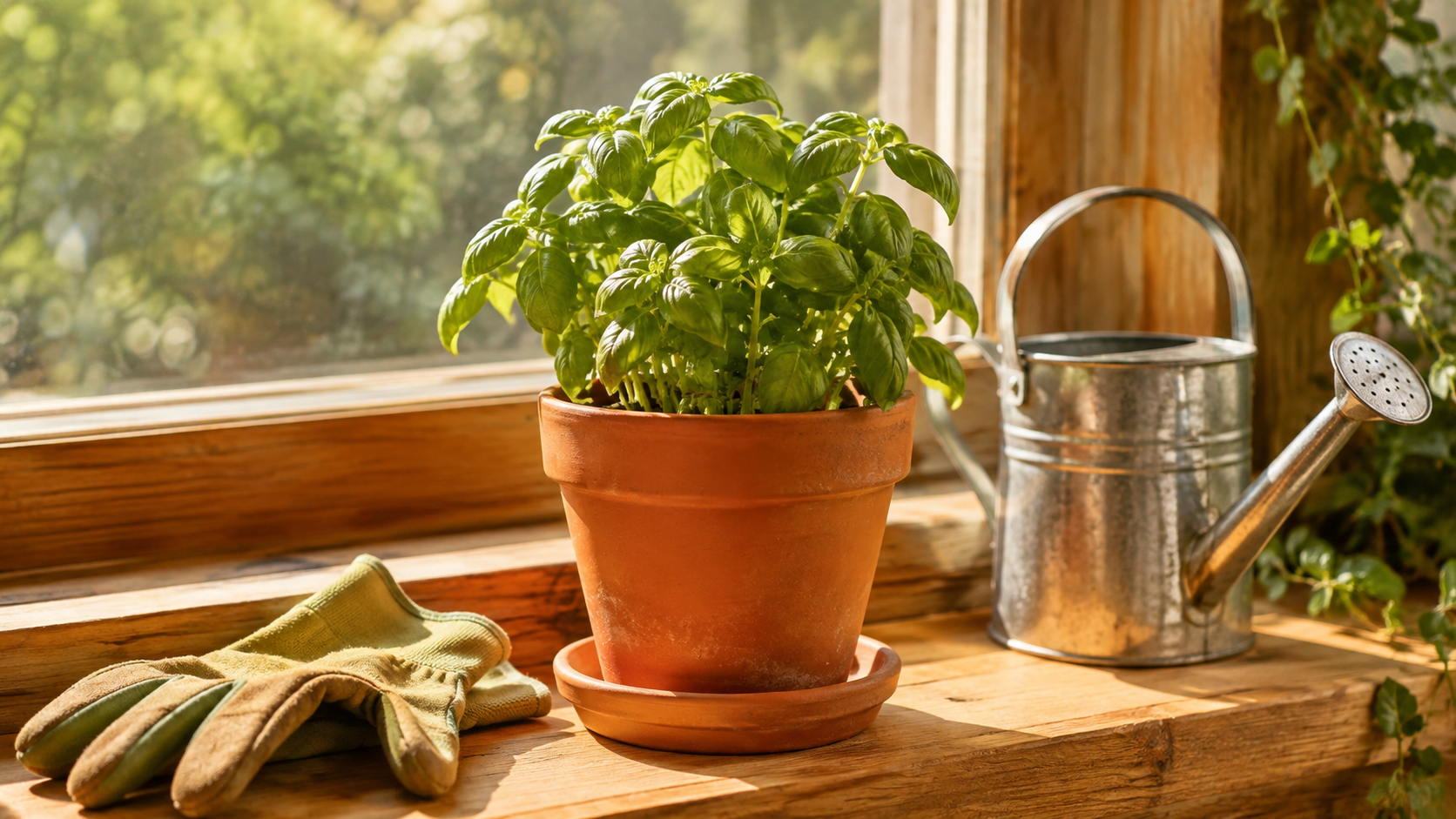
Step 3 — write the video prompt and submit the task
The video prompt only needs to describe the motion, since the scene itself is already locked in by the two frames:
Time-lapse growth of a basil seedling sprouting and unfurling leaves inside the terracotta pot, smooth continuous motion, soft morning light staying consistent, camera locked off, no cuts
Real request against hiapi's task endpoint:
{
  "model": "seedance-2.5/image-to-video",
  "input": {
    "prompt": "Time-lapse growth of a basil seedling sprouting and unfurling leaves inside the terracotta pot, smooth continuous motion, soft morning light staying consistent, camera locked off, no cuts",
    "first_frame_url": "https://static.hiapi.ai/blog/seedance-2-5-image-to-video-prompt-recipes/first-frame.jpg",
    "last_frame_url": "https://static.hiapi.ai/blog/seedance-2-5-image-to-video-prompt-recipes/last-frame.jpg",
    "duration": 4,
    "resolution": "720p"
  }
}
duration is an integer between 4 and 30 seconds. resolution is 480p or 720p — pricing is identical either way, so pick based on where you're publishing, not cost. There's no aspect_ratio field to set: the output ratio always follows first_frame_url, which is why both frames above were generated at 16:9 up front.
The actual output
This clip is the real result of the exact request above — not a placeholder:
4.06 seconds, rendered at 720p (1280×720, matching the 16:9 frames), with a synchronized native audio track included automatically — no extra flag needed to get audio out of Seedance 2.5.
Adapting the recipe
The frame pair above is deliberately simple so the technique is easy to see. The same three-prompt pattern (first frame — last frame — motion prompt) carries over to other before/after subjects:
- Keep the constants literally repeated across your first- and last-frame prompts (same lighting description, same camera language, same static props) — the more the two prompts diverge in wording, the more likely the model is to also shift things you didn't intend to change.
- Use the motion prompt to control pacing, not content: words like "smooth continuous motion," "camera locked off," or "no cuts" steer how the interpolation happens, since what happens is already defined by your two frames.
- Single-frame mode still works if you only pass
first_frame_urland skiplast_frame_url— useful when you want the model to imagine the motion itself rather than target a specific end state, at the same $0.3019/s rate. - Longer clips cost linearly: an 8-second version of this same recipe would run $2.42 (8 × $0.3019), a 15-second version $4.53 — duration is the only price lever, so budget in seconds, not "quality tiers."
FAQ
Does resolution affect price on Seedance 2.5 image-to-video?
No. Both 480p and 720p bill at the same $0.3019 per second. Choose resolution for output quality, not cost.
Can I set a custom aspect ratio? No. Output ratio always follows the first frame image. If you need a 9:16 clip, generate your first (and last) frame at 9:16 before submitting the video task.
Is last_frame_url required?
No — it's optional, but it requires first_frame_url to also be set. Without any frame image at all, Seedance 2.5 falls back to pure text-to-video behavior.
What's the cheapest way to test the First-Last-Frame feature? A 4-second clip at either resolution: $1.2076. That's enough to confirm the interpolation quality on your own frame pair before committing to a longer render.
Does the output include audio automatically? Yes — the rendered clip carries a synchronized audio track without any extra parameter.
Try it yourself
Full parameter reference and live pricing for the model live on the Seedance 2.5 image-to-video model page; current per-second rates for every model on the platform are on the pricing page. If you want to see the same first-last-frame idea applied to a single continuous camera move instead of a static-scene transition, this Seedance 2.0 one-shot POV breakdown walks through that variant end to end.









