A product catalog is not one photo — it is the same SKU across a dozen contexts: white-background listing shot, lifestyle scene, a retouch after a supplier swaps a component, and a version that matches this quarter's brand backdrop. Re-shooting or re-generating from scratch breaks consistency every time, because a fresh prompt draws a slightly different product.
seedream-4.5/image-to-image is built for exactly this. It takes your real product photo — or several reference images at once — plus a plain-language edit instruction, and returns an edited image that keeps the product's actual geometry, materials, and branding intact while changing only what you asked for: the background, a scuffed detail, or the color grading needed to match a shared visual identity. On hiapi it runs through the same async /v1/tasks endpoint as every other model, at $0.045 per image.
Both examples below are real API calls, shown with their exact prompts and the resulting images.
Why edit instead of regenerate
Text-to-image and image-to-image solve different problems:
- Text-to-image invents a product from a description. Useful for concepting, useless for a catalog — ask twice and you get two different mugs.
- Image-to-image editing starts from your actual product photo. The model treats the reference image as ground truth for shape, proportions, and branding, and only changes what the prompt names. That's what makes it safe for real listings: the product in the output is still your product.
The practical workflow is: keep one clean base photo per SKU (a plain studio shot works fine as the reference), then run it through seedream-4.5/image-to-image once per context you need — lifestyle scene, background swap, brand-consistent backdrop, detail fix — instead of re-shooting or re-prompting from zero each time.
Example 1: background swap into a lifestyle scene
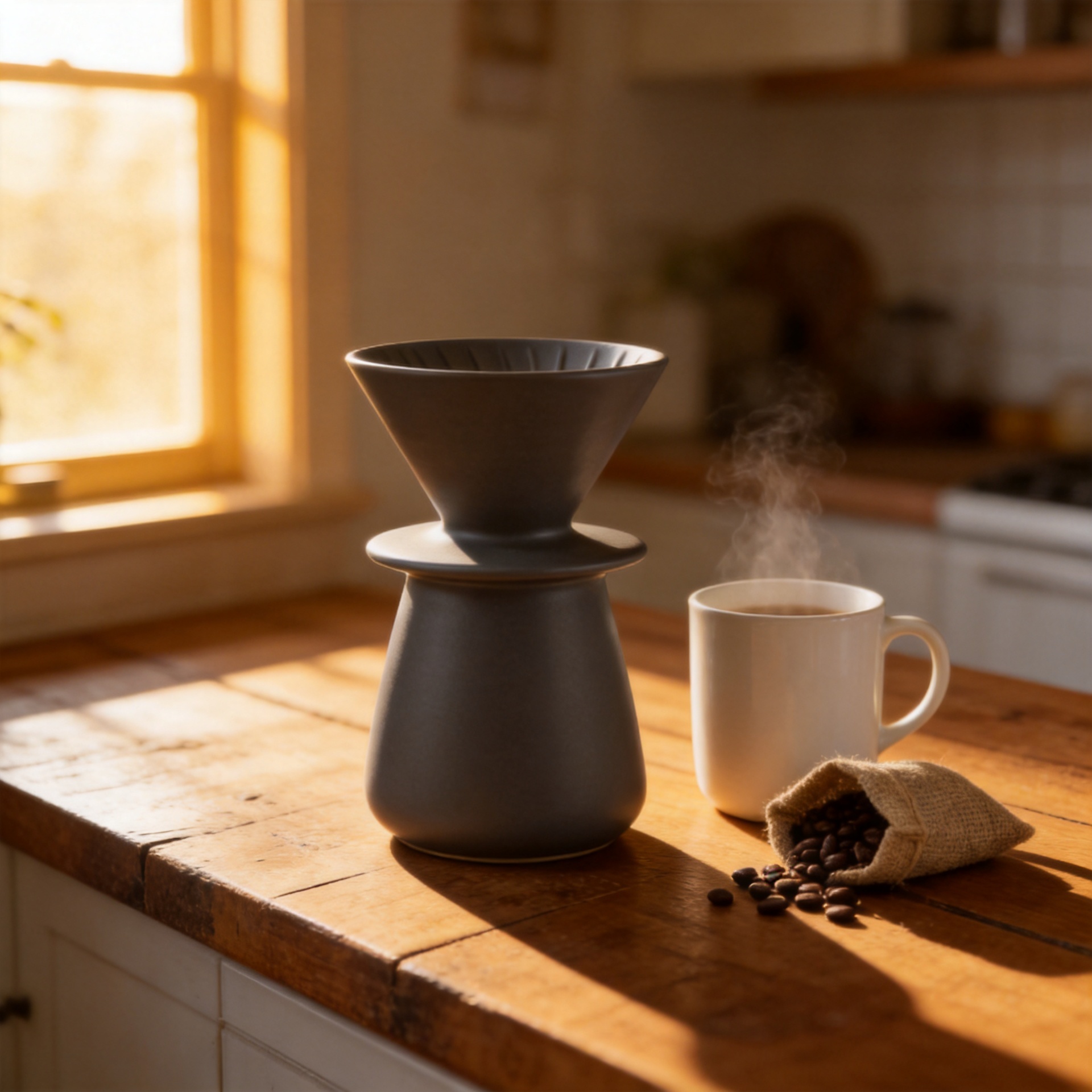
Base reference: a plain studio photo of a ceramic pour-over dripper on a white background.
Edit prompt sent to the model:
Keep the ceramic pour-over dripper's exact shape, glaze color, and proportions
unchanged. Place it on a warm wood kitchen counter next to a steaming ceramic
mug and an open burlap coffee bag. Warm golden-hour side lighting, shallow
depth of field, soft shadows. Do not alter the dripper itself in any way —
only change the surrounding scene.
The result keeps the dripper's silhouette and glaze pixel-for-pixel recognizable while placing it inside a lifestyle scene a plain product shot could never produce on its own — no re-shoot, no separate compositing pass.
Example 2: unifying a product against a branded backdrop
Base reference: a plain studio photo of a white canvas sneaker.
Edit prompt sent to the model:
Keep the sneaker's stitching, eyelets, laces, and canvas texture exactly as
shown. Replace the background with a solid terracotta studio backdrop and
place the sneaker on a matching terracotta pedestal. Even, soft studio
lighting from the upper left, subtle contact shadow. Do not change the
sneaker's shape, color, or any printed details.
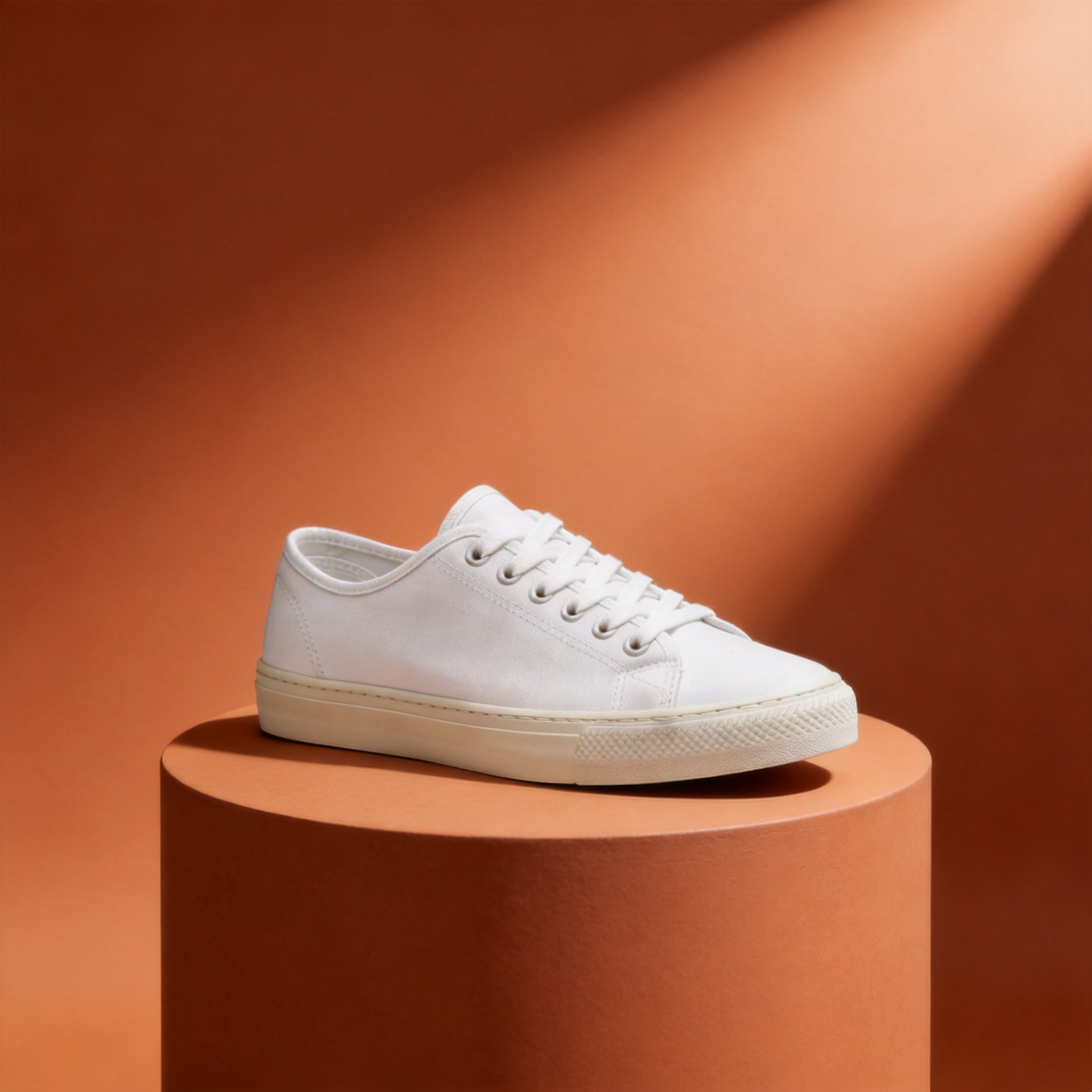
This is the pattern for unifying a catalog visually: pick one backdrop treatment, then run every SKU's base photo through the same edit instruction. The product changes per image; the backdrop, lighting direction, and color grade stay identical because the prompt — not the product — controls them.
Calling the API directly
seedream-4.5/image-to-image runs through hiapi's async task endpoint. Submit the task, poll until it completes, then download the result.
curl:
curl -s -X POST https://api.hiapi.ai/v1/tasks \
  -H "Authorization: Bearer $HIAPI_API_KEY" \
  -H "Content-Type: application/json" \
  -d '{
    "model": "seedream-4.5/image-to-image",
    "input": {
      "prompt": "Keep the product exactly as shown. Replace the background with a solid terracotta studio backdrop and matching pedestal. Even soft studio lighting from the upper left.",
      "image_urls": ["https://your-storage.example.com/base-product-photo.jpg"],
      "aspect_ratio": "1:1",
      "resolution": "2K"
    }
  }'
The response returns a task_id. Poll GET /v1/tasks/{task_id} until status is succeeded, then read the image URL from output[0].url. That URL is time-limited — download it immediately.
Python (task submit + poll + download):
import os
import time
import requests

API_BASE = "https://api.hiapi.ai/v1"
HEADERS = {"Authorization": f"Bearer {os.environ['HIAPI_API_KEY']}"}


def edit_product_image(prompt: str, image_urls: list[str],
                        aspect_ratio: str = "1:1", resolution: str = "2K") -> bytes:
    resp = requests.post(
        f"{API_BASE}/tasks",
        headers=HEADERS,
        json={
            "model": "seedream-4.5/image-to-image",
            "input": {
                "prompt": prompt,
                "image_urls": image_urls,
                "aspect_ratio": aspect_ratio,
                "resolution": resolution,
            },
        },
        timeout=30,
    )
    resp.raise_for_status()
    task_id = resp.json()["task_id"]

    while True:
        poll = requests.get(f"{API_BASE}/tasks/{task_id}", headers=HEADERS, timeout=30)
        poll.raise_for_status()
        data = poll.json()
        if data["status"] == "succeeded":
            image_url = data["output"][0]["url"]
            return requests.get(image_url, timeout=30).content
        if data["status"] == "failed":
            raise RuntimeError(f"task {task_id} failed: {data.get('error')}")
        time.sleep(3)
Batch-editing a product catalog
The pattern above generalizes directly to a catalog: keep a (sku, base_photo_url) list, apply the same edit instruction — or a per-SKU variant of it — to every entry, and write results out keyed by SKU.
CATALOG = [
    {"sku": "dripper-ceramic-01", "base_url": "https://your-storage.example.com/dripper-01.jpg"},
    {"sku": "sneaker-canvas-white", "base_url": "https://your-storage.example.com/sneaker-white.jpg"},
    {"sku": "mug-stoneware-02", "base_url": "https://your-storage.example.com/mug-02.jpg"},
]

BACKDROP_PROMPT = (
    "Keep the product's exact shape, materials, and any printed branding "
    "unchanged. Replace the background with a solid terracotta studio "
    "backdrop and matching pedestal. Even soft studio lighting from the "
    "upper left, subtle contact shadow. Do not alter the product itself."
)

for item in CATALOG:
    image_bytes = edit_product_image(
        prompt=BACKDROP_PROMPT,
        image_urls=[item["base_url"]],
        aspect_ratio="1:1",
        resolution="2K",
    )
    with open(f"{item['sku']}-branded.jpg", "wb") as f:
        f.write(image_bytes)
    print(f"{item['sku']}: done")
At $0.045 per image, a 50-SKU catalog pass through one backdrop treatment costs about $2.25 and — because every task runs independently — can be parallelized across a thread pool or task queue instead of running sequentially.
image_urls accepts up to 14 reference images in a single call, so a more advanced variant can hand the model several angles of the same product (front, side, detail) in one request when a single reference isn't enough context for a complex edit.
FAQ
Does seedream-4.5/image-to-image change the product itself, or only the scene? It follows the edit instruction literally. If the prompt only describes background, lighting, or context changes and explicitly asks to preserve the product, the product's shape, color, and printed details stay consistent across edits — that's what makes it usable for a real catalog rather than one-off concept art.
How many reference images can I send in one call?
Up to 14 public image URLs in image_urls. Most single-product edits only need one (the base photo); multiple references help when you want the model to reconcile details across several angles of the same item.
What resolutions does it support?
resolution accepts 2K or 4K. There is no 1K tier on this model.
How much does batch-editing a full catalog cost? $0.045 per image regardless of resolution tier. A 100-SKU catalog through one edit pass costs about $4.50.
Can I run edits in parallel to speed up a batch job?
Yes — each task is independent, so submitting many /v1/tasks calls concurrently (respecting your account's rate limits) and polling them in parallel is the fastest way to process a large catalog.
Try it yourself
Full parameter reference and live pricing are on the model page and pricing page. For the exact request/response shape of the task endpoint used above, see the task creation docs. If you're setting up a similar workflow with a different model tier, the seedream-5.0-lite e-commerce guide covers the single-SKU anchor-and-edit pattern in more depth.
Grab an API key and run your first edit against a real product photo — the code above is copy-paste runnable against the hiapi API today.









