Text-to-image is where new models show off; image-to-image is where they earn a place in a pipeline. At $0.045 per edit, seedream-4.5/image-to-image is a third of the price of the 5.0-pro tier, takes up to 14 reference images in one call, and — unlike the pro tier, which tops out at 2K — renders at 2K or 4K. That combination makes it the workhorse option: cheap enough to run colorway matrices and batch cleanups, capable enough for multi-reference composites.
Below are six editing recipes we actually ran. Every input image, every prompt, and every output is shown unretouched — what you see is the first take unless noted. Copy the prompts, swap in your own reference URLs, and they should transfer.
The exact input schema (probed, not guessed)
The task API validates strictly. seedream-4.5/image-to-image takes exactly four fields — anything extra is rejected with a 400:
| Field | Type | Values |
|---|---|---|
prompt | string | the edit instruction |
image_urls | array | public URLs, up to 14 reference images |
aspect_ratio | string | 1:1, 4:3, 3:4, 16:9, 9:16, 2:3, 3:2, 21:9 |
resolution | string | 2K or 4K only |
A full request, with polling:
curl -X POST https://api.hiapi.ai/v1/tasks \
  -H "Authorization: Bearer $HIAPI_KEY" \
  -H "Content-Type: application/json" \
  -d '{
    "model": "seedream-4.5/image-to-image",
    "input": {
      "prompt": "recolor the sneaker to a deep forest green canvas with an off-white sole",
      "image_urls": ["https://your-cdn.example.com/sneaker.jpg"],
      "aspect_ratio": "3:2",
      "resolution": "2K"
    }
  }'
# → {"data":{"taskId":"tk-hiapi-..."}}

curl https://api.hiapi.ai/v1/tasks/tk-hiapi-... \
  -H "Authorization: Bearer $HIAPI_KEY"
# poll until status is "success", then download output[0].url — it expires, so save the file
Reference images must be publicly fetchable URLs. In our runs each 2K edit came back in roughly one to two minutes; the 4K pass in recipe 6 took a bit longer. For a full walkthrough of the endpoint (Python client, error handling), see the seedream-4.5 image-to-image API guide.
Recipe 1 — Colorway variants for product listings
The bread-and-butter e-commerce job: one hero shot, N colorways, nothing else moves. At $0.045 a variant, a ten-color matrix costs 45 cents.
Source (generated for this test, then used as the i2i input):
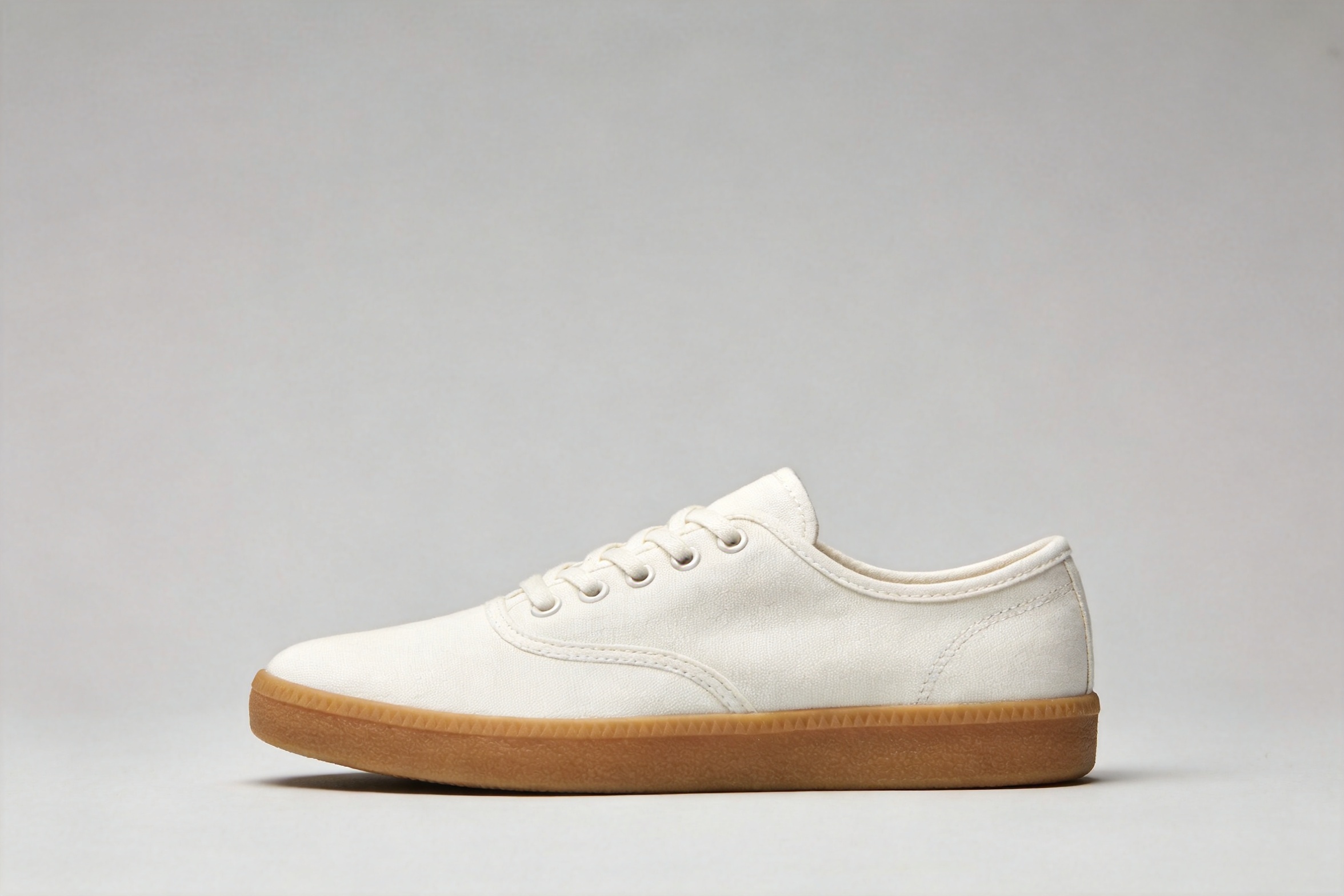
recolor the sneaker to a deep forest green canvas with an off-white sole and
matching green laces; keep the exact same shoe shape, stitching, camera angle,
lighting, shadow and gray background unchanged
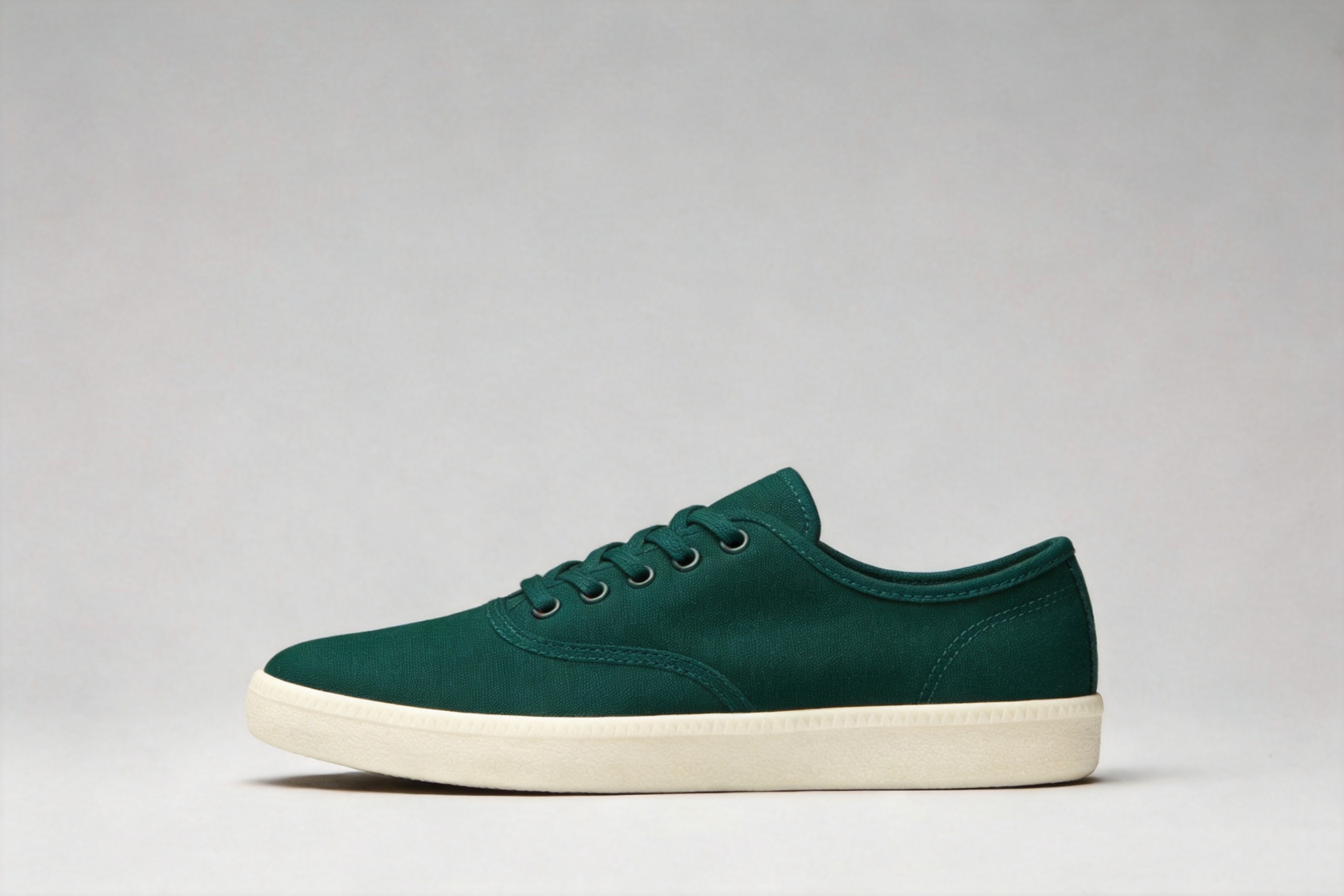
The angle, contact shadow, and background survived the recolor. The pattern that makes this reliable: name the change once, then spend the rest of the prompt listing what must not change.
Recipe 2 — Three-reference fusion: product × material × scene
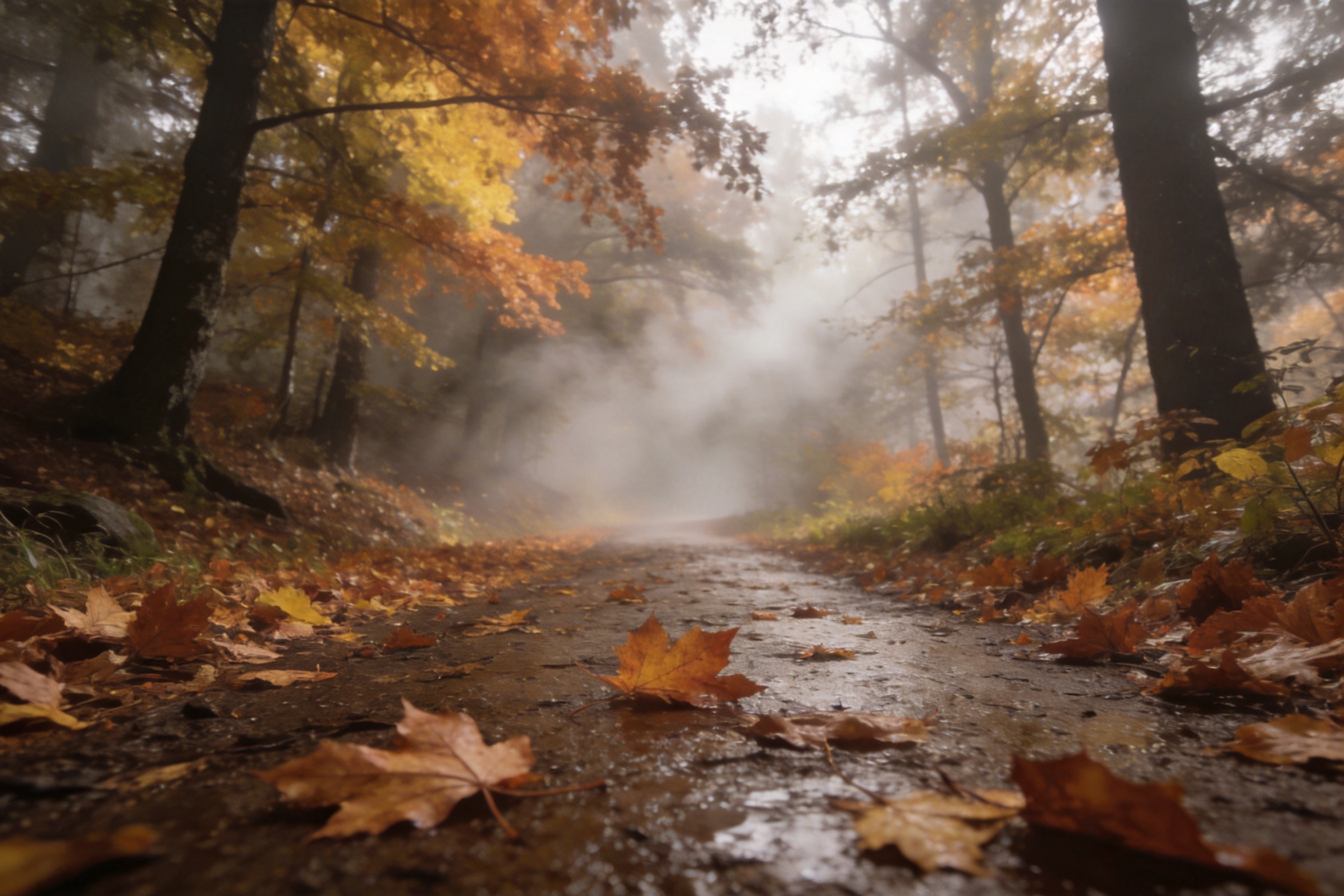
This is the recipe that uses what 4.5 is actually good at: multiple references resolved by position. Three inputs — the sneaker, a knitted wool swatch, a foggy forest trail:
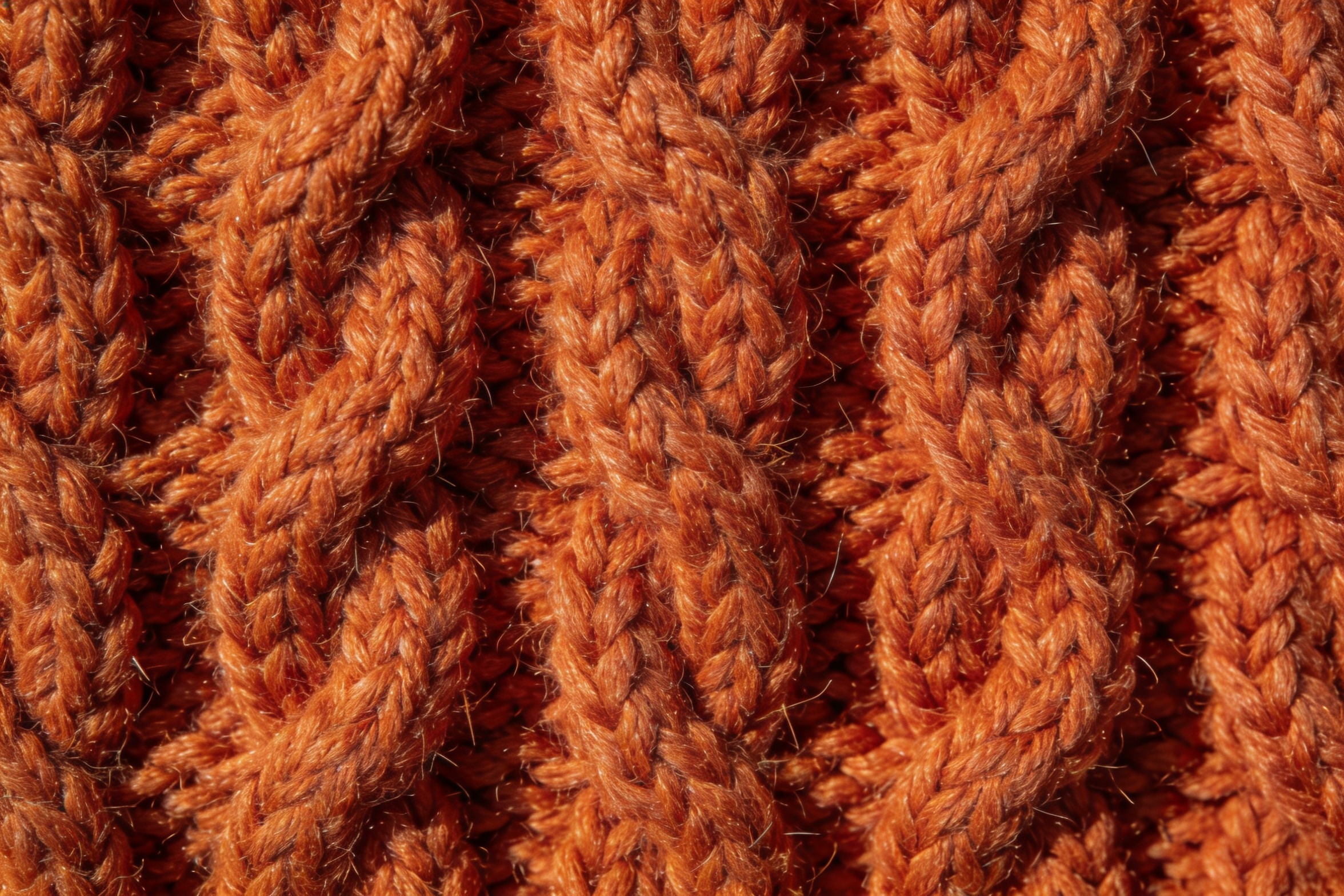
rebuild the sneaker from the first image with its canvas upper made of the
burnt-orange cable-knit wool from the second image, then place it as a product
hero shot on the wet leaf-covered forest trail from the third image, low camera
angle, soft morning fog, keep the shoe's shape and proportions from the first
image, photorealistic
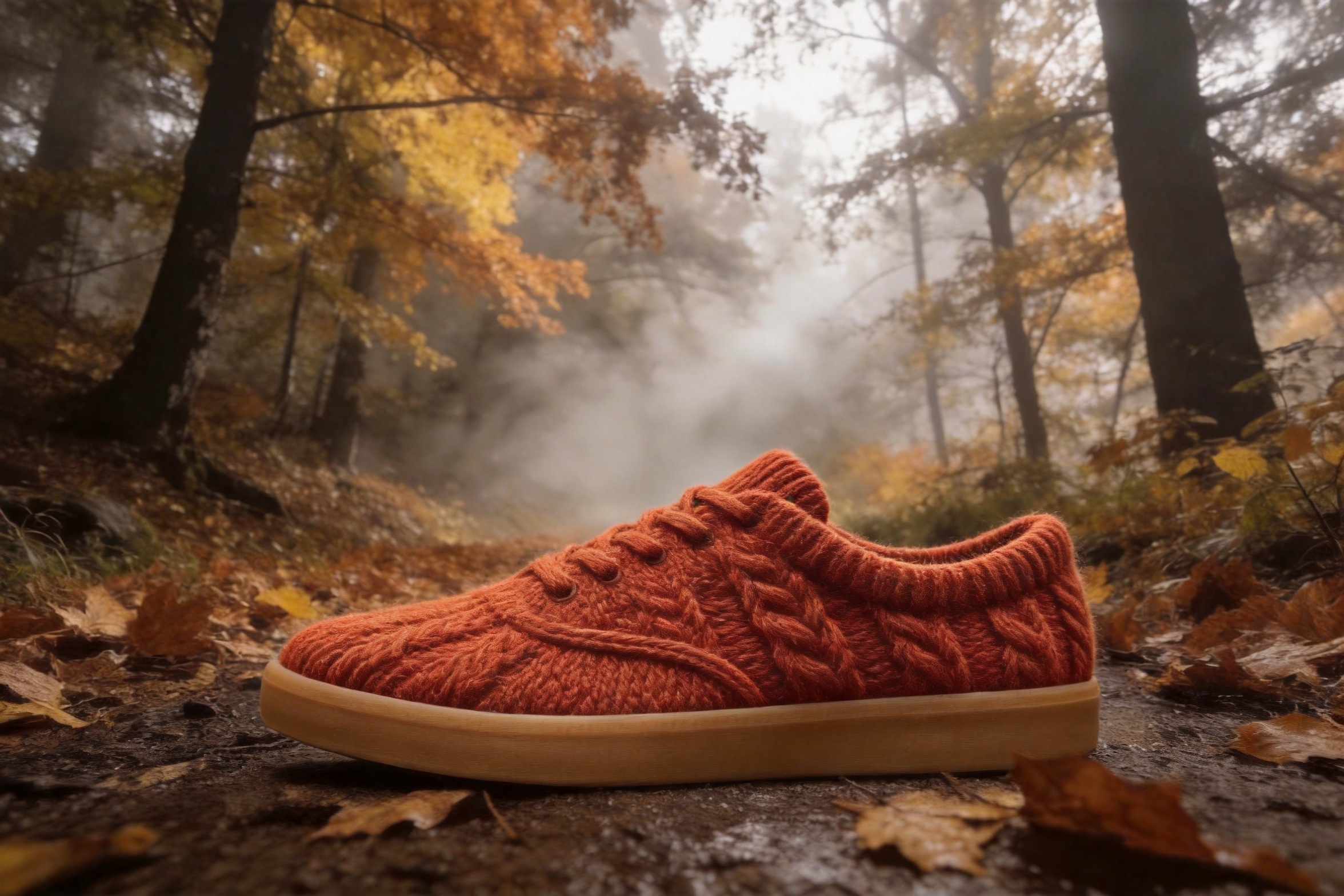
First take. The silhouette and gum sole carried over from reference one, the cable braids from reference two wrap the upper convincingly, and the scene, fog and low angle came from reference three. One honest detail: it knitted the laces too, which we hadn't asked for — with material transfers, expect the material to spread to adjacent parts unless you fence it off explicitly ("keep the laces standard cotton laces").
The addressing scheme — "the X from the first image, the Y from the second" — is how you keep a many-reference prompt unambiguous. With 14 reference slots, this is the syntax that scales.
Recipe 3 — Phone snapshot → editorial food photo
The refinement job: a dim, yellow-cast phone photo of ramen, relit instead of reshot.
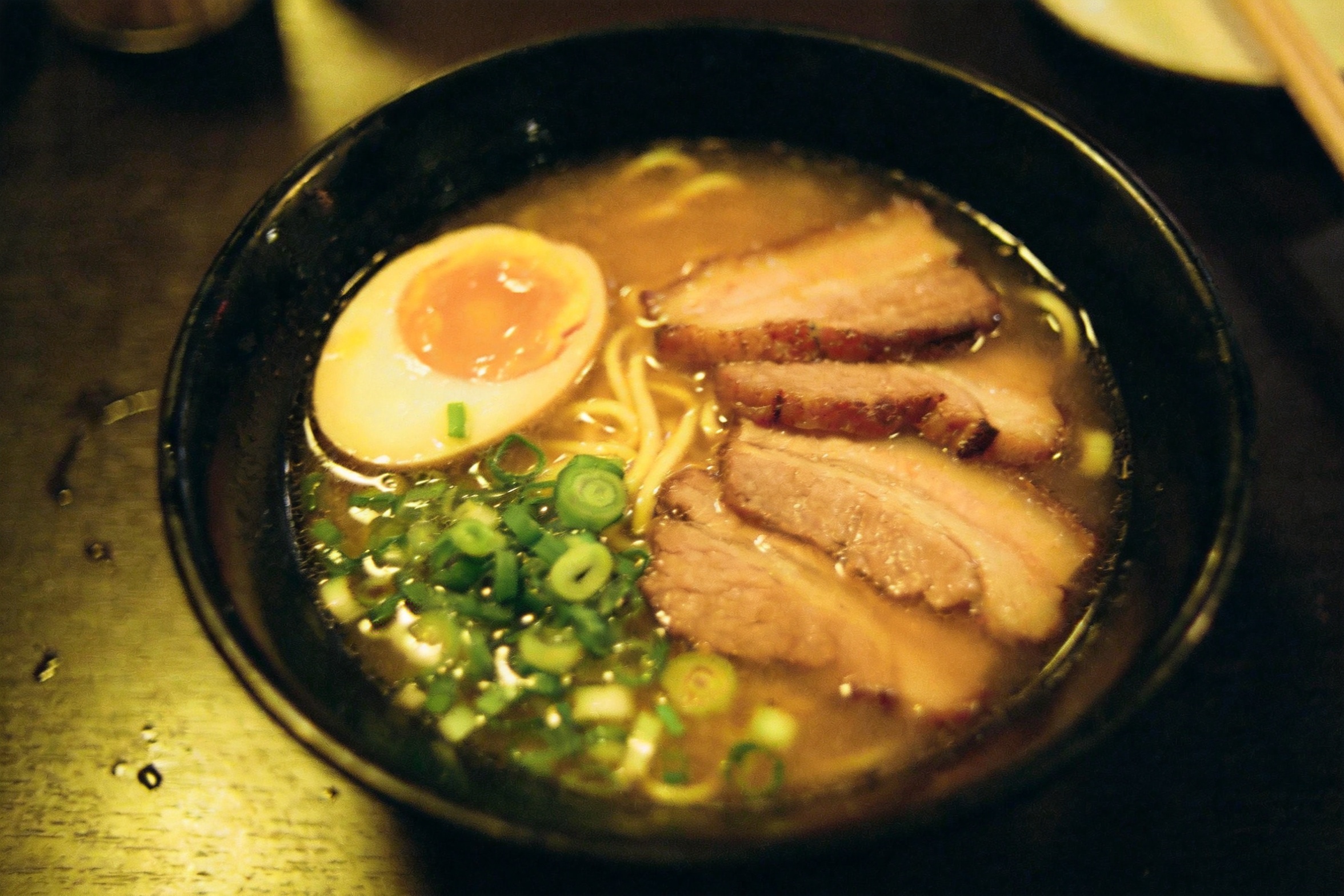
relight this exact bowl of ramen as a bright editorial food photograph: soft
window key light from the upper left, clean neutral white balance, gentle steam
rising, richer broth and egg color, keep the same bowl, ingredients, table and
overhead framing
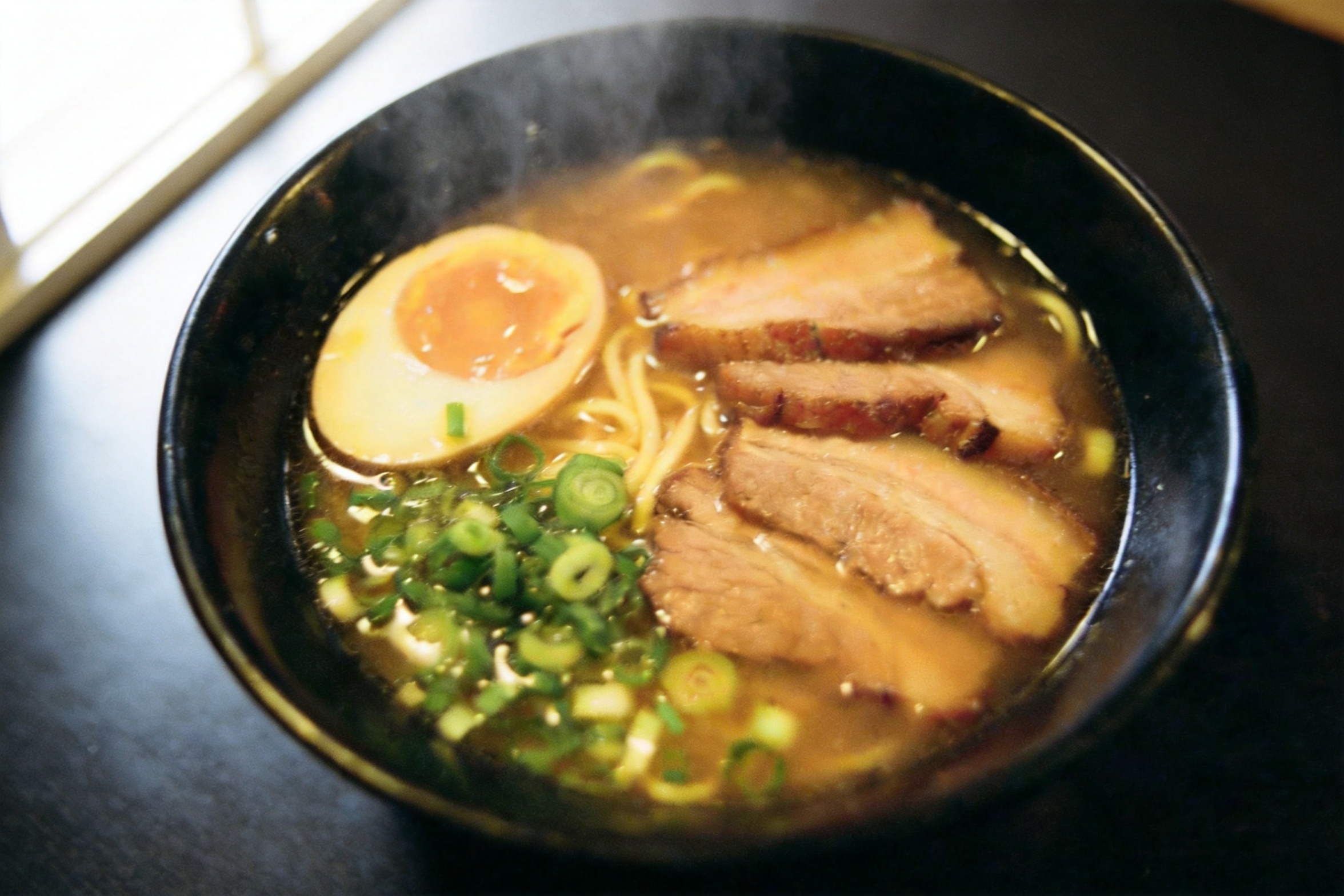
White balance corrected, steam added, the egg-left / chashu-right / scallion-front layout preserved. Two things drifted, and they're worth knowing about: the camera angle shifted slightly from the original framing, and the chashu fan went from five slices to three. Relighting is a re-render, not a filter — if exact ingredient counts matter (menus, packaging), say so in the prompt ("exactly five slices of chashu") and check the output.
Recipe 4 — Same character, new scene
Consistency test: move a person without changing who they are. Source portrait:
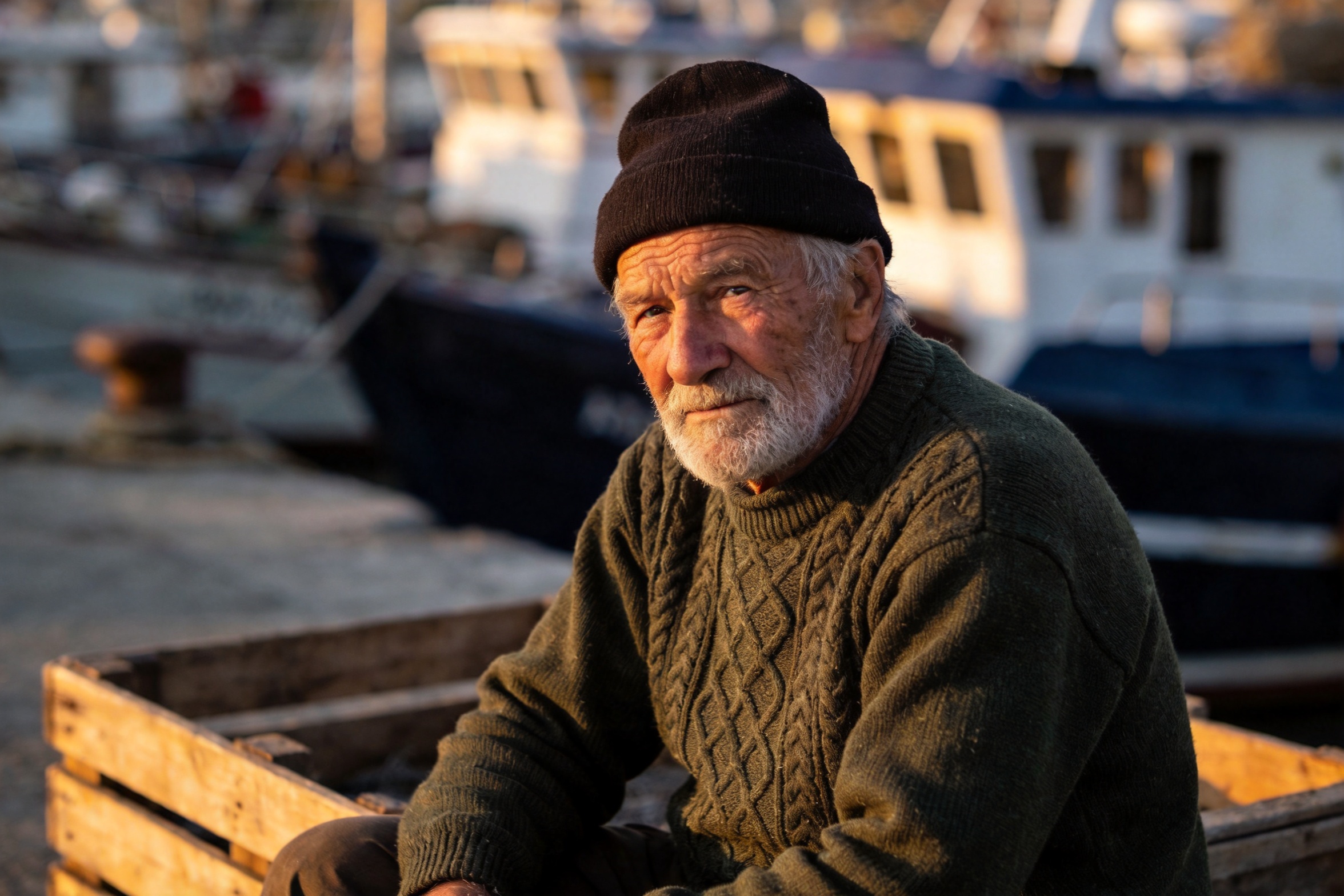
move this same fisherman, with identical face, beard, beanie and green sweater,
into the wheelhouse of a small fishing boat at dawn, standing at the wooden
helm, cold blue morning light through the windows mixing with warm cabin light,
photorealistic
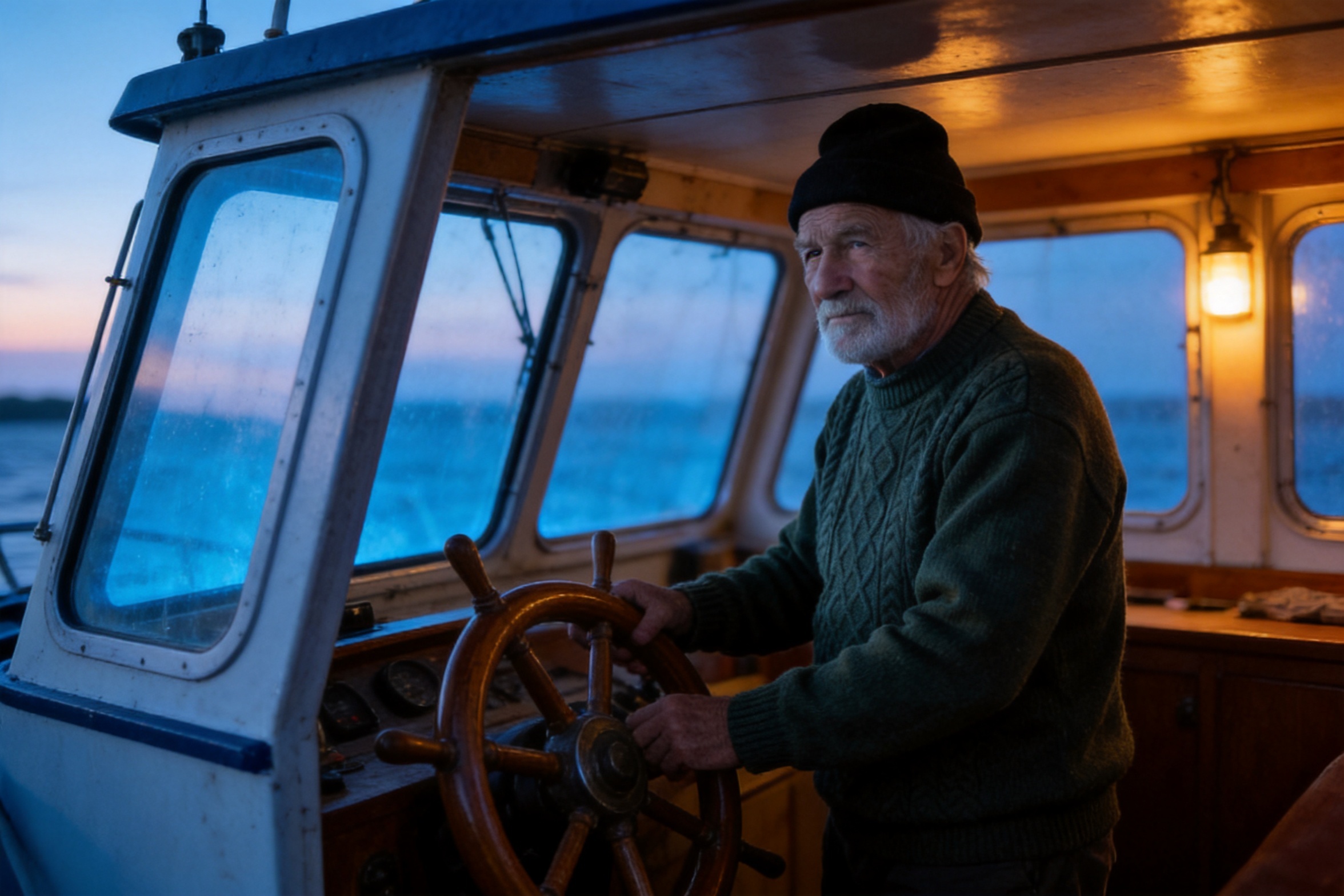
Face, beard, beanie and sweater held across a full scene, pose and lighting change. The word "identical" attached to the specific features you care about does more work than a generic "keep the subject consistent." This is the recipe for storyboards and episodic content where one character has to survive many scenes.
Recipe 5 — Same source, different job: photo → flat vector illustration
Stylization, run on the same fisherman portrait as recipe 4 — one source image can feed multiple production jobs.
redraw this photo as a clean flat vector illustration with bold simplified
shapes and a limited palette of deep green, cream, charcoal and one warm orange
accent, subtle paper grain, keep the pose and composition recognizable, no text
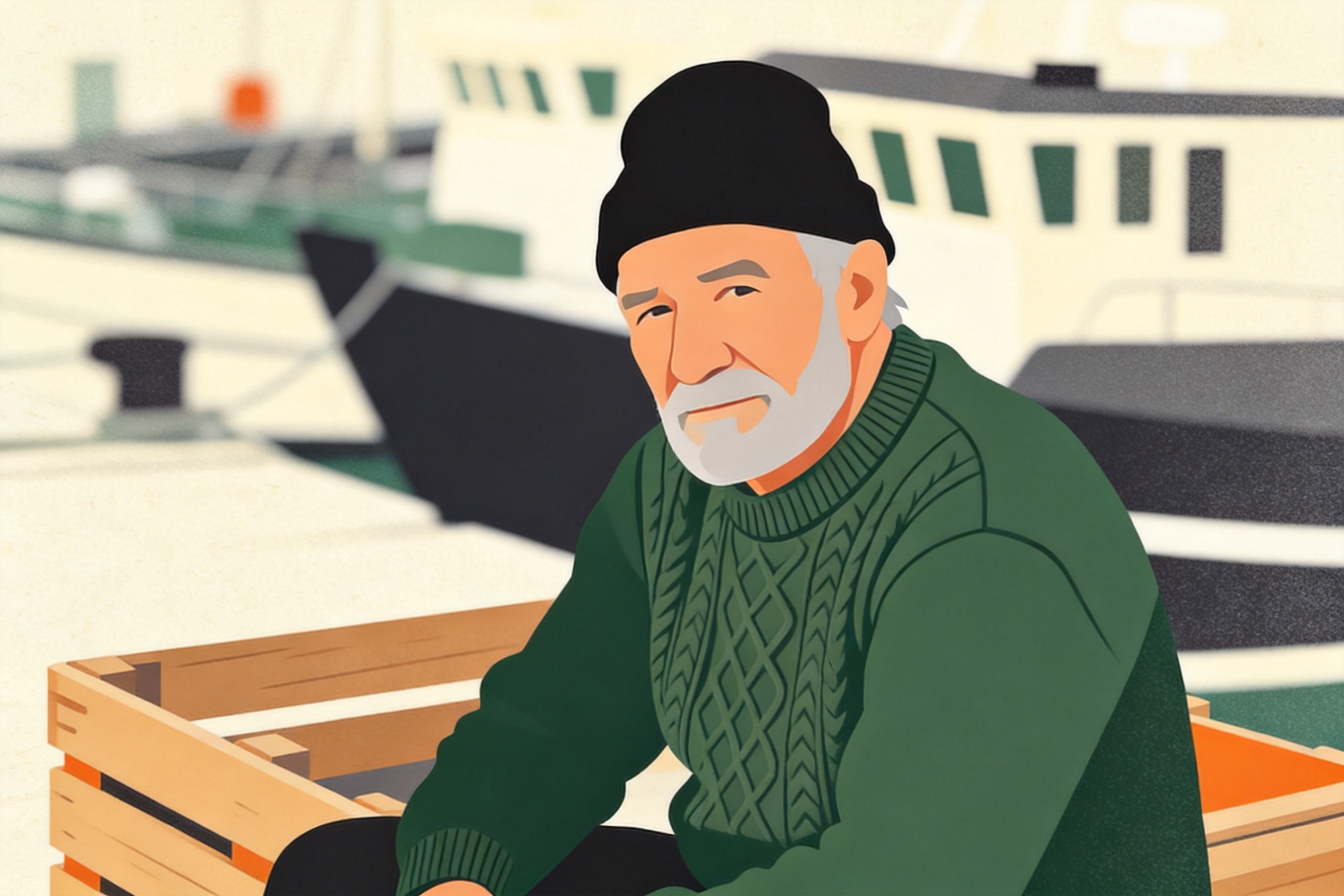
It respected the four-color constraint and kept the crate, the harbor boats and the pose. Naming the exact palette ("deep green, cream, charcoal and one warm orange accent") is what separates a usable brand illustration from a generic cartoon filter.
Recipe 6 — The 4K detail pass (where 4.5 outruns the pro tier)
seedream-4.5 renders at 4K; the 5.0-pro tier stops at 2K. That makes a chained detail pass possible: take an edit you already like, feed it back in, and re-render at 4K for print or zoomable product pages. Input here is recipe 1's green sneaker output.
re-render this product photo at maximum fidelity: keep the composition, colors,
lighting and background exactly as they are, sharpen the canvas weave, lace
texture and sole details, remove any compression artifacts
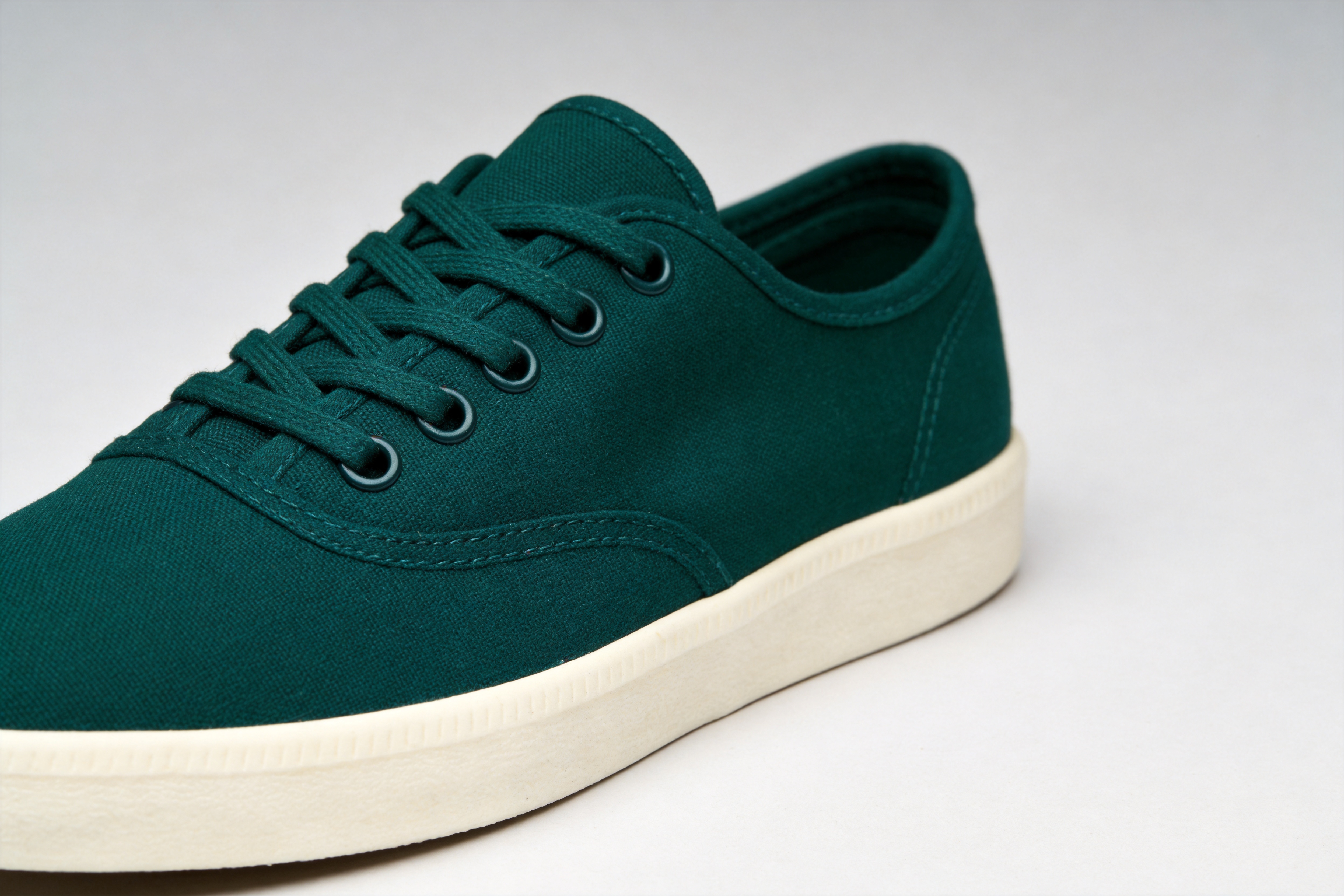
Two chained calls — the recolor plus the 4K pass — total $0.09. Chaining also happens to be the safer way to work: one edit per call keeps each step checkable, and a failed step only costs you 4.5 cents.
The patterns behind all six
- One edit per call. Recolor, then upscale. Fuse, then restyle. Chained single-purpose edits beat one mega-prompt.
- Spend most of the prompt on what must stay. "Keep the exact same angle, lighting, shadow and background" is the anchor that makes the one change land cleanly.
- Address references by position. "The sneaker from the first image, the wool from the second" — order in
image_urlsis the only identity the model has for them. - Fence off materials and counts. Transfers spread (knitted laces) and re-renders approximate (three chashu, not five) unless you pin them explicitly.
- 2K for the web, 4K as a finishing pass. Same price per call either way — $0.045, verified on the pricing page.
FAQ
How many reference images can one call take? Up to 14 public image URLs in image_urls. Address them by position in the prompt.
Can it output 1K? No — the schema accepts 2K or 4K only, and rejects anything else with a 400.
When should I use 5.0-pro instead? When single-edit fidelity on hard cases (faces in crowds, fine typography, complex composites) justifies 3× the price. For volume work, 4.5 first; escalate what fails. The pro-tier equivalents of these recipes are in the Seedream 5.0 Pro image-to-image collection.
Is text-to-image the same price? Yes — seedream-4.5/text-to-image is also $0.045 per image. All five source images in this post were generated with it at 2K.
Try it
Grab an API key, point image_urls at any public image, and start with recipe 1 — a recolor is the fastest way to feel out how the model balances "change this" against "keep that." The full parameter reference and playground are on the seedream-4.5/image-to-image model page, and the docs cover task polling and authentication in five minutes.









