The fastest way to get better outputs from GPT Image 2 is to stop writing prompts like search queries and start writing them like creative briefs. The model rewards specificity, structure, and explicit instructions about what it should and shouldn't do.
What follows is twelve prompt templates we use in production, organized by job. Each template is paired with the actual image it produced — no cherry-picked best-of-twenty results, just one generation per prompt at the resolution shown. Copy the template, swap the bracketed variables for your subject, and you'll be close to a usable output on the first try.
How These Prompts Are Built
Across all the working templates we've seen, six structural elements show up consistently:
- The job in one phrase — "professional e-commerce catalog photo", "modern promotional poster", "minimalist logo concept". Start by naming what kind of image this is.
- Subject specification — the hero element, described in concrete physical terms (material, size, orientation, state).
- Composition rules — framing, angle, what's centered, where things sit in the frame.
- Light — direction, hardness, temperature, mood.
- Text instructions, if any — exact strings in quotes, with typography hints.
- Negative clauses — "no readable text", "no clutter", "no extra props", "no logo". These prevent the most common failure modes.
Once you internalize that template, writing new prompts gets fast.
1. E-commerce Product Photography (Catalog Main)
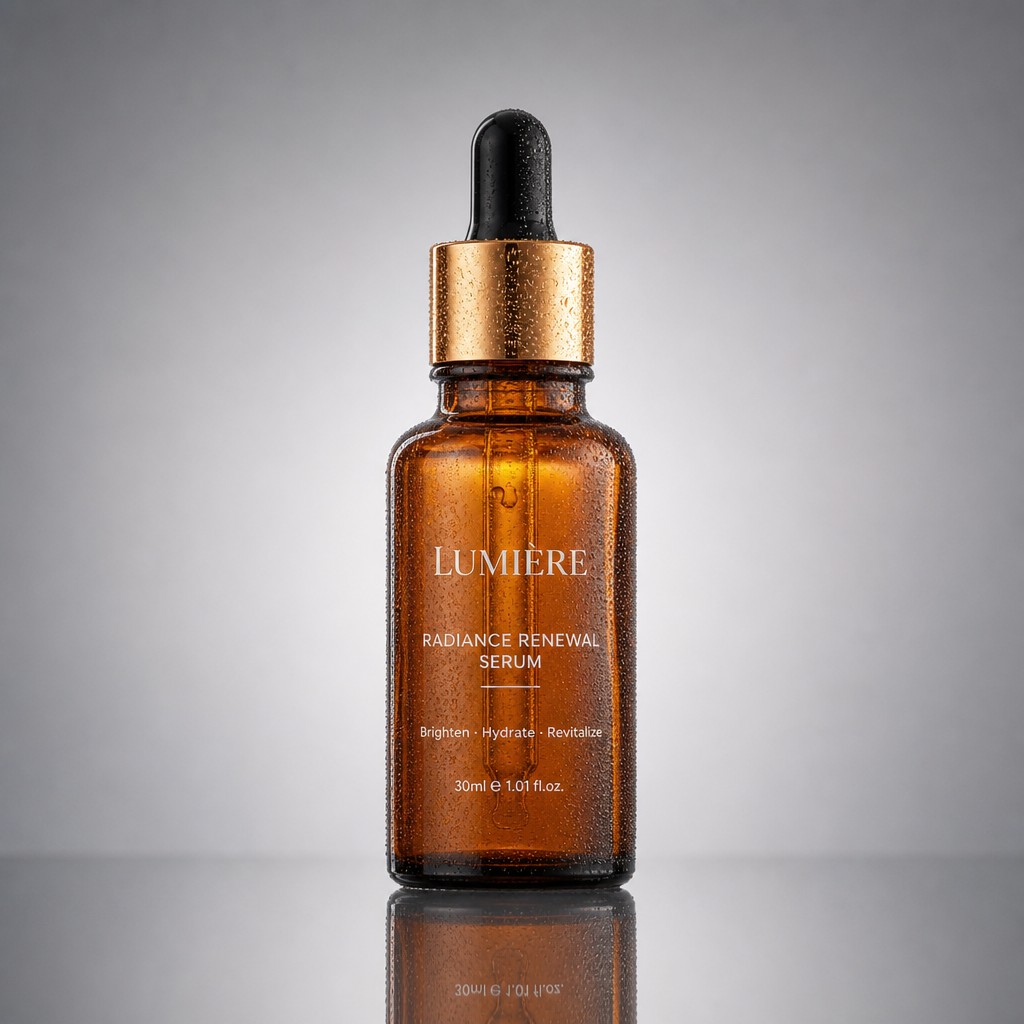
A professional high-end e-commerce product photograph of [a frosted glass perfume bottle], shot on an 85mm lens, perfectly centered on a seamless soft-grey gradient backdrop. Three-point studio lighting: a large softbox key light from the top-left creating gentle wraparound highlights, a crisp rim light defining the bottle's edges, a soft fill flattening harsh shadows. A clean realistic reflection mirrors beneath the product on a subtly glossy surface. Razor-sharp focus throughout, true-to-life color, visible glass texture and liquid translucency, tiny condensation droplets on the bottle, no props or clutter, generous symmetrical negative space, 1:1 square, catalog-grade commercial photography.
Why it works: Specifies the lens (85mm), the lighting setup (three-point with key/rim/fill), the surface treatment (reflection on glossy), and the negative space rules. The "no props or clutter" clause is what keeps the model from wandering into lifestyle territory.
2. Cozy Lifestyle Product Shot
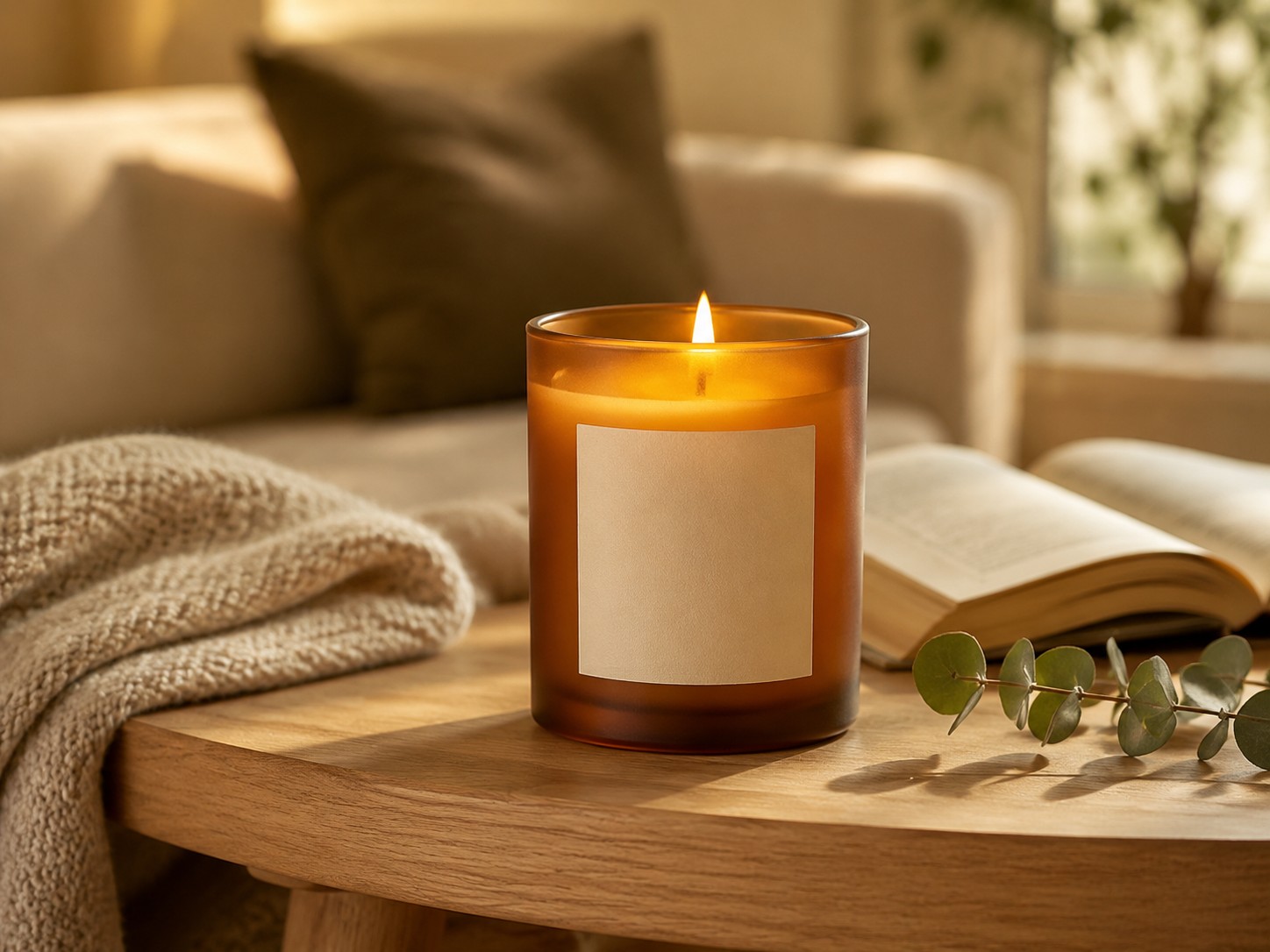
A cozy lifestyle product photograph featuring [a scented soy candle in a frosted amber glass jar with a smooth cream blank label]. The candle is lit with a small warm flame and placed as the clear hero object on a light oak side table. Nearby are a folded neutral knit blanket, an open book, and a small eucalyptus sprig, arranged subtly so they support the product without distracting from it. Warm late-afternoon window light from the side, soft natural shadows, shallow depth of field, softly blurred comfortable living room background. The candle remains sharply focused, front label visible, amber glass texture visible, warm inviting color grade, calm relaxing mood, premium home-fragrance brand aesthetic, photorealistic. No readable text, no logo, no extra candles, no messy background, no people. 4:3 horizontal composition.
Why it works: The composition rule is explicit — the product is "the clear hero object" and supporting props are arranged "so they support the product without distracting". The negative clauses prevent the model from filling the scene with humans or competing visual elements.
3. Macro Product Detail
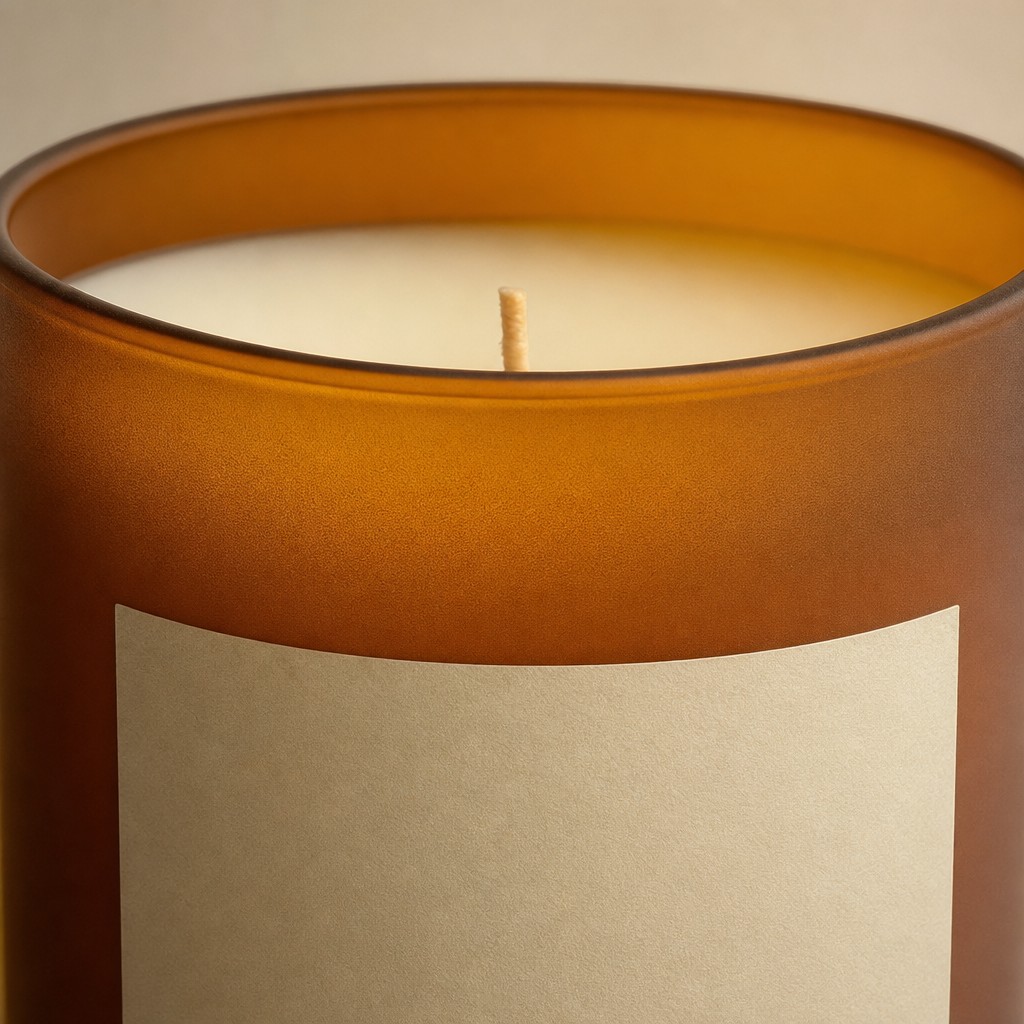
A premium macro product detail photo of [a scented candle in a frosted amber glass jar with a smooth cream blank label]. Close-up crop showing the frosted glass texture, warm amber translucency, smooth cream wax surface, and centered wick. Soft studio lighting, shallow depth of field, elegant minimal composition, no text, no logo, no props, photorealistic, 1:1.
Why it works: Macro shots benefit from short prompts. The model knows what "macro detail" means — your job is to tell it what to focus on (texture, translucency, wick) and what not to include (text, logo, props).
4. Promotional Poster with Headline
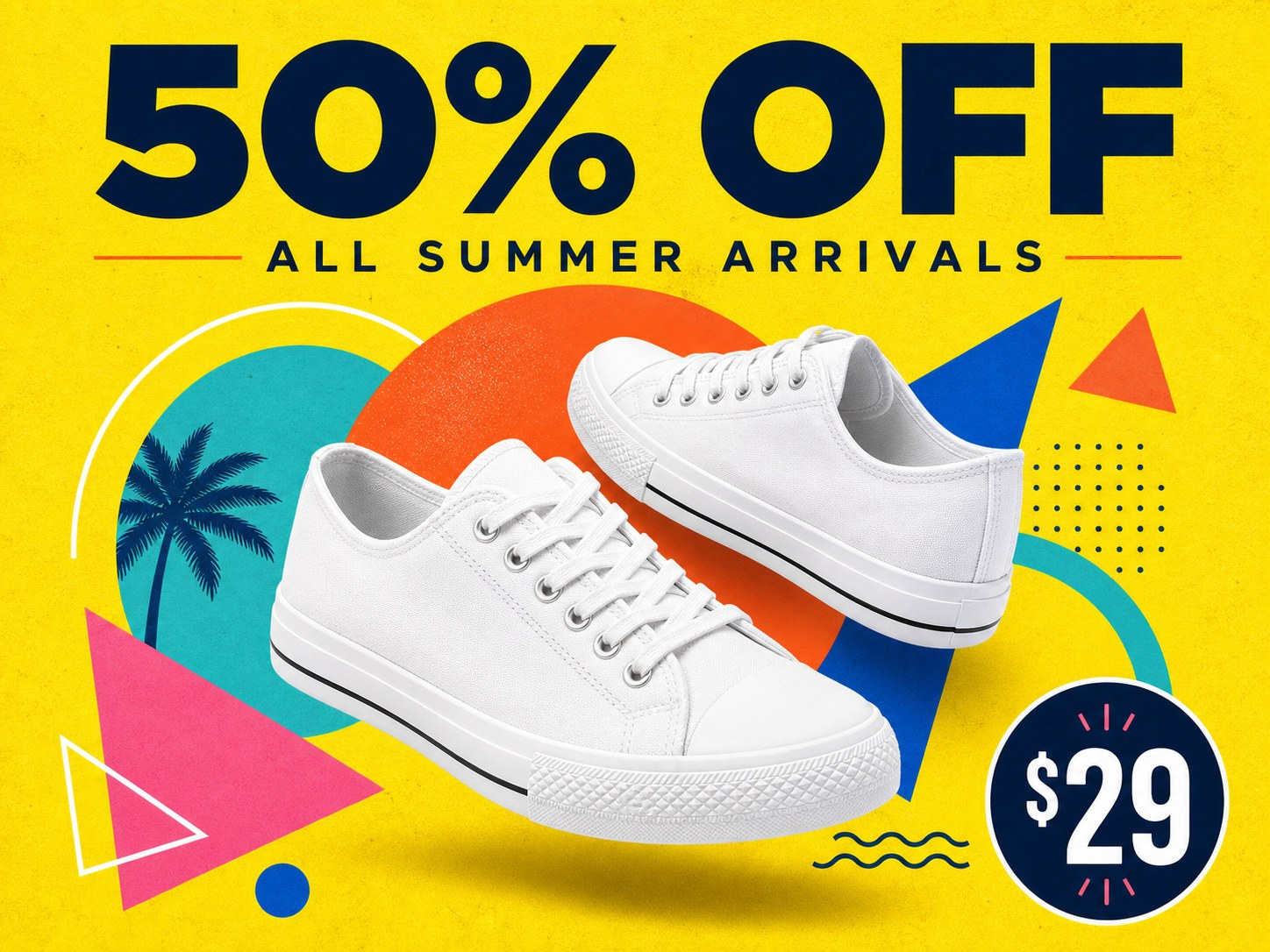
A modern high-impact promotional poster, 4:3 landscape. A bold oversized headline "50% OFF" anchored at the top in a clean geometric sans-serif with confident letter-spacing, a smaller refined subheadline "ALL SUMMER ARRIVALS" directly beneath. Central hero subject: [a pair of pure white canvas sneakers] floating at a slight dynamic angle, casting a soft natural drop shadow, framed by playful overlapping geometric shapes — circles, arcs, triangles — in complementary tones. Bright lemon-yellow background with subtle paper-grain texture. Vibrant flat-design, strong color contrast, deliberate visual hierarchy leading the eye from headline to product, balanced margins, a small circular price badge in one corner reading "$29", polished advertising layout.
Why it works: The headline ("50% OFF") and subhead ("ALL SUMMER ARRIVALS") are in straight quotes. The price badge text ("$29") is also quoted. GPT Image 2 renders each one accurately. The geometric shapes language gives the model a visual vocabulary to fill the negative space without becoming chaotic.
5. Educational Infographic
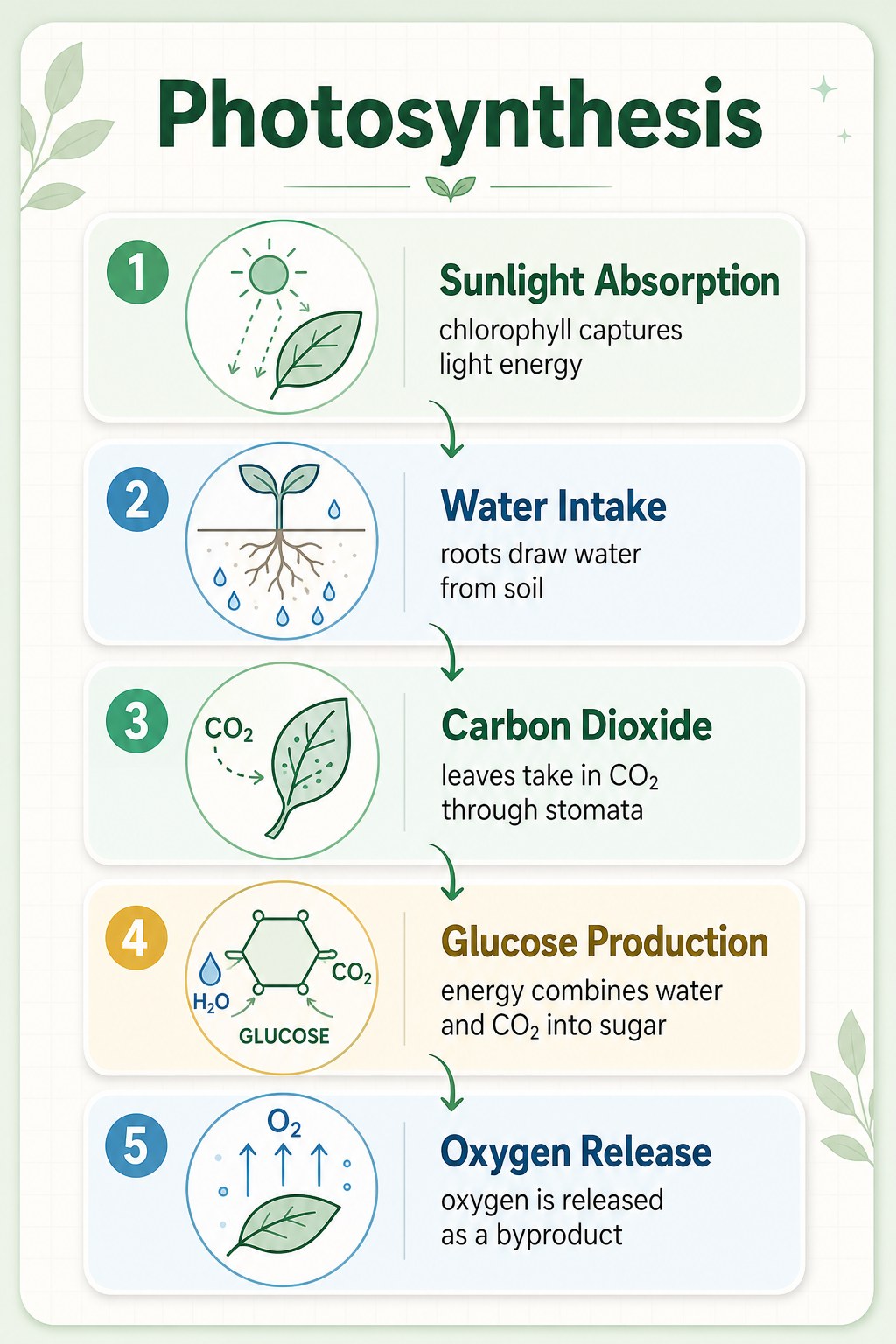
A clean professionally designed educational infographic card, bold heading "Photosynthesis" at the top. The body lays out five clearly numbered steps in a logical top-to-bottom flow connected by thin curved arrows; each step pairs a simple two-tone line icon with a concise label and a short caption: "1. Sunlight Absorption — chlorophyll captures light energy", "2. Water Intake — roots draw water from soil", "3. Carbon Dioxide — leaves take in CO2 through stomata", "4. Glucose Production — energy combines water and CO2 into sugar", "5. Oxygen Release — oxygen is released as a byproduct". Soft pastel palette (mint green, sky blue, warm cream), flat vector illustration with consistent line weights, a faint background grid, abundant white space, tidy margins, gently rounded section corners, soft drop shadows for light depth, modern science-poster aesthetic, perfectly legible typography, 3:4 portrait.
Why it works: Every text string is specified in full. The model needs to render numbers, labels, captions, and the title — and it does, in the right hierarchy. Providing the structure (five numbered steps, top-to-bottom, connected by arrows) gives the model a clear scaffold. Note: it added the chemistry labels "H2O", "CO2", "O2", and "GLUCOSE" without being asked — contextual additions that fit the topic.
6. Social Media Cover
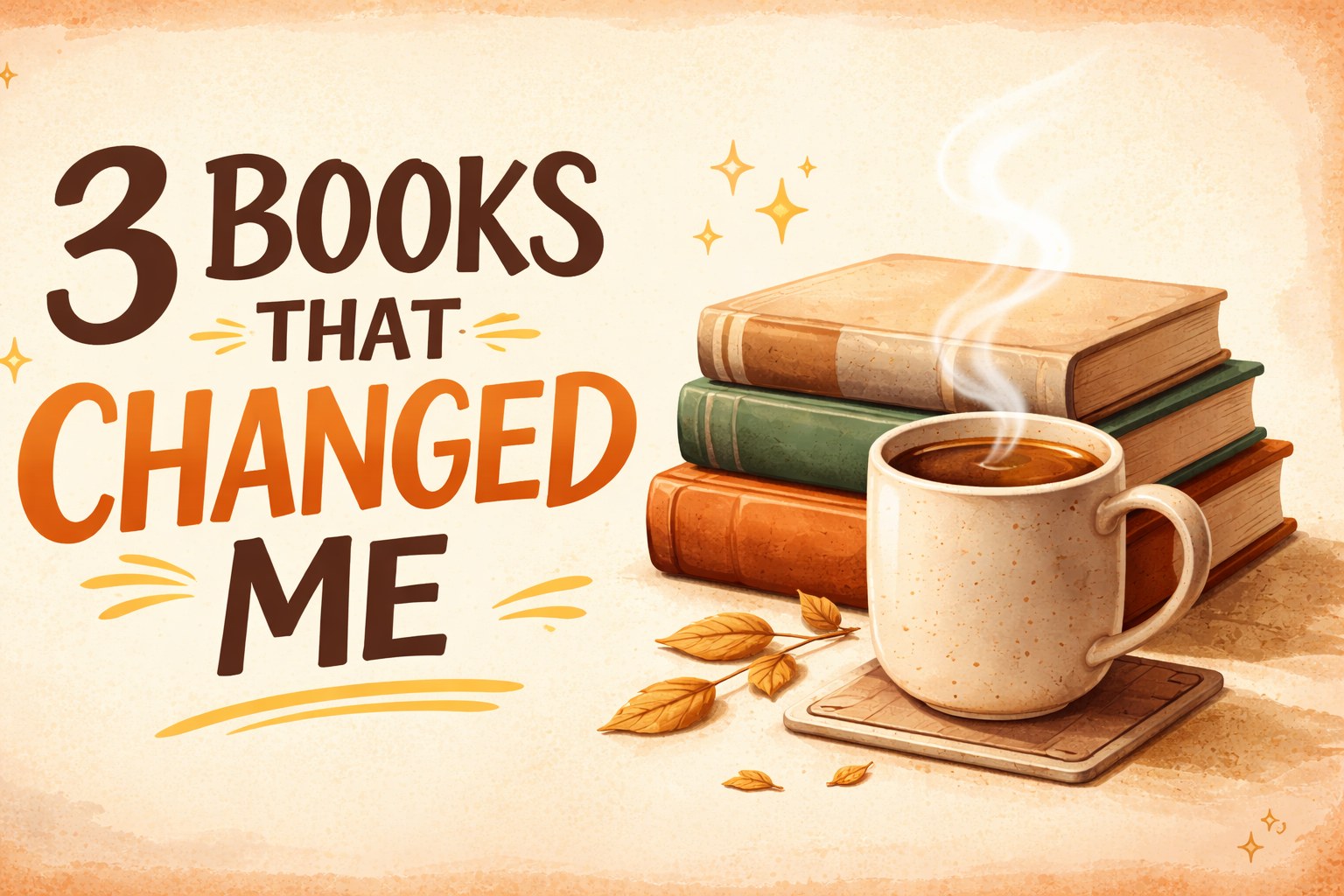
An eye-catching scroll-stopping social media cover, 16:9. A large expressive title "3 BOOKS THAT CHANGED ME" set off-center in a stylish bold typeface with the word "CHANGED" in an accent warm-orange color. Focal illustration beside the text: [a neat stack of three hardcover books with visible spines beside a steaming cup of coffee in a ceramic mug], rendered with warm inviting detail. Warm cozy tones (caramel, cream, soft brown), a subtly textured paper background with a faint light vignette, a few small hand-drawn doodles (sparkles, underline strokes) for personality, trendy editorial layout with a strong clear focal hierarchy, comfortable padding around every element, composition designed to stand out in a crowded feed.
Why it works: You can color specific words ("the word 'CHANGED' in an accent warm-orange color") and the model honors it. The "scroll-stopping" framing tells the model to optimize for thumbnail visibility, not for editorial restraint.
7. Logo Concept Board
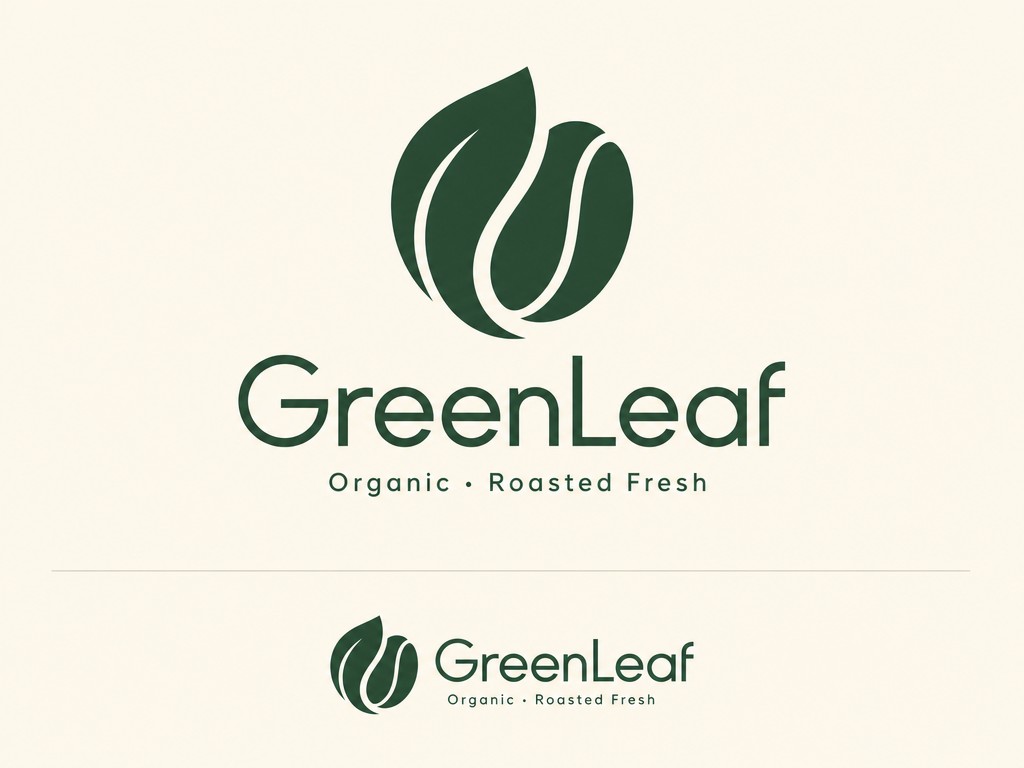
A polished minimalist logo concept on a clean presentation board for [an organic coffee brand GreenLeaf]. The primary mark elegantly merges [a single curling leaf with a coffee bean] into one cohesive symbol with smooth balanced curves and even negative space. Below it the wordmark "GreenLeaf" is set in a refined modern geometric typeface, with a small tagline "Organic · Roasted Fresh" beneath. Strict two-color palette of deep forest green and warm cream, flat vector style, crisp edges, scalable construction. The logo is shown once large and once small to imply versatility, plain neutral background, professional brand-identity aesthetic.
Why it works: Logos benefit from the "presentation board" framing — it produces output that looks ready for a portfolio piece, not just an isolated mark. "Shown once large and once small to imply versatility" is a specific design-language cue that returns the kind of grid layout brand designers actually use.
8. Food Photography
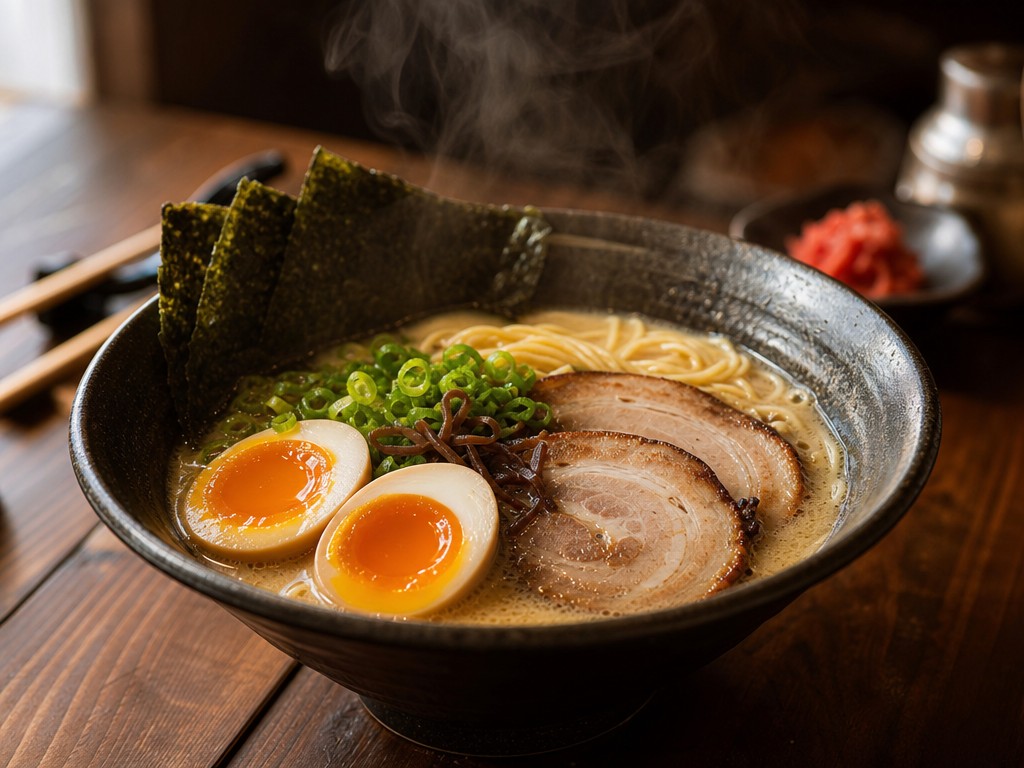
A photorealistic mouth-watering close-up of [a bowl of steaming Japanese tonkotsu ramen] on a dark walnut table. Shot on a 50mm lens at a low three-quarter angle, shallow depth of field with creamy bokeh dissolving the background. Soft natural window light rakes in from the left, catching the glossy broth, a soft-boiled egg's runny yolk, springy noodles and delicate wisps of rising steam. Rich fine texture — chopped scallions, nori sheen, chashu marbling — warm appetizing color grade, gentle highlights and soft deep shadows, a few blurred props (chopsticks, a small side dish) behind, professional food photography, 4:3.
Why it works: Food photography needs sensory detail — the prompt names specific elements ("glossy broth", "runny yolk", "springy noodles", "wisps of rising steam") and the model renders each one. The lens and angle ("50mm lens at a low three-quarter angle") map directly to real food-photography conventions.
9. Flat Vector Illustration
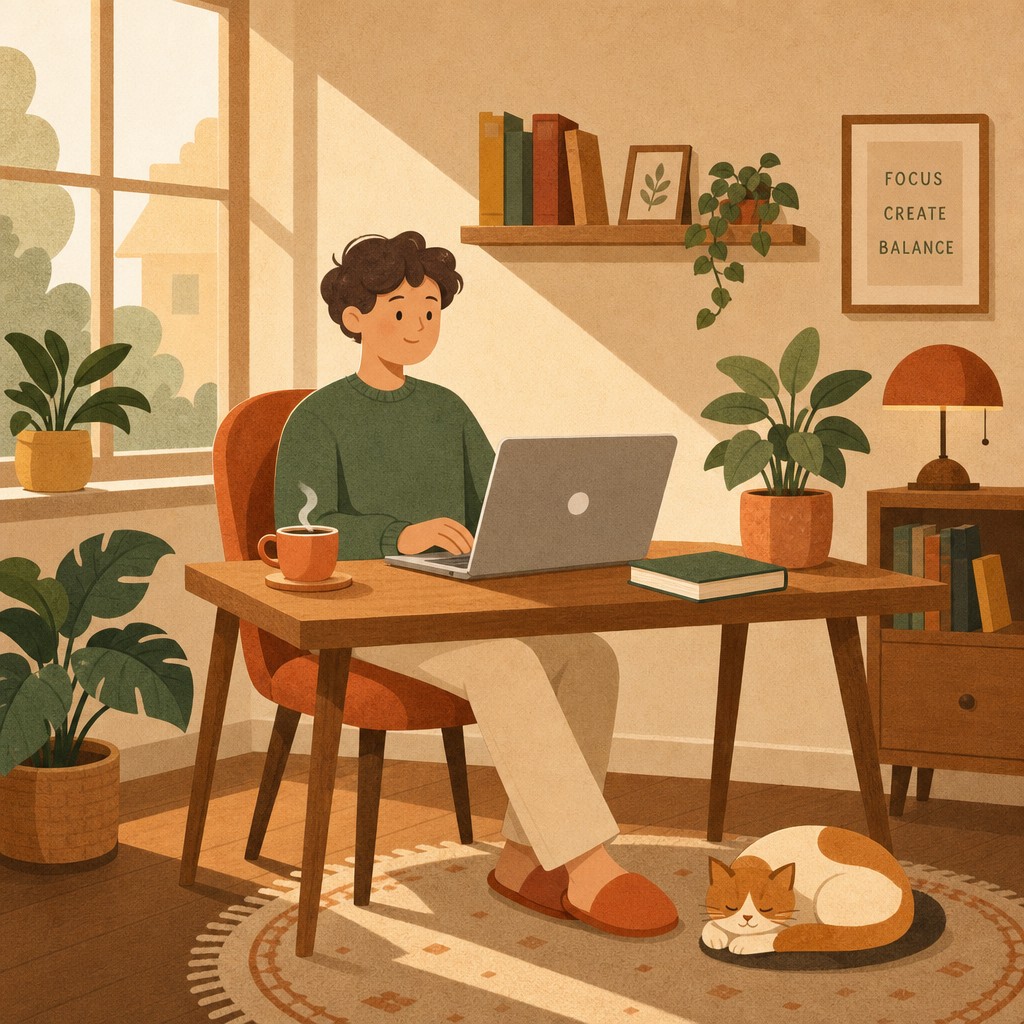
A modern flat vector illustration of [a person working remotely from a comfortable home setup]. Scene: a person relaxed in a chair at a wooden desk, an open laptop in front of them, a steaming cup of tea and a book beside the laptop, a lush potted plant nearby, a cat curled on a small rug at their feet, soft sunlight coming through a side window. Built from clean geometric shapes with consistent rounded corners, a harmonious warm flat-color palette (terracotta, mustard, sage, cream), soft elongated shadows, no gradients, simple two-dot facial features, a subtle grain texture overlay for warmth, balanced composition with comfortable breathing room, friendly inviting mood, modern editorial illustration style, 1:1.
Why it works: Flat illustration prompts win when you specify the construction rules — "geometric shapes with consistent rounded corners", "no gradients", "simple two-dot facial features", "soft elongated shadows". These constraints force consistency across all elements of the scene.
10. App Icon
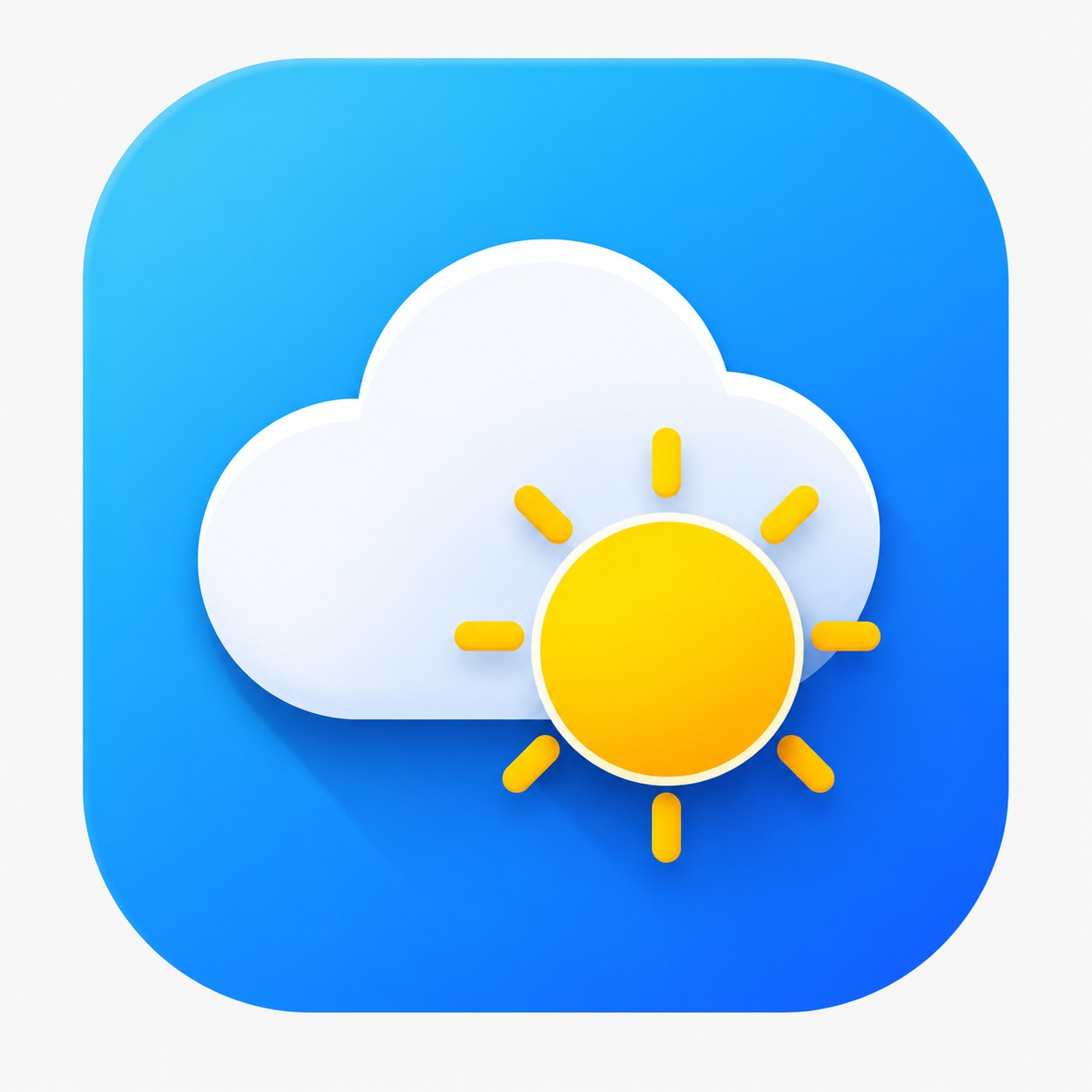
A modern polished app icon for [a weather app], on the standard rounded-square (squircle) shape. The central symbol — [a plump white cloud overlaid in front of a bright sun] — is built from bold simple geometry with clean crisp edges. Background is a smooth diagonal blue gradient (sky blue into deeper azure) with a very subtle inner glow. Flat design with a hint of layered depth: a soft long shadow cast by the cloud, a gentle highlight along its top edge. Vibrant yet tasteful color, perfectly centered with even padding, instantly recognizable and legible at small size, premium iOS-style icon aesthetic, 1:1, shown on a plain neutral background.
Why it works: "Legible at small size" is a design constraint the model actually understands — it keeps the icon's primary symbol simple and high-contrast. The squircle shape and gradient details give it the platform-native feel.
11. Detailed Interior Scene
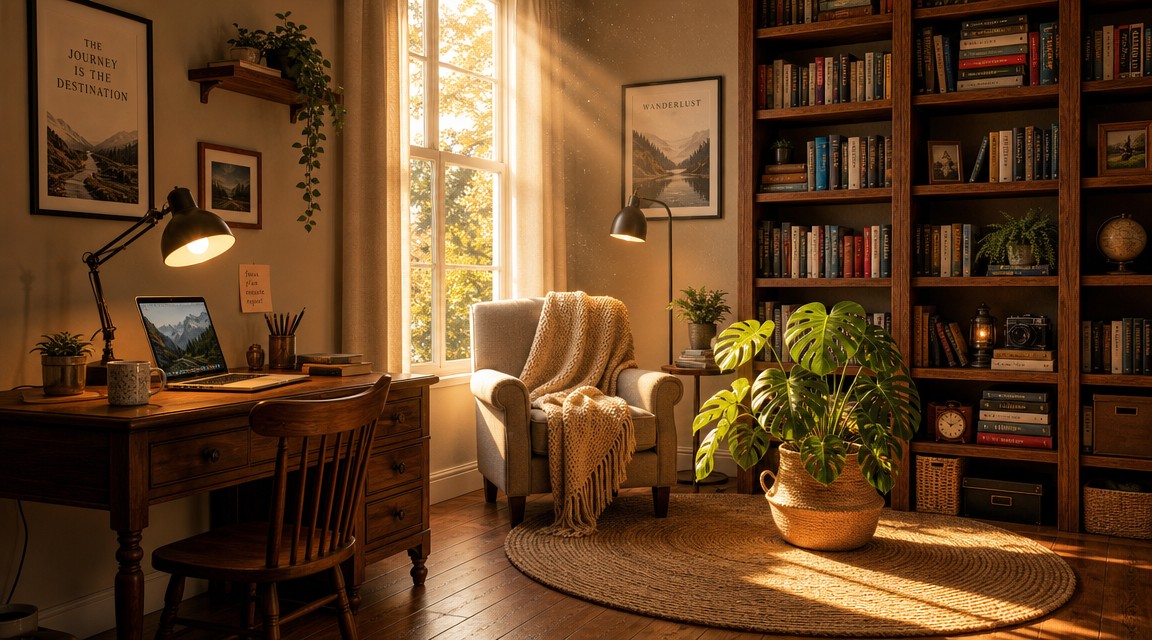
A detailed warm cozy home-studio interior, polished illustration, every element clearly placed: on the left, [a wooden desk with an open laptop, a warm-light desk lamp, and a coffee mug]; in the center, [a comfortable armchair draped with a knit throw]; on the right, [a floor-to-ceiling wooden bookshelf packed with colorful books and a few small ornaments]; on the floor, [a round woven rug with a tall monstera plant in a terracotta pot]. Late-afternoon golden sunlight streams through a tall window, long soft shadows, dust motes drifting in the light beams, warm inviting palette, rich material textures (wood grain, knit, paper), every object distinct and correctly positioned, realistic detailed illustration, 16:9.
Why it works: Complex multi-element scenes need spatial anchors ("on the left… in the center… on the right… on the floor"). The model uses those as placement instructions and the elements land where you asked. "Every object distinct and correctly positioned" is a defensive instruction that helps prevent merging or omission.
12. Premium Text Poster
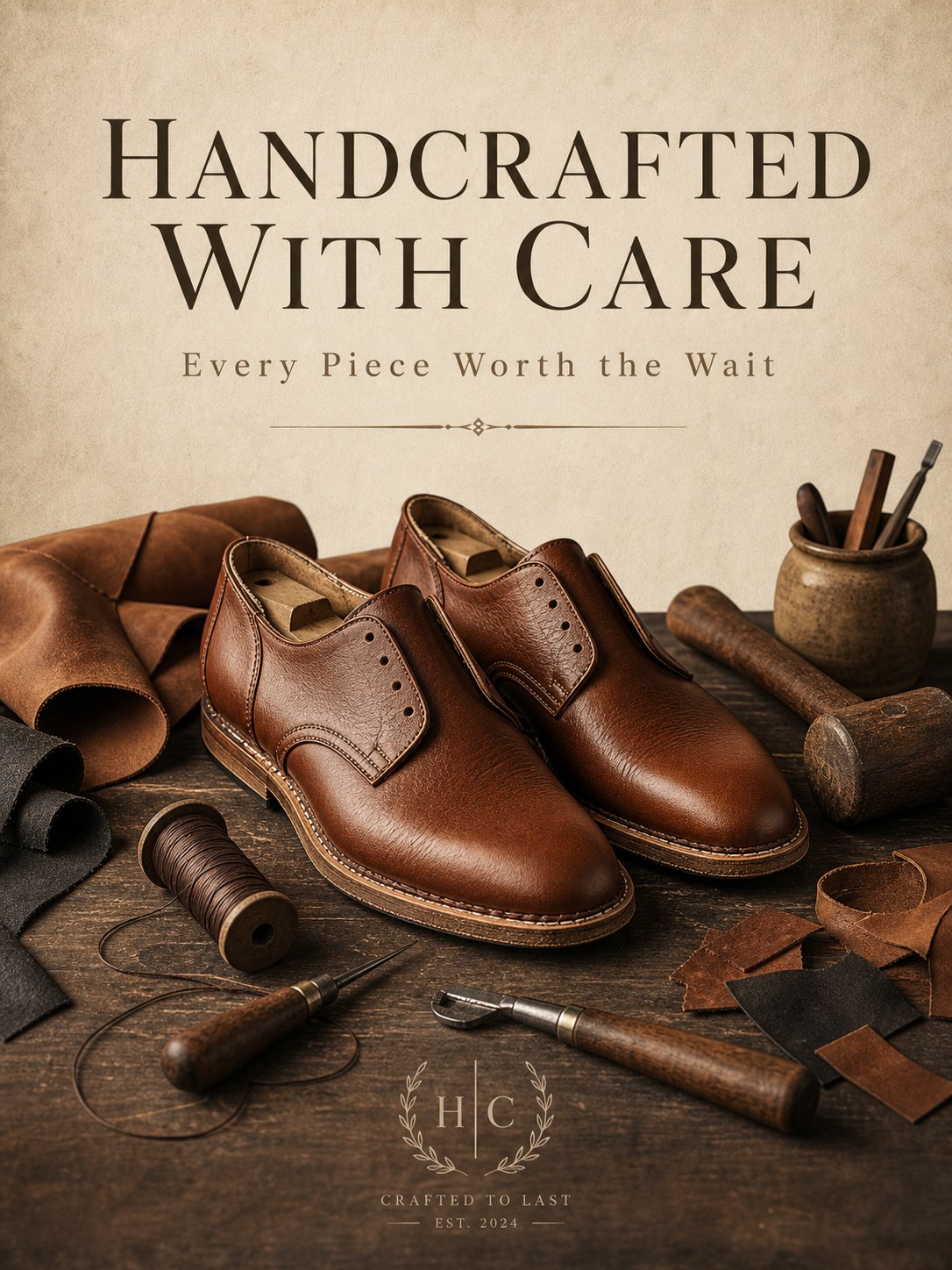
A clean premium poster, 3:4 portrait. A large English title "HANDCRAFTED WITH CARE" rendered prominently with accurate well-formed letterforms near the top in an elegant semi-serif typeface; a smaller English subtitle "Every Piece Worth the Wait" below it in a lighter weight with comfortable spacing. Central visual: [a pair of handcrafted leather shoes in progress beside scattered leather scraps, waxed thread, and craftsman tools (awl, edge beveler, small wooden mallet)], lit by warm directional workshop lighting that highlights the leather grain and casts gentle shadows. Refined earthy palette (tan, cognac, charcoal, cream), minimalist balanced layout with generous negative space, a thin decorative divider line, subtle paper texture, high-end artisanal brand aesthetic.
Why it works: The "elegant semi-serif typeface" hint produces a typeface choice that fits the artisanal context. The model also added a small "CRAFTED TO LAST · EST. 2024" line and an "H | C" monogram in the lower section — contextually appropriate brand elements it inferred from the artisanal framing.
Tips That Improved Our Hit Rate
A few patterns that came out of running these prompts in volume:
- Lock text in straight quotes. Smart quotes get rendered as smart quotes. Em dashes work; en dashes get inconsistent. The exact string in quotes is what the model tries to render.
- Negative clauses are powerful. "No text, no logo, no clutter, no extra people" prevents the three most common failure modes for product photography in a single line.
- Name the lens and lighting setup, not just the mood. "85mm with three-point studio lighting" gives the model more to work with than "professional studio look".
- Spatial anchors help complex scenes. "On the left, [X]; in the center, [Y]; on the right, [Z]" keeps multi-element scenes placed correctly. Vague placement ("various objects around") gets vague results.
- The model will add detail you didn't ask for. It added chemistry labels to the infographic, a brand monogram to the leather poster, and product spec text to the candle in our vs Nano Banana 2 test. Leave room for this rather than over-specifying.
- For text-heavy designs, the resolution tier matters. 2K outputs preserve thin letterforms and small caption text better than 1K. The cost difference is 33% — see the pricing breakdown for when to pay it.
FAQ
Are these prompts ready to copy-paste?
Yes. Each one is the prompt that produced the image shown beside it. Swap the bracketed variables ([your subject here]) for your own product, theme, or scene description and the rest of the prompt structure is reusable as-is.
Why bracketed variables?
To make the templates obviously reusable. In production we replace the brackets with our actual subject. The non-bracketed parts — composition rules, lighting, typography, negative clauses — are what we want to keep stable across many generations of the same job type.
Can I shorten these prompts?
You can, but you'll lose some control. Short prompts work for simple subjects (macro product detail can be 60 words). Complex jobs with multiple text strings, specific layouts, and negative clauses are where length pays off. If you're getting unpredictable output, add specificity.
What if my generation doesn't match the prompt exactly?
GPT Image 2 follows prompts very closely but isn't deterministic. Re-run if the first generation has a specific failure (a word misrendered, an element misplaced). Two attempts at $0.03 each is usually cheaper than a long debugging cycle on a single prompt.
Do these prompts work on other image models?
The structural patterns (subject + composition + light + text in quotes + negative clauses) carry across most modern image models, including Nano Banana 2. The exact phrasings here are tuned for GPT Image 2 — minor adjustments may help on other models.
Bottom Line
The best GPT Image 2 prompts read like creative briefs to a designer, not like search queries. Twelve working templates above cover most common production jobs — product photography, posters, infographics, UI mockups, logos, illustration, interiors. Copy the closest match, swap your variables, generate.
If you want to test these yourself before committing to a batch, the Playground on the GPT Image 2 model page accepts these prompts directly. For an honest take on what the model handles well and where it falls short before you scale, see our GPT Image 2 hands-on review. For more advanced workflows — running prompts at scale, batching variations — see the e-commerce workflow guide for a complete pipeline that uses these templates in production.









